

Exam Code: VCS-285
Exam Name: Veritas NetBackup 10.x and NetBackup Appliance 5.x Administrator
Certification Provider: Veritas
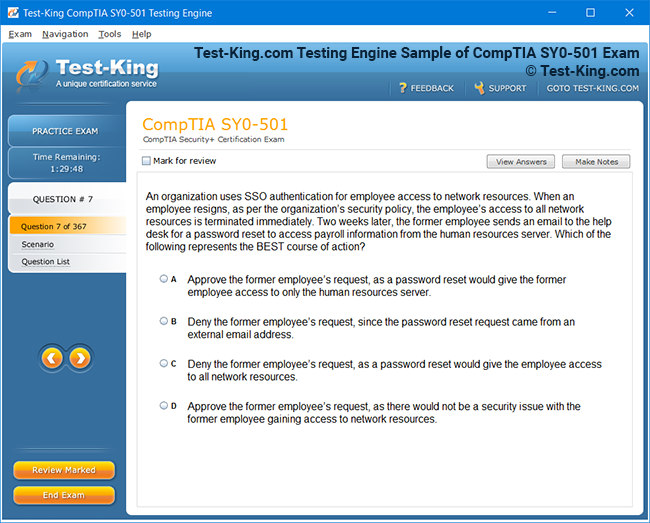
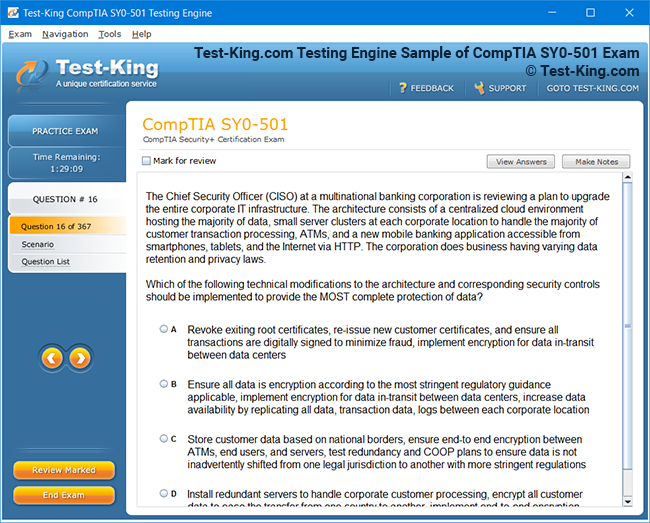
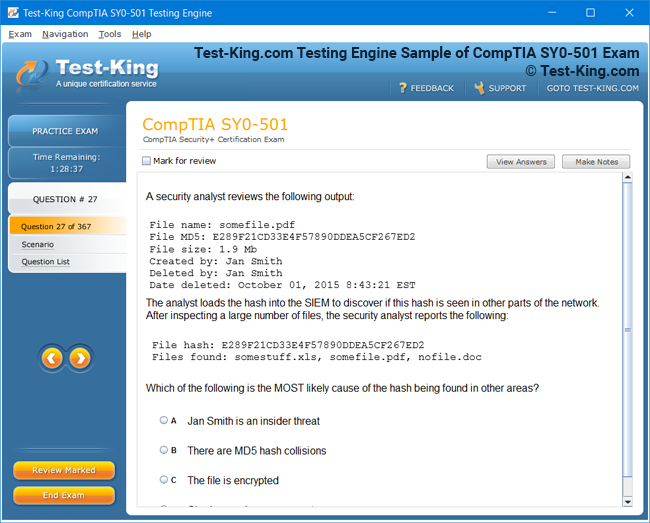
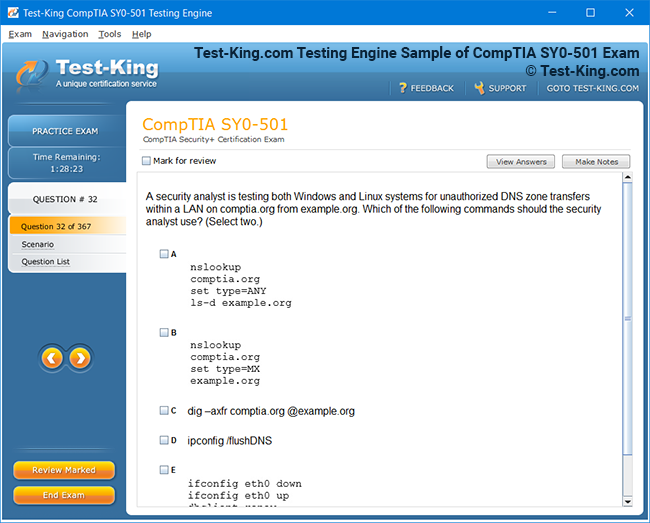
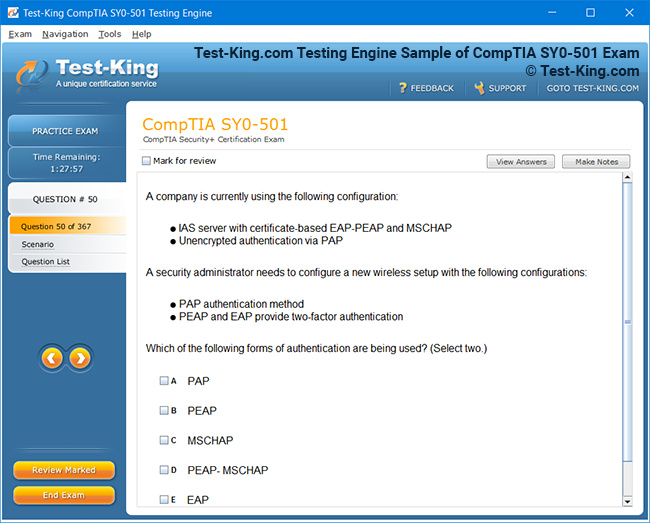
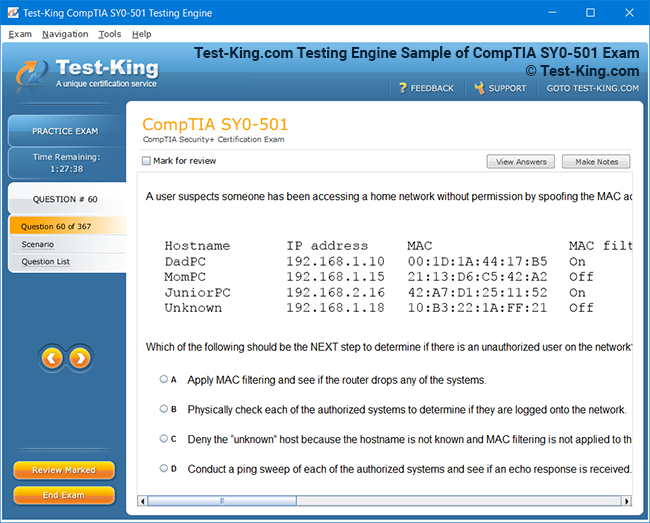
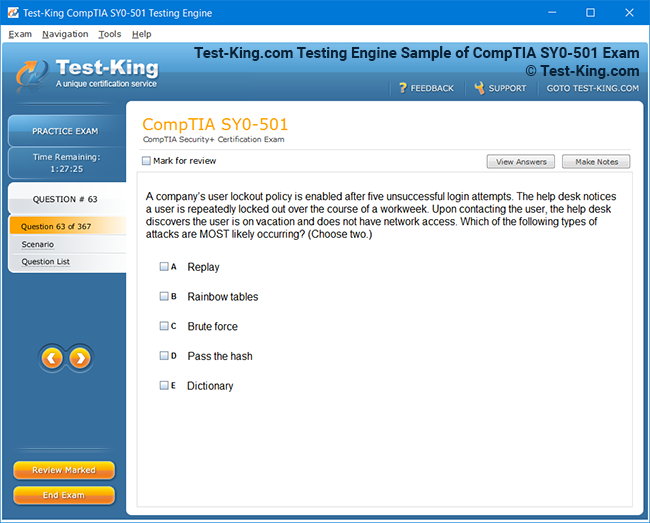
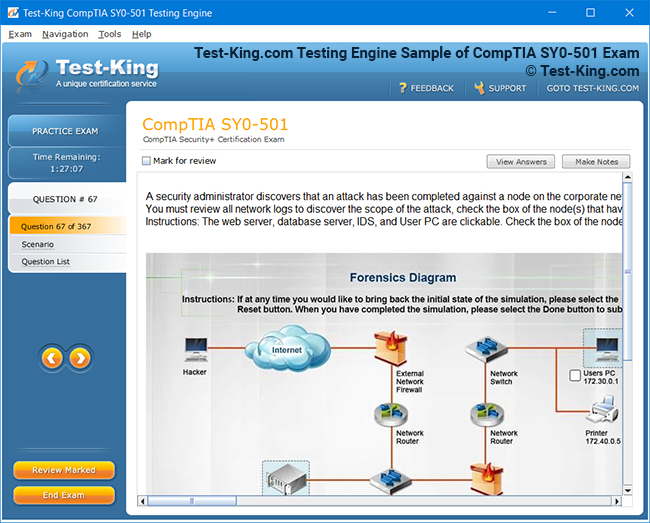
Product Screenshots
Frequently Asked Questions
How can I get the products after purchase?
All products are available for download immediately from your Member's Area. Once you have made the payment, you will be transferred to Member's Area where you can login and download the products you have purchased to your computer.
How long can I use my product? Will it be valid forever?
Test-King products have a validity of 90 days from the date of purchase. This means that any updates to the products, including but not limited to new questions, or updates and changes by our editing team, will be automatically downloaded on to computer to make sure that you get latest exam prep materials during those 90 days.
Can I renew my product if when it's expired?
Yes, when the 90 days of your product validity are over, you have the option of renewing your expired products with a 30% discount. This can be done in your Member's Area.
Please note that you will not be able to use the product after it has expired if you don't renew it.
How often are the questions updated?
We always try to provide the latest pool of questions, Updates in the questions depend on the changes in actual pool of questions by different vendors. As soon as we know about the change in the exam question pool we try our best to update the products as fast as possible.
How many computers I can download Test-King software on?
You can download the Test-King products on the maximum number of 2 (two) computers or devices. If you need to use the software on more than two machines, you can purchase this option separately. Please email support@test-king.com if you need to use more than 5 (five) computers.
What is a PDF Version?
PDF Version is a pdf document of Questions & Answers product. The document file has standart .pdf format, which can be easily read by any pdf reader application like Adobe Acrobat Reader, Foxit Reader, OpenOffice, Google Docs and many others.
Can I purchase PDF Version without the Testing Engine?
PDF Version cannot be purchased separately. It is only available as an add-on to main Question & Answer Testing Engine product.
What operating systems are supported by your Testing Engine software?
Our testing engine is supported by Windows. Andriod and IOS software is currently under development.
Top Veritas Exams
Introduction to Veritas NetBackup and the VCS-285 Exam
Veritas NetBackup 10.x is a robust enterprise backup solution designed to protect data across physical, virtual, and cloud environments. The system provides comprehensive backup, restore, and replication functionalities that ensure business continuity even in the most complex infrastructures. The NetBackup Appliance 5.x complements this framework by offering a streamlined approach for storage management, enabling faster deployment and simplified administration. Together, they form a cohesive ecosystem where data integrity and recoverability are paramount.
Understanding Veritas NetBackup 10.x and Appliance 5.x
At its core, NetBackup utilizes a combination of media servers, storage units, and clients to manage data efficiently. Media servers act as the intermediary between clients and storage units, handling the transmission of backup data and orchestrating tasks based on policies defined by administrators. Storage units, whether disk-based or tape-based, hold the data in organized formats that support deduplication and replication. Clients, ranging from virtual machines to enterprise applications, require careful configuration to ensure data is captured according to organizational policies.
The Value of Practical Experience for VCS-285 Candidates
The VCS-285 exam tests not only theoretical knowledge but also the ability to apply concepts in real-world scenarios. While documentation and study guides provide a foundational understanding, hands-on experience is indispensable. Practical exercises enable candidates to explore the nuances of backup policies, job scheduling, and appliance configuration, bridging the gap between academic understanding and operational proficiency. Working in a simulated environment also enhances problem-solving skills, preparing candidates to troubleshoot unexpected failures efficiently.
Key Components and Concepts to Master
Backup Policies and Scheduling
Backup policies define the rules for data protection, specifying which files or volumes to back up, when to perform the backups, and how long to retain the data. Incremental, differential, and full backup strategies are essential to understand, as they impact both storage utilization and recovery speed. Scheduling plays a critical role in ensuring minimal disruption to business operations while maintaining up-to-date copies of data.
Media Servers and Storage Units
Media servers are responsible for handling the flow of data between clients and storage units. Properly configuring these servers ensures efficient data movement, avoiding bottlenecks that could compromise backup performance. Storage units, on the other hand, organize the data, often employing deduplication techniques to reduce redundancy and optimize capacity. A deep understanding of these components is crucial for managing large-scale environments effectively.
Client Configuration and Management
Clients must be properly configured to communicate with media servers and participate in backup jobs. This includes installing agents, defining backup selections, and ensuring compatibility with policies. The administrator’s ability to manage multiple clients and monitor their activity directly influences the success of the backup infrastructure.
Exam Structure and Focus Areas
The VCS-285 exam is structured to evaluate a candidate’s proficiency in multiple domains of NetBackup administration. Key focus areas include policy creation and management, appliance configuration, backup and recovery procedures, and troubleshooting common issues. Questions may involve scenario-based problems, requiring the candidate to analyze a situation and determine the appropriate course of action. Emphasizing practical scenarios over rote memorization ensures that candidates are prepared for the operational demands they will encounter post-certification.
Setting Up a Lab Environment for Practice
To gain practical experience, setting up a dedicated lab environment is highly recommended. Virtual machines provide a flexible platform for deploying media servers, clients, and appliances without requiring physical hardware. Candidates can simulate different network topologies, storage configurations, and backup schedules to understand the behavior of NetBackup under various conditions. This immersive approach allows for experimentation with failure scenarios, such as disk corruption, job failures, or network interruptions, offering invaluable lessons in troubleshooting and recovery.
Creating the lab involves several steps. First, selecting appropriate hardware or virtual machine specifications ensures sufficient memory, CPU, and storage for realistic simulations. Next, installing the NetBackup master server and media servers lays the foundation for backup operations. Configuring appliances with proper network settings, storage domains, and deduplication policies prepares the environment for advanced exercises. Finally, establishing clients with varying operating systems and application types completes the infrastructure, allowing for comprehensive hands-on practice.
Simulating Backup and Recovery Scenarios
A crucial part of preparation involves simulating real-world backup and recovery scenarios. This includes performing full and incremental backups, testing restores of individual files or entire volumes, and experimenting with disaster recovery procedures. By observing log files, analyzing job results, and adjusting configurations, candidates develop a keen understanding of system behavior. These exercises build confidence in managing enterprise-level data protection operations and provide insight into optimizing performance and reliability.
Troubleshooting and Error Resolution
Working within a lab environment exposes candidates to common challenges they might face in production. Errors can occur due to misconfigured policies, network interruptions, or storage misalignment. Understanding the causes and applying corrective measures is an integral part of skill development. Candidates learn to interpret log files, identify error codes, and implement solutions that maintain the integrity of backup and recovery processes. This proactive approach is essential for passing the VCS-285 exam and for excelling in real-world NetBackup administration.
Reinforcing Knowledge Through Repetition
Regular practice within the lab environment reinforces theoretical knowledge. Repeating backup, recovery, and appliance management exercises allows candidates to internalize procedures, recognize patterns, and gain intuition for problem-solving. This iterative approach cultivates both confidence and proficiency, ensuring that candidates are well-prepared to tackle the variety of scenarios presented during the VCS-285 exam.
Leveraging Documentation and Best Practices
While hands-on experience is paramount, consulting Veritas documentation and adhering to best practices enhances understanding. Documentation provides detailed explanations of features, configuration options, and operational guidelines, serving as a reference during lab exercises. Combining this knowledge with practical experience ensures a holistic approach to learning, enabling candidates to develop both technical skills and strategic thinking.
Preparing for Scenario-Based Questions
The VCS-285 exam frequently includes scenario-based questions that require critical thinking. Instead of relying on memorization, candidates must analyze situations, understand underlying principles, and apply the correct procedures. Practicing such scenarios in a lab setting allows candidates to experiment with solutions, understand the consequences of each action, and refine their decision-making skills. This approach mirrors real-world responsibilities, making the preparation process more relevant and effective.
Developing a Problem-Solving Mindset
Beyond technical proficiency, successful NetBackup administrators cultivate a problem-solving mindset. This involves approaching challenges methodically, evaluating multiple solutions, and adapting to unexpected situations. Engaging in diverse lab exercises encourages this mindset, fostering resilience and ingenuity. Candidates who develop these traits are not only more likely to succeed in the exam but also to excel in operational environments where data integrity is critical.
Building Confidence Through Mastery
Confidence comes from repeated exposure to complex tasks and successful resolution of challenges. By continuously engaging with lab exercises, exploring different backup and recovery configurations, and troubleshooting errors, candidates gain assurance in their abilities. This mastery reduces exam anxiety and equips candidates with the practical skills necessary for real-world administration.
Planning the Lab Environment
Creating a realistic lab environment is an essential step for mastering Veritas NetBackup 10.x and NetBackup Appliance 5.x. A well-planned lab allows candidates to explore complex configurations, simulate failures, and test recovery procedures without impacting production systems. The first step involves evaluating the resources available, whether physical servers, virtual machines, or cloud-based instances. Understanding the limitations and strengths of each platform ensures that the lab environment is both functional and scalable. Virtualization offers the advantage of flexibility, allowing multiple servers and clients to coexist within a single physical host, while physical machines may offer more authentic performance metrics and network behavior.
Selecting Hardware and Virtual Machines
Choosing appropriate hardware is critical to achieve a realistic simulation. The master server requires sufficient memory, processor speed, and storage to handle policy management, job scheduling, and log retention. Media servers must support concurrent data streams and manage large backup volumes efficiently. For virtual machines, allocating dedicated resources prevents bottlenecks that could skew testing results. Clients can range from simple virtual machines to more sophisticated setups running enterprise applications or databases. Ensuring that all components have sufficient resources allows administrators to simulate real-world scenarios, including high data throughput and simultaneous backup operations.
Installing Master and Media Servers
The installation of the master server forms the backbone of the lab environment. This server coordinates backup operations, maintains policies, and stores metadata for recovery tasks. Careful attention must be paid to network settings, DNS resolution, and time synchronization, as inconsistencies can lead to backup failures or data discrepancies. Following this, media servers are installed and integrated into the environment. Media servers handle the movement of data between clients and storage units, executing backup and restore operations according to defined schedules. Configuring multiple media servers enhances the realism of the lab, allowing for exploration of load balancing, data streams, and network optimization techniques.
Configuring NetBackup Appliances
NetBackup appliances streamline storage management and provide simplified deployment options. In a lab setting, configuring appliances involves setting up storage domains, defining deduplication policies, and integrating the appliance with the master and media servers. Candidates can experiment with appliance-specific features such as replication, snapshot management, and automated monitoring. Proper network configuration is essential to ensure seamless communication between appliances and other components. Testing appliance performance under different backup loads and scenarios provides insights into potential bottlenecks and optimization strategies.
Initializing Backup Policies
Backup policies are the blueprint for protecting data and must be created carefully within the lab environment. Policies define the type of backup, retention periods, and scheduling intervals. Full, incremental, and differential backups can be tested to understand the impact on storage utilization and restore times. Candidates should simulate multiple backup cycles, adjusting schedules to mirror operational constraints and maintenance windows. Observing how policies interact with media servers, clients, and storage units helps build a deeper understanding of NetBackup operations and prepares candidates for the types of scenarios they may encounter during the VCS-285 exam.
Client Setup and Configuration
Clients are the endpoints where data originates, and configuring them correctly is essential for accurate testing. This includes installing the appropriate NetBackup agents, defining backup selections, and ensuring compatibility with the policies established on the master server. In a lab, candidates can create clients with varying operating systems and application types, testing the versatility and robustness of backup procedures. Experimenting with different client configurations helps identify potential issues, such as network latency, authentication errors, or application-specific nuances, which can then be resolved through troubleshooting exercises.
Simulating Backup Jobs
Running simulated backup jobs is a core exercise within the lab. Full backups capture complete data sets, while incremental backups only record changes since the last job. Differential backups record changes since the previous full backup, allowing for efficient storage utilization. By executing these jobs across multiple clients and servers, candidates can observe data flow, job duration, and resource utilization. Errors that occur during these simulations provide opportunities for troubleshooting, reinforcing the ability to resolve issues under exam-like conditions. Candidates can also explore job prioritization, concurrent execution, and policy dependencies to understand how complex enterprise environments operate.
Observing Logs and Monitoring
Monitoring backup operations and analyzing logs are essential for understanding system behavior and diagnosing problems. Logs provide granular details about job execution, errors, and resource usage. Candidates should review logs after each simulated backup, noting any anomalies or patterns that may indicate misconfiguration. Observing how media servers handle data streams, how appliances manage storage efficiency, and how clients respond to backup requests cultivates a comprehensive understanding of the NetBackup ecosystem. Monitoring tools and dashboards can be explored to gain insights into performance trends, bottlenecks, and potential optimizations.
Simulating Failures and Recovery
A critical component of lab practice involves simulating failures and testing recovery strategies. Scenarios may include client system crashes, network interruptions, storage errors, or corrupted backup files. Candidates can practice restoring individual files, entire volumes, or full systems, observing the behavior of both media servers and appliances. Testing recovery procedures under different conditions strengthens problem-solving skills and ensures that candidates can respond effectively to unexpected events. The repetition of these exercises builds confidence in managing high-pressure situations, mirroring challenges encountered in enterprise environments.
Automating and Repeating Exercises
Automation can enhance the realism and efficiency of the lab environment. By scheduling recurring backup jobs, monitoring alerts, and simulating varying workloads, candidates can observe how NetBackup handles continuous operations. Repetition is vital for mastery, allowing candidates to internalize procedures, recognize patterns, and refine troubleshooting strategies. Automated testing also helps identify potential weaknesses in configuration or policy setup, enabling adjustments that improve overall system resilience.
Exploring Advanced Configurations
Once foundational elements are mastered, the lab can be used to explore advanced configurations. This includes multi-domain setups, integration with cloud storage, replication strategies, and appliance clustering. Candidates can experiment with performance tuning, deduplication optimization, and cross-platform backups. These exercises provide a nuanced understanding of how large-scale environments function and prepare candidates for complex scenarios that may be encountered during the VCS-285 exam or in operational deployments.
Reinforcing Knowledge Through Documentation
While practical exercises form the core of learning, consulting official documentation enhances understanding. Detailed guides provide explanations of configuration options, operational procedures, and troubleshooting strategies. Using documentation as a reference during lab exercises allows candidates to verify configurations, explore less familiar features, and develop a more systematic approach to problem-solving. Combining hands-on practice with documentation ensures a balanced understanding, reinforcing both conceptual and practical knowledge.
Developing Analytical Skills
Lab exercises encourage analytical thinking by requiring candidates to interpret logs, monitor job execution, and adjust configurations in response to observed behavior. By analyzing patterns, predicting potential issues, and applying corrective measures, candidates strengthen their decision-making capabilities. This analytical approach is essential for both passing the VCS-285 exam and performing effectively in real-world administration, where complex data environments demand thoughtful and precise interventions.
Experimenting with Policy Optimization
Understanding the interplay between backup policies, media servers, and storage units is crucial for optimizing performance. Candidates can experiment with scheduling strategies, retention rules, and deduplication settings to evaluate their impact on resource utilization and job completion times. This experimentation fosters a deeper appreciation for the subtleties of NetBackup operations and enables administrators to design efficient, reliable, and scalable backup solutions.
Enhancing Problem-Solving Confidence
Repetition, simulation of failures, and exploration of advanced configurations cultivate confidence in problem-solving. By repeatedly encountering and resolving issues within the lab, candidates develop resilience and adaptability. This confidence translates directly to both exam performance and operational proficiency, as administrators are better equipped to handle unexpected challenges and make informed decisions under pressure.
Understanding Full, Incremental, and Differential Backups
Performing effective backups requires a deep comprehension of the differences between full, incremental, and differential strategies. Full backups capture every file or volume designated within a policy, ensuring a complete snapshot of data at a given point in time. Incremental backups record only changes since the last successful backup, reducing storage consumption and network usage. Differential backups store changes since the last full backup, providing a balance between storage efficiency and restore speed. Practicing each method in a lab environment allows candidates to observe how different strategies impact job duration, system load, and recovery procedures, enabling them to choose the most suitable approach for varied organizational needs.
Simulating Data Loss Scenarios
A critical aspect of preparation is simulating potential data loss scenarios. These can range from accidental deletion of files, system crashes, network interruptions, to storage corruption. By intentionally creating these conditions within a lab, candidates gain practical experience in diagnosing the root causes of failures and executing recovery procedures. Observing how NetBackup handles partially completed jobs or interrupted streams provides insights into system resilience and error-handling mechanisms, reinforcing the importance of monitoring and intervention.
Restoring Individual Files and Volumes
Restoration exercises are fundamental to understanding NetBackup functionality. Candidates can practice recovering single files, folders, or entire volumes, noting the differences in processing time, resource utilization, and system behavior. These exercises highlight the importance of policy configuration and storage organization, as efficient recovery often depends on proper deduplication, storage unit placement, and indexing. By repeatedly performing restores, administrators develop familiarity with the interface, logs, and troubleshooting techniques, enhancing confidence in real-world recovery operations.
Handling Database Backups
Backing up databases requires specialized attention due to the transactional nature of the data. Lab exercises can include scenarios where relational databases or enterprise applications must be backed up without interrupting ongoing operations. Candidates can explore agent-based backups, consistency checks, and point-in-time recovery techniques. Testing database restores under various conditions helps identify potential pitfalls, such as incomplete transactions or log inconsistencies, and ensures that data integrity is maintained during backup and recovery cycles.
Exploring Deduplication and Storage Efficiency
Deduplication is a powerful feature within NetBackup that reduces redundant data, optimizing storage usage. In lab exercises, candidates can observe how deduplication affects backup size, job duration, and restore operations. Testing different deduplication settings across multiple clients and media servers provides a comprehensive understanding of system behavior. Experimenting with deduplication in combination with full, incremental, and differential backups allows administrators to develop strategies that maximize storage efficiency while ensuring rapid recoverability.
Simulating Disaster Recovery Scenarios
Disaster recovery exercises are crucial for developing a robust operational mindset. Candidates can simulate scenarios such as total server failure, appliance corruption, or multi-client data loss. By performing coordinated recoveries across media servers and appliances, administrators learn to prioritize critical data, manage resources efficiently, and restore operations within acceptable recovery time objectives. These exercises emphasize the importance of redundancy, replication, and detailed planning, ensuring that candidates are well-prepared to manage emergencies in production environments.
Troubleshooting Backup Failures
Backup jobs can fail for a multitude of reasons, including network interruptions, misconfigured policies, insufficient storage, or client issues. Lab exercises allow candidates to encounter these failures in a controlled environment. By analyzing logs, observing error codes, and adjusting configurations, administrators develop problem-solving techniques that are essential for operational success. Understanding the interplay between media servers, clients, and appliances helps in diagnosing issues quickly and implementing corrective measures effectively.
Recovering from Media or Appliance Errors
Appliance failures or media errors can compromise data availability if not handled correctly. In the lab, candidates can simulate corrupted storage units, disconnected media, or appliance malfunctions. Practicing recovery from these scenarios provides insight into system redundancy, failover mechanisms, and the importance of monitoring tools. Candidates can explore strategies to restore functionality, verify data integrity, and prevent recurrence, ensuring preparedness for real-world contingencies.
Monitoring Job Performance and Logs
Monitoring backup and recovery operations is a continuous task. Logs offer detailed information about job execution, errors, and performance metrics. Candidates should practice interpreting logs after each simulated backup or recovery job, noting patterns or anomalies that indicate potential issues. Observing how media servers manage multiple streams, how appliances handle deduplication, and how clients respond to scheduling conflicts fosters a comprehensive understanding of system dynamics and enhances troubleshooting capabilities.
Testing Multi-Client and Multi-Server Backups
Enterprise environments often involve multiple clients and media servers operating simultaneously. Lab exercises can simulate concurrent backups, examining resource allocation, network bandwidth, and job prioritization. Candidates can experiment with scheduling overlapping jobs, adjusting policy priorities, and analyzing performance under load. These exercises help in understanding how NetBackup balances workloads, manages dependencies, and ensures efficient completion of tasks without impacting system stability.
Exploring Replication and Cross-Site Recovery
Replication adds another layer of resilience to data protection. By configuring appliances or storage units to replicate data across different sites, candidates can test cross-site recovery scenarios. Practicing these exercises provides insights into replication latency, network utilization, and conflict resolution. Understanding how replication interacts with backup policies and appliances prepares administrators to implement high-availability strategies and disaster recovery plans effectively.
Evaluating Retention Strategies
Retention policies determine how long backups are preserved and when old data is purged. Candidates can test various retention configurations, observing the impact on storage utilization, job scheduling, and recovery capabilities. Lab exercises may include restoring data beyond specific retention periods to explore system behavior. Understanding retention strategies is critical for balancing regulatory compliance, storage efficiency, and operational flexibility.
Automating Recovery Exercises
Automation enhances learning by allowing repeated testing of backup and recovery procedures. Scheduling recurring restores, simulating failures, and automating policy adjustments provide opportunities to observe system behavior under consistent conditions. Automation helps identify patterns, optimize workflows, and reduce manual intervention, fostering a deeper understanding of operational efficiency.
Integrating Advanced Configurations
After mastering fundamental scenarios, candidates can explore advanced configurations in the lab. This includes multi-domain policies, cross-platform restores, cloud integration, and appliance clustering. Experimenting with complex setups reveals subtleties in system behavior, such as interdependencies between policies, storage units, and replication mechanisms. These exercises build expertise in handling intricate environments, preparing administrators for sophisticated operational challenges.
Reinforcing Practical Knowledge
Repeated engagement with backup and recovery exercises solidifies practical understanding. By experimenting with different job types, simulating diverse failure scenarios, and analyzing outcomes, candidates internalize procedures and develop intuition for troubleshooting. This hands-on mastery is essential for exam readiness and operational proficiency, ensuring that administrators can manage critical data with confidence and precision.
Developing Analytical Recovery Skills
Analyzing recovery scenarios requires critical thinking and attention to detail. Candidates must evaluate logs, interpret errors, and choose optimal strategies based on available resources. Lab exercises encourage the development of these analytical skills, enabling administrators to respond to unexpected events efficiently. This mindset fosters a proactive approach to backup management, enhancing both exam performance and real-world effectiveness.
Exploring Appliance Interfaces
NetBackup appliances provide a streamlined interface for managing backup infrastructure, offering administrators a centralized point to configure storage, monitor job execution, and maintain system health. Becoming familiar with the appliance interface is fundamental for efficient administration. Users can navigate through dashboards that display job statuses, resource utilization, and system alerts. Understanding how to interpret this information enables administrators to anticipate potential issues and take proactive measures. Scenario-based exercises in the lab, such as observing how appliances handle multiple concurrent backups, help reinforce comprehension of interface functionality.
Configuring Storage Domains and Deduplication Policies
Appliance management begins with configuring storage domains, which define the logical organization of storage resources. Candidates can create multiple domains to simulate enterprise environments with varying storage requirements. Within each domain, deduplication policies can be applied to optimize storage utilization. Practicing these configurations in a lab setting allows administrators to observe how deduplication affects backup size, job duration, and restore operations. Adjusting policies to handle high data volumes or frequent changes enhances understanding of storage efficiency and data management best practices.
Automating Appliance Tasks
Automation is an indispensable tool for managing appliances effectively. Routine tasks such as monitoring disk utilization, scheduling backup jobs, and generating alerts can be automated, reducing administrative overhead. Candidates can practice configuring automated workflows that trigger actions based on predefined conditions. For example, a policy might automatically initiate replication to a secondary site if storage thresholds are exceeded. These exercises demonstrate how automation enhances reliability, consistency, and operational efficiency in complex environments.
Monitoring Performance and Resource Utilization
Appliance performance directly impacts backup and recovery speed. Lab exercises can focus on monitoring CPU usage, memory allocation, and network throughput while multiple backup jobs are executed. Observing how the appliance handles peak loads, large-scale restores, or simultaneous client backups provides insights into system behavior and potential bottlenecks. Understanding resource utilization patterns allows administrators to fine-tune configurations, ensuring that appliances operate optimally under diverse workloads.
Configuring Multi-Domain and Multi-Cluster Environments
Large enterprises often deploy NetBackup appliances across multiple domains and clusters to enhance scalability and resilience. Candidates can simulate multi-domain setups in the lab, configuring interdependent policies and shared storage resources. Multi-cluster environments can also be tested, observing how failover and load balancing mechanisms operate during high-demand scenarios. These exercises highlight the importance of careful planning, policy coordination, and redundancy strategies to maintain data availability and integrity across distributed systems.
Managing Replication and Cross-Site Synchronization
Replication is a critical feature for disaster recovery and high availability. Candidates can configure appliances to replicate backup data across remote sites, testing synchronization and consistency between storage units. Lab exercises may involve simulating network interruptions or delayed replication to observe system behavior. Practicing these scenarios ensures that administrators understand how to maintain redundancy, minimize data loss, and recover efficiently from site-level failures. Monitoring replication logs and adjusting bandwidth allocation provides additional insight into operational optimization.
Performing Disaster Recovery Simulations
Disaster recovery exercises using appliances allow administrators to practice restoring operations after catastrophic events. Lab scenarios can include the failure of primary storage domains, corrupted appliances, or simultaneous client data loss. Candidates can perform end-to-end recovery, prioritizing critical data and verifying integrity across multiple domains. Repeated practice builds confidence and problem-solving abilities, ensuring readiness for unexpected situations in production environments. These exercises also illustrate the importance of maintaining accurate documentation and recovery plans.
Troubleshooting Appliance Issues
Appliance errors can manifest in various forms, such as failed backups, network communication problems, or storage misalignments. Lab exercises that simulate these issues provide hands-on experience in identifying root causes and implementing corrective measures. Candidates can explore error logs, examine system alerts, and adjust configurations to restore functionality. Practicing troubleshooting in a controlled environment cultivates analytical thinking, enabling administrators to address complex problems efficiently and accurately.
Integrating Cloud Storage
Modern backup environments often extend to cloud platforms for scalability and redundancy. Appliances can be configured to interact with cloud storage, enabling offsite replication and long-term retention. Lab exercises can involve creating cloud storage policies, scheduling data transfers, and testing restores from cloud repositories. Observing performance, latency, and data integrity in these scenarios helps administrators develop strategies for hybrid environments that combine on-premises and cloud storage solutions.
Automating Monitoring and Alerts
Continuous monitoring is essential to prevent unnoticed failures and optimize performance. Appliances offer the capability to automate alerts for storage thresholds, job failures, or performance anomalies. Candidates can configure notification workflows and explore how automated alerts can trigger corrective actions or administrative review. Practicing these configurations in a lab provides familiarity with real-world operational monitoring, ensuring that administrators can maintain a proactive approach to system management.
Optimizing Backup Policies Across Appliances
Advanced configurations involve optimizing backup policies to leverage appliance features effectively. Candidates can adjust schedules, deduplication settings, replication targets, and retention rules to maximize efficiency. Lab exercises may include simulating high-volume data environments or modifying policies to address diverse client types. Understanding the interplay between appliances, media servers, and clients allows administrators to implement strategies that balance speed, storage efficiency, and recoverability.
Performing Multi-Client Restores
Recovering data across multiple clients simultaneously is a common challenge in enterprise settings. Lab exercises can simulate this scenario, observing how appliances handle concurrent restores, resource allocation, and policy priorities. Candidates can practice prioritizing critical workloads, managing overlapping recovery tasks, and analyzing logs for performance optimization. These exercises enhance operational skills and prepare administrators to handle large-scale recovery operations effectively.
Exploring Advanced Features and Analytics
Appliances provide advanced features such as predictive analytics, performance dashboards, and automated reporting. Candidates can explore these tools to gain insights into system health, usage trends, and potential risks. Practicing the interpretation of analytics and adjusting configurations accordingly cultivates a strategic mindset, enabling administrators to optimize performance and anticipate issues before they affect operations.
Enhancing Problem-Solving Skills
Hands-on experience with appliances encourages analytical thinking and adaptability. By configuring complex environments, simulating failures, and interpreting system behavior, candidates develop the ability to resolve unexpected issues methodically. Lab exercises reinforce logical reasoning, pattern recognition, and decision-making, essential skills for both the VCS-285 exam and real-world administration.
Reinforcing Operational Mastery
Repeated engagement with advanced appliance configurations ensures mastery over essential operational tasks. Candidates gain confidence in managing storage domains, replication, multi-cluster environments, and cloud integration. The combination of theoretical knowledge, lab practice, and scenario simulations cultivates a comprehensive understanding of appliance management, preparing administrators to maintain robust, reliable, and efficient backup environments.
Simulating Client Configuration Challenges
In preparation for the VCS-285 exam, practicing client configuration is essential. In a lab environment, candidates can simulate adding new clients, verifying network connectivity, and ensuring proper agent installation. Exercises can include scenarios where a client fails to communicate with the media server due to firewall settings, DNS misconfigurations, or outdated agents. Observing job logs and adjusting settings allows candidates to understand the nuances of client behavior, enhancing troubleshooting skills and reinforcing the practical application of theoretical knowledge.
Policy Setup and Optimization Exercises
Backup policies are a core focus of the exam, and practicing their creation and optimization is critical. Candidates can configure policies to perform full, incremental, and differential backups across various clients. Lab exercises may involve adjusting schedules, retention rules, and storage targets to meet specific organizational requirements. By simulating changes in data volumes or job priority, candidates develop insights into policy dependencies and the impact of modifications on backup efficiency and resource utilization.
Media Server and Storage Unit Scenarios
Exam preparation requires familiarity with media server and storage unit configurations. Lab exercises can simulate scenarios such as adding new media servers, reallocating storage units, or troubleshooting job failures caused by storage capacity issues. Candidates can explore load balancing across servers, managing concurrent jobs, and understanding deduplication impacts on storage performance. These exercises cultivate a detailed comprehension of the interplay between servers, storage units, and clients, reinforcing operational expertise.
Performing Recovery Simulations
Recovery exercises are crucial for understanding NetBackup functionality under exam conditions. Candidates can practice restoring single files, directories, or entire volumes, observing the behavior of media servers and appliances. Simulating partial restores or recovering data to alternate locations provides additional complexity, testing the candidate’s problem-solving and analytical abilities. By evaluating job completion logs and troubleshooting errors, candidates gain confidence in handling recovery scenarios similar to those presented in the VCS-285 exam.
Scenario-Based Troubleshooting
Scenario-based troubleshooting is a vital component of hands-on practice. Candidates can create situations such as failed backups due to network latency, misconfigured policies, or expired media. Lab exercises allow administrators to identify root causes, adjust configurations, and verify successful completion of subsequent jobs. Repeated exposure to such scenarios enhances critical thinking, diagnostic skills, and the ability to apply theoretical knowledge to practical challenges.
Simulating Disaster Recovery Scenarios
Disaster recovery simulations help candidates prepare for high-pressure situations tested in the exam. Lab exercises can involve total system failures, appliance corruption, or simultaneous client outages. Candidates practice restoring data across multiple servers and appliances, prioritizing critical workloads, and ensuring integrity during recovery. Observing the behavior of replication, deduplication, and storage synchronization during these exercises fosters a holistic understanding of enterprise-level disaster recovery operations.
Multi-Client and Multi-Server Exercises
Handling multiple clients and servers simultaneously is a frequent exam topic. Candidates can simulate concurrent backup operations across various clients, testing scheduling, resource allocation, and job prioritization. Observing how media servers manage concurrent streams and appliances handle multiple workloads provides practical insights into optimizing performance and troubleshooting conflicts. These exercises reinforce understanding of operational complexity and enhance readiness for scenario-based questions in the exam.
Exam-Oriented Configuration Challenges
Certain lab exercises can mimic specific exam scenarios. For example, candidates may need to adjust backup windows, modify storage paths, or troubleshoot failed jobs under time constraints. By practicing these challenges in a controlled environment, candidates learn to apply knowledge efficiently, recognize common pitfalls, and make informed decisions under pressure. This type of targeted preparation develops both speed and accuracy, essential attributes for exam success.
Logging and Job Analysis Exercises
Analyzing logs and job reports is an indispensable skill for the VCS-285 exam. Candidates can review detailed logs for failed or incomplete jobs, identifying patterns and diagnosing root causes. Exercises can include interpreting error codes, assessing job performance, and verifying data integrity post-recovery. By consistently practicing log analysis, administrators develop an intuitive understanding of system behavior and enhance their ability to respond to operational anomalies effectively.
Practice with Policy Dependencies
Backup operations often involve complex dependencies between policies, clients, and storage units. Lab exercises can simulate scenarios where one job relies on the completion of another, testing the candidate’s ability to coordinate and optimize multiple operations. Understanding these dependencies helps prevent conflicts, ensures timely execution, and enhances overall backup efficiency. This type of practice is crucial for managing real-world environments and is commonly reflected in exam scenarios.
Evaluating Appliance Behavior
Appliances play a central role in storage management, and understanding their behavior under different conditions is important for exam preparation. Lab exercises can involve monitoring appliance performance during high-volume backups, testing replication settings, and observing deduplication efficiency. Candidates can also simulate appliance failures, testing recovery procedures and exploring how appliances interact with media servers and clients. These exercises provide insights into optimizing appliance utilization and ensuring reliable data protection.
Retention Policy Testing
Retention policies are a frequent focus in exam scenarios. Candidates can practice configuring retention rules for various backup types, simulating data aging, and observing the impact on storage utilization. Exercises may include restoring data beyond certain retention periods, verifying policy enforcement, and adjusting schedules to meet compliance requirements. Practicing these scenarios reinforces an understanding of retention strategy implications and ensures preparedness for questions related to data lifecycle management.
Optimizing Backup Windows and Schedules
Efficient backup scheduling is essential for minimizing operational disruption and maximizing performance. Lab exercises can simulate environments with varying workloads, testing different backup windows, job priorities, and concurrency limits. Candidates can observe how adjustments impact job completion times, network usage, and system load. By experimenting with scheduling strategies, administrators develop the ability to design optimized backup plans that balance efficiency, reliability, and business requirements.
Repeated Scenario Practice
Repetition is key to mastery. Candidates can repeatedly practice backup, recovery, and troubleshooting exercises under varying conditions to internalize procedures, recognize patterns, and refine problem-solving skills. Repeated engagement with scenario-based exercises strengthens both practical knowledge and confidence, ensuring that administrators are fully prepared for the diverse situations presented in the VCS-285 exam.
Integrating Documentation and Lab Practice
Using official documentation alongside lab exercises enhances preparation by providing guidance on configuration options, error interpretation, and best practices. Candidates can reference documentation while performing hands-on tasks, verifying procedures, and exploring advanced features. This integrated approach ensures a comprehensive understanding, bridging the gap between theoretical knowledge and practical application.
Developing Analytical and Critical Thinking Skills
Scenario-based exercises cultivate analytical thinking by requiring candidates to assess conditions, interpret system behavior, and make informed decisions. By analyzing job outcomes, evaluating errors, and optimizing configurations, administrators develop a methodical approach to problem-solving. These exercises foster critical thinking, enabling candidates to handle unfamiliar situations effectively both in the exam and in operational environments.
Practicing High-Pressure Simulations
Simulating high-pressure scenarios, such as simultaneous client failures or urgent recovery requirements, prepares candidates for the exam’s demand for quick and accurate decision-making. Lab exercises can involve time-constrained tasks where candidates must diagnose problems, execute recovery, and verify outcomes efficiently. Practicing under pressure builds resilience, sharpens decision-making skills, and enhances operational confidence.
Integrating Hands-On Practice with Theory
Achieving mastery in Veritas NetBackup 10.x and NetBackup Appliance 5.x requires a combination of theoretical understanding and practical experience. Candidates should devote time to studying core concepts such as backup policies, media servers, storage units, client configuration, and appliance management. However, without hands-on practice, comprehension remains superficial. Lab exercises allow candidates to apply theoretical knowledge in real-world simulations, reinforcing concepts like deduplication, replication, retention policies, and disaster recovery. Repeated exposure to these scenarios fosters a deep understanding and prepares candidates for the diverse challenges presented in the VCS-285 exam.
Effective Time Management Techniques
Time management is essential for both exam preparation and practical lab practice. Candidates should establish a structured schedule that balances study, hands-on exercises, and review periods. Prioritizing topics based on difficulty, personal familiarity, and frequency in exam objectives ensures efficient use of preparation time. During lab exercises, candidates can simulate timed operations, observing how multiple concurrent backup jobs, restores, and replication tasks interact. Practicing under realistic time constraints cultivates efficiency and sharpens decision-making skills, which are critical for successfully completing scenario-based questions in the exam.
Leveraging Documentation for Practical Understanding
Veritas documentation is an invaluable resource for exam preparation and continuous learning. Candidates can reference guides, manuals, and knowledge base articles while performing lab exercises to verify configurations, explore advanced options, and understand error codes. Integrating documentation into practical scenarios enhances comprehension and provides insight into best practices. For example, while configuring multi-domain environments or optimizing appliance settings, consulting documentation ensures that actions align with recommended procedures, reducing trial-and-error and improving overall proficiency.
Developing a Strategic Study Plan
A structured study plan integrates multiple learning modalities, including reading, hands-on labs, and practice simulations. Candidates can segment study periods into focused topics, such as policy creation, client configuration, recovery exercises, or appliance management. Within each topic, practical exercises reinforce theoretical concepts. Scenario-based simulations, repeated troubleshooting, and policy optimization tasks allow candidates to internalize procedures and anticipate potential challenges. A strategic plan encourages consistency, thorough coverage of objectives, and progressive mastery, ensuring candidates are well-prepared for the exam.
Practicing Scenario-Based Exercises
The VCS-285 exam emphasizes scenario-based questions that assess critical thinking and problem-solving. Candidates should create lab simulations that mirror potential exam conditions, such as restoring data from failed clients, resolving media server conflicts, or handling appliance replication issues. By repeatedly practicing these exercises, candidates develop an intuitive understanding of system behavior, resource allocation, and recovery strategies. Observing outcomes, analyzing logs, and adjusting configurations during these simulations cultivate analytical skills and operational confidence, essential for exam success.
Enhancing Analytical and Critical Thinking Skills
Analytical skills are crucial for interpreting logs, diagnosing errors, and optimizing backup and recovery operations. Lab exercises encourage candidates to evaluate system behavior under various conditions, identify root causes of failures, and determine the most effective solutions. For example, analyzing why an incremental backup fails despite proper configuration may involve examining network latency, storage constraints, or client misconfigurations. Developing these critical thinking abilities ensures that candidates can approach both exam questions and real-world scenarios methodically and effectively.
Continuous Evaluation and Practice
Regular self-assessment is an important strategy for maintaining progress. Candidates can periodically evaluate their understanding of key concepts, troubleshoot simulated failures, and test recovery procedures. Reflecting on errors and implementing corrective measures strengthens retention and builds resilience. Continuous practice with diverse scenarios, including multi-client backups, appliance optimization, and disaster recovery simulations, ensures that knowledge is not only retained but also applied proficiently under varying circumstances.
Leveraging Lab Complexity for Mastery
Increasing the complexity of lab exercises exposes candidates to situations closer to enterprise-level operations. Exercises can involve multi-domain configurations, cross-site replication, high-volume restores, and concurrent client operations. By managing these intricate scenarios, candidates develop a comprehensive understanding of operational dependencies, resource allocation, and policy interactions. This exposure prepares candidates to tackle advanced questions in the VCS-285 exam and builds confidence in managing real-world environments.
Networking and Peer Collaboration
Engaging with peers or study groups enhances learning through knowledge sharing and collaborative problem-solving. Candidates can discuss lab challenges, share troubleshooting strategies, and simulate complex scenarios together. This interaction provides diverse perspectives, exposes candidates to potential pitfalls, and introduces alternative approaches to problem-solving. Peer collaboration also reinforces learning through explanation and demonstration, strengthening both theoretical and practical understanding.
Keeping Abreast of Updates and Best Practices
Veritas frequently updates NetBackup features, appliances, and best practices. Staying informed about these updates is crucial for exam readiness and operational competence. Candidates should review release notes, new feature documentation, and recommended configurations regularly. Practicing lab exercises using the latest updates ensures familiarity with current functionalities, enhances confidence, and aligns knowledge with real-world deployment standards.
Reinforcing Knowledge Through Documentation and Logs
Consistently reviewing logs, job reports, and documentation reinforces understanding of system behavior. Candidates can analyze logs from backup and recovery jobs to identify patterns, detect anomalies, and verify successful completion. Cross-referencing with documentation ensures that corrective actions align with best practices. Repeated engagement with logs and references cultivates a meticulous approach, which is invaluable for both the exam and real-world administration.
Simulating High-Pressure Exam Conditions
Practicing under conditions that mimic the exam environment helps candidates develop composure and efficiency. Timed exercises, scenario-based problem-solving, and multi-task simulations encourage quick decision-making, effective prioritization, and precise execution. These high-pressure simulations prepare candidates to remain focused and methodical during the VCS-285 exam, where analytical thinking and operational understanding are evaluated simultaneously.
Continuous Skill Development Beyond Certification
Achieving the VCS-285 certification is not the culmination of learning but a gateway to ongoing professional development. Candidates should continue exploring advanced configurations, disaster recovery strategies, cloud integration, and appliance optimization in lab environments. Regular practice, engagement with updated documentation, and exploration of enterprise scenarios foster continuous skill enhancement, ensuring long-term competence in NetBackup administration.
Balancing Theory and Practice for Long-Term Retention
Sustainable mastery involves balancing theoretical study with consistent practical application. While conceptual understanding provides a foundation, hands-on exercises consolidate knowledge, develop intuition, and improve problem-solving agility. Candidates should periodically revisit challenging topics, simulate new scenarios, and refine their approaches based on observed outcomes. This cyclical learning reinforces retention, enhances expertise, and prepares candidates for the diverse challenges of both the VCS-285 exam and real-world operations.
Developing Confidence Through Repetition
Confidence stems from repeated engagement with core concepts and practical exercises. By practicing backup, recovery, appliance management, and troubleshooting repeatedly, candidates build familiarity with complex operations and reduce uncertainty. This confidence translates directly to exam performance, enabling candidates to approach each scenario with assurance, analytical clarity, and operational insight.
Conclusion
Success in the VCS-285 exam relies on a strategic combination of theoretical knowledge, practical experience, analytical thinking, and continuous learning. By integrating hands-on labs with careful study, simulating real-world scenarios, analyzing logs, practicing under time constraints, and staying updated with the latest best practices, candidates cultivate the skills necessary to excel. Repetition, structured practice, and engagement with advanced configurations build confidence and operational proficiency, ensuring that candidates are not only prepared for the exam but also capable of managing complex NetBackup environments with precision and efficiency. Continuous learning and persistent refinement of skills transform knowledge into mastery, establishing a strong foundation for both certification success and professional growth.