

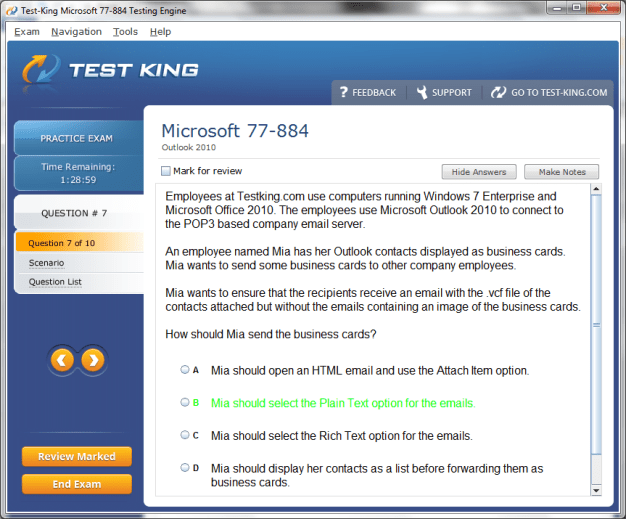
77-884 Exam Product Screenshots
Frequently Asked Questions
How can I get the products after purchase?
All products are available for download immediately from your Member's Area. Once you have made the payment, you will be transferred to Member's Area where you can login and download the products you have purchased to your computer.
How long can I use my product? Will it be valid forever?
Test-King products have a validity of 90 days from the date of purchase. This means that any updates to the products, including but not limited to new questions, or updates and changes by our editing team, will be automatically downloaded on to computer to make sure that you get latest exam prep materials during those 90 days.
Can I renew my product if when it's expired?
Yes, when the 90 days of your product validity are over, you have the option of renewing your expired products with a 30% discount. This can be done in your Member's Area.
Please note that you will not be able to use the product after it has expired if you don't renew it.
How often are the questions updated?
We always try to provide the latest pool of questions, Updates in the questions depend on the changes in actual pool of questions by different vendors. As soon as we know about the change in the exam question pool we try our best to update the products as fast as possible.
How many computers I can download Test-King software on?
You can download the Test-King products on the maximum number of 2 (two) computers or devices. If you need to use the software on more than two machines, you can purchase this option separately. Please email support@test-king.com if you need to use more than 5 (five) computers.
What is a PDF Version?
PDF Version is a pdf document of Questions & Answers product. The document file has standart .pdf format, which can be easily read by any pdf reader application like Adobe Acrobat Reader, Foxit Reader, OpenOffice, Google Docs and many others.
Can I purchase PDF Version without the Testing Engine?
PDF Version cannot be purchased separately. It is only available as an add-on to main Question & Answer Testing Engine product.
What operating systems are supported by your Testing Engine software?
Our testing engine is supported by Windows. Andriod and IOS software is currently under development.
Top Microsoft Exams
- AZ-104 - Microsoft Azure Administrator
- AI-103 - Developing AI Apps and Agents on Azure
- AB-100 - Agentic AI Business Solutions Architect
- AI-901 - Microsoft Azure AI Fundamentals
- SC-500 - Implementing End-to-End Security Controls for Cloud and AI Workloads
- DP-700 - Implementing Data Engineering Solutions Using Microsoft Fabric
- SC-300 - Microsoft Identity and Access Administrator
- AZ-305 - Designing Microsoft Azure Infrastructure Solutions
- GH-300 - GitHub Copilot
- AB-900 - Microsoft 365 Copilot and Agent Administration Fundamentals
- AB-620 - Designing and Building Integrated AI Agent Solutions in Copilot Studio
- MD-102 - Endpoint Administrator
- SC-200 - Microsoft Security Operations Analyst
- PL-300 - Microsoft Power BI Data Analyst
- SC-401 - Administering Information Security in Microsoft 365
- DP-600 - Implementing Analytics Solutions Using Microsoft Fabric
- AZ-900 - Microsoft Azure Fundamentals
- MS-102 - Microsoft 365 Administrator
- SC-100 - Microsoft Cybersecurity Architect
- AB-731 - AI Transformation Leader
- DP-800 - Developing AI-Enabled Database Solutions
- AI-200 - Developing AI Cloud Solutions on Azure
- AB-730 - AI Business Professional
- AZ-700 - Designing and Implementing Microsoft Azure Networking Solutions
- AB-410 - Building Intelligent Applications
- AZ-801 - Configuring Windows Server Hybrid Advanced Services
- AZ-400 - Designing and Implementing Microsoft DevOps Solutions
- SC-900 - Microsoft Security, Compliance, and Identity Fundamentals
- PL-400 - Microsoft Power Platform Developer
- DP-750 - Implementing Data Engineering Solutions Using Azure Databricks
- AZ-140 - Configuring and Operating Microsoft Azure Virtual Desktop
- DP-300 - Administering Microsoft Azure SQL Solutions
- AI-300 - Operationalizing Machine Learning and Generative AI Solutions
- MS-700 - Managing Microsoft Teams
- AZ-500 - Microsoft Azure Security Technologies
- PL-900 - Microsoft Power Platform Fundamentals
- MB-800 - Microsoft Dynamics 365 Business Central Functional Consultant
- AZ-802 - Administering Windows Server
- DP-900 - Microsoft Azure Data Fundamentals
- MB-310 - Microsoft Dynamics 365 Finance Functional Consultant
- MB-330 - Microsoft Dynamics 365 Supply Chain Management
- GH-600 - Developing in Agentic AI Systems
- AZ-800 - Administering Windows Server Hybrid Core Infrastructure
- PL-200 - Microsoft Power Platform Functional Consultant
- MB-820 - Microsoft Dynamics 365 Business Central Developer
- AI-500 - Designing and Implementing Multi-Agent AI Solutions
- MB-230 - Microsoft Dynamics 365 Customer Service Functional Consultant
- AB-650 - Administering Microsoft 365 and AI Services
- AI-900 - Microsoft Azure AI Fundamentals
- GH-900 - GitHub Foundations
- GH-200 - GitHub Actions
- MS-721 - Collaboration Communications Systems Engineer
- AB-250 - Transforming Contact Center Experiences with AI in Dynamics 365
- AB-210 - Accelerating Sales Pipelines with AI in Dynamics 365
- MB-500 - Microsoft Dynamics 365: Finance and Operations Apps Developer
- GH-100 - GitHub Administration
- DP-420 - Designing and Implementing Cloud-Native Applications Using Microsoft Azure Cosmos DB
- AZ-120 - Planning and Administering Microsoft Azure for SAP Workloads
- AI-102 - Designing and Implementing a Microsoft Azure AI Solution
- GH-500 - GitHub Advanced Security
- SC-400 - Microsoft Information Protection Administrator
- AZ-204 - Developing Solutions for Microsoft Azure
- MS-900 - Microsoft 365 Fundamentals
- MB-280 - Microsoft Dynamics 365 Customer Experience Analyst
- PL-600 - Microsoft Power Platform Solution Architect
- MB-700 - Microsoft Dynamics 365: Finance and Operations Apps Solution Architect
Comprehensive Guide to Passing Microsoft Outlook 2010 Exam (77-884)
Microsoft Outlook 2010 is a multifarious personal information manager that has become an indispensable tool in modern professional and academic environments. Designed to consolidate communications, scheduling, and data management, Outlook 2010 enables users to navigate vast arrays of emails, contacts, appointments, and tasks with agility. Mastery of this software is essential for achieving certification through the Microsoft 77-884 exam, which evaluates not only technical proficiency but also the practical application of features in day-to-day workflow.
Understanding Microsoft Outlook 2010 and Exam 77-884
The 77-884 exam is structured to measure skills in managing messages, orchestrating calendars, organizing contacts, and leveraging collaboration features. Unlike rudimentary testing, the exam requires candidates to demonstrate applied knowledge rather than rote memorization. Familiarity with Outlook 2010’s interface and functional components lays the groundwork for exam success. Understanding how commands are arranged in contextual tabs, how the Navigation Pane operates, and how the Reading Pane can be customized are fundamental skills that often distinguish adept users from novice operators.
Navigating the interface requires appreciation of subtle nuances. The ribbon interface, a hallmark of Outlook 2010, organizes commands into thematic tabs such as Home, Send/Receive, Folder, and View. The Home tab centralizes frequently used actions including email composition, reply, forwarding, and quick categorization, while the Send/Receive tab facilitates synchronization across accounts. The Folder tab governs organizational tasks such as creating new folders and applying rules, and the View tab empowers users to adjust perspectives, including the layout of the Reading Pane, message previews, and task visibility. Understanding the interplay between these tabs is vital for efficiency and forms a recurring theme in the 77-884 exam.
Email management in Outlook 2010 extends beyond mere sending and receiving. Configuration of multiple accounts, including IMAP, POP3, and Exchange, is essential. Candidates should be familiar with setting default accounts, adjusting server settings, and troubleshooting connectivity issues. Proficiency in managing incoming messages through categorization, flagging, and filtering not only ensures organized correspondence but also demonstrates the depth of practical understanding the exam requires. Techniques such as setting reminders on flagged items or employing follow-up commands underscore the importance of workflow optimization.
Advanced email functionalities such as delayed delivery, message voting, and sensitivity levels provide further avenues for professional communication. The exam may include scenarios where candidates must identify the optimal configuration for scheduling email dispatch or setting confidentiality parameters. Additionally, managing attachments requires knowledge of size constraints, proper embedding methods, and compression techniques to prevent delivery errors. Comprehension of attachment properties, including compatibility considerations and version history, is a nuanced skill often tested.
Automation is another critical competency. Rules, filters, and AutoArchive functions allow candidates to manage large mailboxes efficiently. Rules can be configured to automatically move, flag, or categorize messages based on defined criteria, and understanding the precedence and interactions of multiple rules is often explored in practical exam questions. AutoArchive preserves mailbox performance by relocating older items to local data files, which may also be tested through scenario-based questions requiring candidates to prevent data loss while maintaining accessibility.
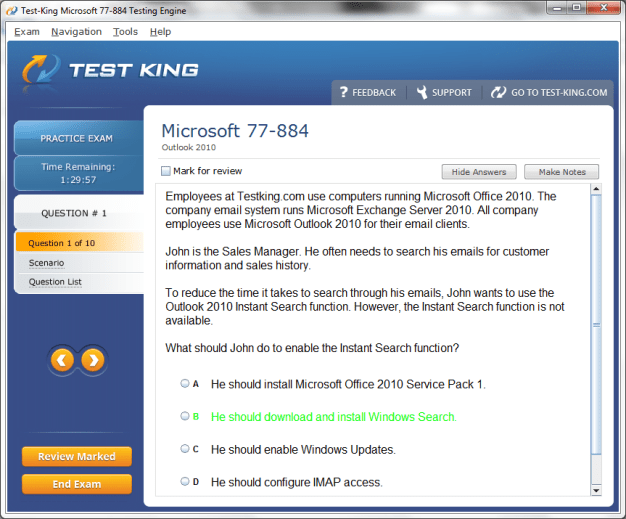
Search capabilities in Outlook 2010 are multifaceted. Search Folders provide dynamic views of messages meeting predefined conditions, enabling quick retrieval without altering the original folder structure. The Advanced Find feature supports more complex queries, allowing conditional searches by sender, subject, message content, attachment presence, and date parameters. Candidates must understand operators such as “AND,” “OR,” and “NOT” to construct precise search queries, demonstrating meticulous control over information retrieval, a skill that is highly prized in both professional settings and the 77-884 exam.
Calendars and scheduling form another pillar of Outlook 2010 mastery. Creating appointments, including recurring events and reminders, is fundamental. Exam questions may require the configuration of meetings with overlapping time slots, the application of categories for prioritization, or the setup of alerts to ensure timely notifications. Efficient calendar management extends to booking shared resources such as conference rooms or multimedia equipment, often necessitating proficiency in the Scheduling Assistant, which visualizes availability and identifies conflicts across multiple attendees. Understanding the hierarchy of permissions, including default, editor, and delegate rights, is crucial for collaborative scheduling and is commonly assessed.
Task management is intricately linked to calendar organization. Tasks in Outlook 2010 can be created independently or linked to flagged messages and appointments, facilitating integrated project tracking. Candidates must be able to assign due dates, set priorities, and configure recurring tasks. Attaching relevant documents, notes, or links to tasks enhances context and ensures comprehensive record-keeping. Understanding task integration with email and calendar elements demonstrates advanced competency in orchestrating workloads efficiently.
Contact management is another essential domain. Creating, editing, and organizing contacts, including distribution lists, enables streamlined communication. Exam scenarios may involve importing contacts from external sources, resolving duplicates, and configuring display preferences. Notes and the Journal, often overlooked features, further enrich personal information management. Notes allow rapid recording of ephemeral information, while the Journal tracks interactions, such as calls or document edits, providing a temporal account of professional activities. Mastery of these tools signals nuanced understanding beyond basic communication management.
Collaboration and data sharing are increasingly significant. Outlook 2010 supports shared folders and public calendars, requiring candidates to configure permissions carefully to balance accessibility with security. Knowledge of interoperability with Microsoft Office components, including Word, Excel, and PowerPoint, is also critical. Embedding spreadsheets or documents, exporting email data for analysis, and leveraging integration to streamline tasks exemplify applied skills that are frequently tested in the 77-884 exam.
Customization and personalization of Outlook 2010 further enhance user efficiency. Configuring mail formats, signatures, automatic replies, and stationery allows tailored functionality. Candidates may encounter exam prompts requiring them to adjust settings to meet organizational policies or specific user preferences. Backup strategies, including creation and management of PST and OST data files, are also relevant, as they prevent data loss while maintaining continuity in daily operations. Security features such as encryption, digital signatures, junk mail filters, and phishing detection demonstrate adherence to best practices and are crucial in professional email management.
Troubleshooting is an inevitable component of proficient Outlook use. Issues such as slow synchronization, missing items, or corrupted data files require methodical resolution. Candidates are expected to diagnose problems efficiently, apply corrective actions, and verify outcomes, often through scenario-based assessments. Familiarity with diagnostic tools, error messages, and support resources ensures preparedness for both practical challenges and the 77-884 exam.
Preparing for the exam demands a strategic approach. Familiarity with each domain, consistent hands-on practice, and simulation of real-world tasks are paramount. Candidates should prioritize areas with greater complexity or higher weighting in the exam, ensuring that core functionalities such as email management, calendar scheduling, and task integration are second nature. Utilizing available resources, including practice exercises, Microsoft documentation, and interactive tutorials, reinforces understanding and builds confidence.
In essence, Microsoft Outlook 2010 serves as both a robust organizational tool and a benchmark for certification proficiency through the 77-884 exam. Mastery requires comprehensive understanding, meticulous practice, and an appreciation for subtle functionalities that enhance efficiency. Each feature, from the ribbon interface to shared calendars, constitutes a building block toward successful application and exam performance. The ability to integrate these capabilities seamlessly into professional workflows demonstrates not only technical knowledge but also strategic thinking and operational dexterity, all of which are central to achieving certification.
Efficient Email Management and Communication Techniques
Email management in Microsoft Outlook 2010 is not simply about sending and receiving messages; it is a multifaceted skill that integrates organization, automation, and professional communication. Achieving proficiency in the 77-884 exam requires understanding how to navigate messages efficiently, prioritize tasks, and utilize advanced features that streamline workflows. The Home tab is the nucleus for most email operations, allowing creation, reply, forwarding, and categorization, but real mastery emerges when users explore subtler functionalities such as flags, reminders, and sensitivity levels.
Composing emails involves more than drafting content; it requires careful consideration of recipients, formatting, and attachments. Candidates must know how to configure message options including importance levels, voting buttons, and delivery notifications. These features are often tested in scenario-based questions where candidates are asked to simulate professional email exchanges under varying conditions. Understanding the nuances of delayed delivery or recurring messages ensures that communication is timely, consistent, and aligned with organizational protocols.
Managing attachments is another critical competency. Outlook 2010 allows embedding of multimedia, documents, and spreadsheets directly into messages. Users must be adept at navigating file size restrictions, choosing between embedding or attaching, and ensuring version compatibility. Exam scenarios may require candidates to manipulate attachments efficiently, compress large files, or confirm that recipients can access content across different platforms. Awareness of security implications when sending attachments is equally important, including avoiding executable files and ensuring encrypted transmission where necessary.
Automation through rules and filters is indispensable for large-scale email management. Rules can automatically sort incoming messages based on sender, subject, or keywords, and filters allow for prioritization and quick retrieval. Advanced exam questions often involve creating multiple layered rules where order and hierarchy affect message handling. Candidates must also understand the consequences of conflicting rules and how to modify conditions without disrupting overall mailbox organization. AutoArchive, though sometimes overlooked, maintains mailbox performance by relocating older messages to local data files, and knowledge of its configuration demonstrates practical efficiency.
Search capabilities in Outlook 2010 are sophisticated and essential for handling extensive correspondence. Search Folders provide dynamic collections of messages meeting predefined conditions, such as unread messages, messages from specific senders, or flagged items. Advanced Find enables intricate queries, allowing multiple criteria including sender, keywords, attachment presence, and date ranges. The use of logical operators such as AND, OR, and NOT enables refined search precision. In practical exam contexts, candidates might be tasked with retrieving messages under complex conditions, demonstrating both skill and efficiency.
Message organization extends to categorization and flagging. Categories allow color-coded tagging of messages, facilitating visual prioritization. Flags create actionable reminders that integrate with tasks and calendar events, ensuring follow-up is prompt. The interaction between categories, flags, and rules exemplifies the interconnectedness of Outlook functionalities and forms a frequent theme in 77-884 exam scenarios. Advanced users may configure multiple flags for the same message to signify layered priorities, demonstrating strategic planning and operational acumen.
Email templates and Quick Parts are valuable for repetitive communications. Templates allow standardized formatting and content to be reused, while Quick Parts store frequently used phrases or paragraphs. Mastery of these tools saves time and reduces errors, particularly in professional environments where consistency is crucial. Exam questions may require creating, modifying, or deploying templates to simulate realistic business tasks, reinforcing both efficiency and competence.
Conversation view is a subtle yet important feature. By grouping related messages into threads, users can maintain context and track discussions over time. Understanding how to expand, collapse, and navigate conversation threads ensures that replies are coherent and follow logical sequences, a skill often tested in practical exercises. In parallel, the Reading Pane can be adjusted to preview messages without opening them, allowing rapid triage and prioritization of incoming mail.
Junk email management is critical for security and productivity. Outlook 2010 provides options for safe senders, blocked senders, and international junk filters. Candidates must understand the balance between filtering unwanted content and ensuring legitimate messages are not inadvertently quarantined. Knowledge of phishing tactics, suspicious attachments, and social engineering threats is necessary for applying best practices and demonstrating readiness for both exam questions and real-world email security challenges.
Integration with tasks and calendar functions enhances the utility of email management. Messages can be flagged to generate tasks, ensuring follow-up and tracking. Emails with deadlines can synchronize with calendar reminders, linking communication directly to scheduling. Scenario-based exam questions often assess the candidate’s ability to manage such interdependencies effectively, emphasizing both operational efficiency and understanding of Outlook’s comprehensive ecosystem.
Delegation and sharing capabilities are part of advanced email management. Assigning delegates allows another user to manage one’s mailbox, send messages, and respond on behalf of the owner. Configuring permissions appropriately ensures that sensitive information remains protected while collaboration remains fluid. Understanding how delegation interacts with rules, categories, and flags is often tested through realistic scenarios, reflecting workplace practices that rely on shared responsibility and accountability.
Archiving and backup are crucial for managing extensive correspondence. Outlook 2010 allows export of messages to PST files, ensuring historical records are maintained. Candidates must understand how to import and export data, merge archives, and troubleshoot potential issues such as duplication or corruption. Proficiency in these areas underscores reliability and preparedness, both for the 77-884 exam and professional settings where data integrity is paramount.
Synchronization with mobile devices and cloud services enhances the versatility of email management. Understanding Exchange ActiveSync, push and pull synchronization, and offline access ensures that emails remain accessible and up to date across platforms. Exam scenarios may involve configuring accounts for synchronized access, ensuring seamless integration between desktop Outlook and mobile devices, reflecting real-world expectations for modern email administration.
Advanced search and filtering techniques form the pinnacle of email management proficiency. Candidates are often required to construct compound criteria using multiple fields, including sender, recipient, subject content, attachment types, and date ranges. Combining these criteria with Search Folders or Quick Steps demonstrates the ability to streamline workflow, reduce redundant effort, and maintain organizational clarity. This skill set is central to demonstrating mastery in the 77-884 exam, reflecting both analytical thought and practical competence.
Retention policies are increasingly relevant in professional environments. Outlook 2010 allows configuration of message retention, enabling automatic deletion or archiving based on age or category. Understanding retention settings, exceptions, and organizational policy integration ensures compliance and mitigates risk, highlighting the candidate’s holistic understanding of email management beyond mere navigation and composition.
Efficiency is also achieved through Quick Steps, which automate common multi-step actions. For instance, a Quick Step might move a message to a specific folder, mark it as read, and assign a category simultaneously. Candidates should practice creating, modifying, and deploying Quick Steps, as exam scenarios often test the ability to implement automated solutions that reflect real-world workflows.
Outlook 2010 provides powerful formatting and editing tools to enhance professional communication. Candidates must be familiar with text formatting, bulleted and numbered lists, styles, tables, and hyperlink insertion. These skills ensure messages are not only functional but also visually coherent and aligned with corporate standards. Scenarios may involve correcting inconsistencies in message formatting or applying specific styles to meet organizational guidelines.
Collaboration through email requires understanding of importance levels, voting buttons, and read receipts. Exam questions frequently present situations requiring candidates to set appropriate importance flags, initiate votes on proposals, or request delivery and read confirmations. Such features reflect professional communication standards and test both attention to detail and practical application.
Finally, comprehensive mastery of email management in Outlook 2010 is achieved by integrating all of the aforementioned skills. Candidates must demonstrate the ability to compose, manage, automate, archive, and secure messages efficiently, leveraging advanced features while maintaining professional standards. Hands-on practice, simulation of realistic scenarios, and application of logical problem-solving are indispensable strategies for excelling in the 77-884 exam, reflecting not only technical proficiency but also operational dexterity and strategic foresight.
Effective Calendar Management and Scheduling Techniques
Calendars in Microsoft Outlook 2010 are more than simple date-keeping tools; they are sophisticated instruments for orchestrating time, tasks, and collaborative activities. The 77-884 exam evaluates a candidate’s ability to utilize these features efficiently, ensuring that professional and organizational objectives are met with precision. Mastery of Outlook’s calendar functionalities encompasses creating appointments, scheduling meetings, managing recurring events, and integrating tasks seamlessly, all while maintaining clarity and efficiency.
Creating appointments in Outlook 2010 begins with understanding the fundamental attributes of each entry. Each appointment has a start and end time, optional location, reminders, and categorization options. Recurring appointments require careful configuration, as users must define repetition patterns, end dates, and exceptions for non-standard occurrences. Candidates may encounter scenarios in which they need to schedule overlapping appointments or adjust recurring events to accommodate holidays or unexpected changes. Mastery of these functions demonstrates not only technical skill but also practical foresight in time management.
Scheduling meetings extends calendar functionality into collaborative spaces. Users can invite attendees, track responses, and reserve resources such as conference rooms or audiovisual equipment. The Scheduling Assistant provides a visual overview of attendees’ availability, highlighting conflicts and suggesting optimal times. Exam questions may present complex scenarios where multiple participants, time zones, and resources must be coordinated, testing both technical proficiency and organizational acumen. Understanding how to resolve conflicts and modify meeting details without causing disruption is essential for achieving success in both the exam and professional practice.
Calendar views provide multiple perspectives on scheduled activities. Daily, weekly, and monthly views allow users to analyze workloads and deadlines comprehensively. Overlaying multiple calendars enables comparison of schedules across team members or departments, facilitating efficient planning and collaboration. Candidates are expected to understand the advantages and limitations of each view, including the ability to customize color-coding, display preferences, and visibility of private events. Proper utilization of these views reflects a nuanced understanding of time management in complex environments.
Integration of tasks with calendar entries enhances workflow efficiency. Outlook 2010 allows users to create tasks that appear in the calendar, set due dates, priorities, and reminders. Linking emails to tasks ensures follow-up is maintained without losing track of essential communications. Scenario-based exam questions often require candidates to synchronize emails, appointments, and tasks, demonstrating an interconnected understanding of Outlook’s capabilities. Advanced users may configure recurring tasks or attach notes and documents to task entries, reflecting an elevated level of organizational proficiency.
Resource scheduling is critical in environments that require shared assets. Candidates must understand how to reserve conference rooms, audiovisual equipment, or other resources while coordinating participant availability. This often involves configuring permissions to allow access without compromising security. The Scheduling Assistant aids in visualizing conflicts and suggesting alternatives, emphasizing strategic planning in addition to technical execution. Exam scenarios frequently test the ability to manage these resources effectively, ensuring that candidates can balance multiple priorities simultaneously.
Reminders play an indispensable role in time management. Outlook 2010 enables customization of reminder intervals, sounds, and notifications for both appointments and tasks. Candidates should be able to adjust these reminders according to urgency, priority, or personal preference. Effective use of reminders ensures punctuality and enhances productivity, which is often assessed in practical exam exercises requiring proactive scheduling and monitoring.
Customizing calendar entries through categories, colors, and labels allows users to convey context at a glance. Categories can indicate project affiliation, priority level, or department, while colors provide visual differentiation between overlapping or related tasks. Exam questions may involve reorganizing calendars to improve clarity or creating templates for recurring projects, demonstrating the candidate’s ability to optimize visual information processing and workflow.
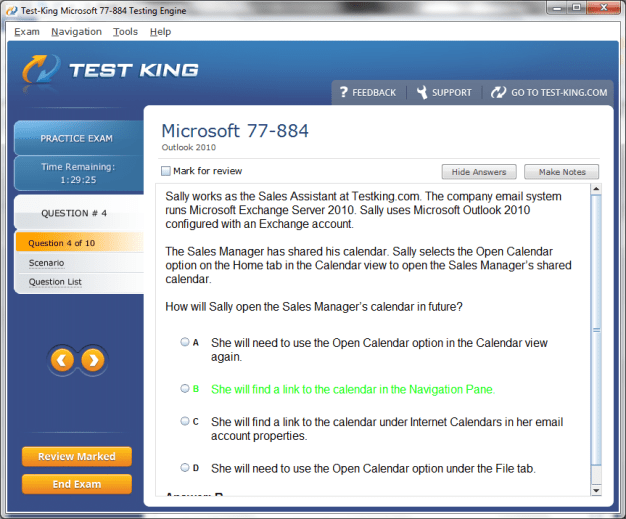
Delegation and sharing capabilities extend calendar management into collaborative domains. Candidates must know how to share calendars with colleagues, assign permissions ranging from view-only to full editing, and manage delegated access. Exam scenarios often test the ability to configure these permissions appropriately, ensuring security while facilitating collaboration. Understanding the interplay between shared calendars, personal appointments, and delegated tasks is crucial for effective teamwork and productivity.
Recurring meetings and exceptions are frequently tested areas. Outlook 2010 allows creation of complex recurrence patterns, including daily, weekly, monthly, and custom intervals. Exceptions can be applied to specific dates, participants, or locations without disrupting the overall pattern. Candidates may encounter tasks requiring the modification of recurring meetings to accommodate unexpected events or cancellations. Mastery of this feature reflects precision and adaptability, qualities highly valued in professional and exam contexts.
Time zone management is an often-overlooked aspect of scheduling. Outlook 2010 enables users to configure appointments and meetings across different time zones, ensuring accuracy for remote or international teams. Exam scenarios may involve scheduling multi-location meetings where participants are dispersed globally, requiring candidates to adjust start times, reminders, and attendee notifications to maintain synchronicity. Understanding the intricacies of time zone settings demonstrates both technical knowledge and awareness of real-world organizational complexities.
Integration with email is an intrinsic feature of Outlook 2010’s calendar system. Invitations are sent via email, allowing attendees to accept, decline, or propose alternative times. Automatic updates ensure that all participants are informed of changes, cancellations, or conflicts. Candidates should understand how to manage responses, track attendee availability, and adjust meeting details in response to feedback. Practical scenarios in the exam often simulate these interactions, testing candidates’ ability to maintain accuracy and clarity in collaborative communication.
Advanced customization options further enhance calendar functionality. Users can configure default reminders, working hours, and first-day-of-week settings to align with organizational policies. Calendar overlays allow simultaneous viewing of multiple calendars without confusion, while private and public event settings ensure appropriate access control. Candidates are expected to demonstrate awareness of these customization capabilities, reflecting both adaptability and strategic organizational skills.
Task integration with calendar events is pivotal for holistic time management. Emails flagged for follow-up can automatically appear in the task list, while tasks can generate reminders that appear on the calendar. This interconnectedness allows users to maintain awareness of deadlines, meetings, and responsibilities in a unified view. Exam scenarios often require candidates to synchronize these elements, emphasizing practical application and efficiency in complex workflows.
Alerts and notifications contribute to proactive scheduling. Candidates must be able to configure pop-up reminders, sounds, and recurring alerts to maintain awareness of impending appointments or tasks. Adjusting alert intervals according to priority or urgency ensures that critical deadlines are met. Practical exam questions may require candidates to simulate a busy schedule and demonstrate how reminders and alerts are used strategically to prevent conflicts or missed opportunities.
Using categories and colors effectively enhances visual management of time. High-priority meetings, recurring tasks, and project milestones can be differentiated, allowing users to assess workloads at a glance. Candidates are often expected to demonstrate efficient categorization in practical exercises, showing the ability to optimize both visual clarity and organizational workflow.
Delegation and sharing in calendar management extend beyond individual productivity to team efficiency. Assigning delegates to manage calendars or meetings requires knowledge of permissions, conflict resolution, and collaborative adjustment. Candidates may be asked to configure access levels or manage multiple calendars simultaneously, reflecting scenarios commonly encountered in professional environments.
Managing conflicts is an essential skill. When overlapping appointments or double-booked resources occur, candidates must identify alternatives, adjust timings, or negotiate with participants to ensure smooth operations. Scenario-based questions in the 77-884 exam often simulate these challenges, testing the candidate’s ability to apply logical reasoning and organizational strategies under pressure.
Integration with Outlook tasks, emails, and contacts ensures that calendar management is comprehensive. Linking emails to tasks, creating tasks from appointments, and associating contacts with meetings enhances workflow continuity. Candidates should understand how these features interact to maintain a cohesive organizational system. Practical exercises may involve combining these elements to solve complex scheduling challenges efficiently.
Reminders, alerts, categories, and color-coding contribute to an overarching strategy for time management. Candidates must demonstrate the ability to apply these tools in unison, creating a structured and visually coherent calendar that reflects both personal and organizational priorities. Exam scenarios may require the orchestration of multiple tasks, meetings, and appointments in a cohesive and accessible manner.
Resource management and scheduling optimization are integral for maintaining operational efficiency. Outlook 2010 enables reservation of meeting rooms, equipment, and shared assets, while tracking participant availability and resource conflicts. Candidates are expected to demonstrate proficiency in balancing competing demands, configuring permissions, and ensuring effective communication regarding reservations.
Recurring tasks and events require careful configuration. Outlook 2010 allows creation of complex recurrence patterns, with exceptions applied as needed. Candidates may be tested on the ability to modify recurring appointments, adjust exceptions, or synchronize changes across attendees. Mastery of these functions reflects adaptability, strategic foresight, and attention to detail, all of which are crucial for exam success and professional application.
Time zone awareness ensures global coordination. Candidates must understand how to schedule meetings across multiple locations, adjust reminders, and account for differences in working hours. This feature demonstrates both technical acumen and sensitivity to organizational contexts, reflecting real-world demands for effective communication and scheduling in diverse environments.
Effective Contact Organization and Collaborative Functionality
Managing contacts in Microsoft Outlook 2010 is an essential skill for both personal productivity and professional communication, forming a significant component of the 77-884 exam. Contacts are not merely names and email addresses; they constitute a dynamic repository of information, including phone numbers, addresses, job titles, company affiliations, and personal notes. Mastery requires understanding how to create, edit, categorize, and integrate contacts into broader workflows such as tasks, calendar events, and email communications.
Creating contacts begins with attention to detail. Each contact entry can include multiple phone numbers, email addresses, and physical locations. Additional fields such as birthdays, anniversaries, and departmental information allow for deeper personalization and structured organization. Exam scenarios often require candidates to import contacts from external sources, ensuring accurate mapping of fields and avoiding duplication. Understanding how to merge duplicate entries without losing data is a nuanced skill that demonstrates both efficiency and precision.
Organizing contacts through categories and groups enhances accessibility. Color-coded categories can indicate project affiliation, priority, or team membership. Distribution lists, also known as contact groups, allow efficient communication with multiple recipients simultaneously. Candidates may encounter questions requiring creation of dynamic lists, updating memberships, and ensuring that all members receive appropriate communications without redundancy or error. Mastery of these features reflects an understanding of structured communication and organizational efficiency.
Integration of contacts with email, calendar, and task functions amplifies productivity. Emails can be linked directly to contacts for contextual reference, while tasks can be associated with specific individuals to facilitate follow-up and accountability. Calendar events can incorporate contact information to schedule meetings, ensuring that communication, deadlines, and responsibilities remain interconnected. The 77-884 exam frequently assesses the candidate’s ability to navigate these relationships, highlighting the interdependent nature of Outlook 2010’s tools.
Notes and the Journal are additional, often overlooked, elements of contact management and collaboration. Notes function as digital sticky notes, allowing rapid recording of ideas, reminders, or instructions associated with specific contacts or projects. Candidates must demonstrate the ability to create, categorize, and retrieve notes efficiently, emphasizing attention to detail and organizational acumen. The Journal tracks interactions with contacts, including phone calls, email exchanges, and document edits, providing a temporal record of professional activities. Mastery of the Journal enables candidates to analyze workflows, verify communication histories, and support decision-making processes.
Sharing contacts, calendars, and folders is central to collaborative efficiency. Outlook 2010 allows users to grant varying levels of permissions, ranging from view-only access to full editing capabilities. Candidates must understand how to configure these permissions correctly, ensuring that shared data remains secure while promoting transparency. Practical exam scenarios may involve delegating access to team members, monitoring updates, or restricting sensitive information, testing both technical competence and ethical awareness.
Integration with Microsoft Office enhances collaborative capabilities. Contacts, notes, and tasks can be linked with Word, Excel, and PowerPoint, facilitating the import and export of data. For instance, a mailing list can be exported to Excel for analysis or merged into a Word document for correspondence. Candidates may encounter scenarios requiring them to transfer or synchronize data across applications, highlighting the interoperability of Outlook 2010 and the need for precise handling of multiple file formats.
Customizing contact views improves usability. Outlook 2010 allows sorting by first or last name, company, category, or recently added. Views can be filtered to display specific groups, such as project teams, high-priority clients, or recurring collaborators. Candidates may be required to modify default views, create custom filters, and apply sorting criteria to enhance efficiency. Mastery of these customization options demonstrates strategic thinking and operational dexterity.
Advanced search functionality enables rapid retrieval of contact information. Candidates should be adept at using search operators to find specific contacts based on partial names, email domains, phone numbers, or categories. Scenario-based exam questions often simulate situations where quick access to contact details is necessary, emphasizing both technical competence and practical applicability. Understanding how to combine search criteria for complex queries is an essential skill for exam success and workplace efficiency.
Delegation and collaborative workflows extend beyond individual contact management. Assigning delegates allows colleagues to manage emails, calendar events, and contacts on one’s behalf. Candidates must configure permissions accurately to balance productivity with confidentiality. Exam scenarios may involve coordinating schedules, updating contact details, or responding to messages through delegated access, highlighting the importance of secure, efficient collaboration.
Managing shared folders and public contacts is integral to organizational communication. Public folders can house shared contact lists, project references, or departmental resources, accessible by team members according to predefined permissions. Candidates may encounter tasks requiring the configuration of shared resources, including setting access levels, ensuring updates propagate correctly, and resolving conflicts arising from simultaneous edits. Mastery of these shared environments demonstrates collaborative acumen and attention to organizational protocols.
Integration of contacts with tasks and reminders enhances productivity. Candidates should understand how to associate specific tasks with contacts, ensuring follow-up communications, deadlines, and responsibilities are clearly linked. Scenario-based questions may involve tracking multiple projects, delegating responsibilities, and monitoring completion status through contact-task integration. Such exercises highlight the interconnectivity of Outlook 2010’s features and the importance of maintaining cohesive workflows.
Notes and Journal entries can be associated with contacts to maintain a comprehensive record of interactions. Notes can contain meeting highlights, project updates, or reminders about specific individuals. Journal entries record the timing, duration, and type of interactions, providing a chronological view of professional engagement. Candidates may be asked to retrieve or analyze these records to demonstrate organizational awareness and attention to detail, skills frequently tested in 77-884 exam scenarios.
Security considerations are paramount when sharing contact information and collaborative resources. Outlook 2010 allows encryption, restricted access, and role-based permissions to ensure that sensitive information is safeguarded. Candidates must understand how to implement these protections while maintaining operational efficiency. Exam questions often require application of secure sharing principles, testing both technical understanding and practical judgment in professional contexts.
Advanced organizational tools, such as categories, custom fields, and color-coded labels, enhance contact management. Candidates may be required to create custom fields to track project-specific data, assign categories to prioritize tasks, or use color codes to distinguish client types. Mastery of these tools demonstrates the ability to manage complex datasets efficiently and to tailor Outlook 2010 to unique organizational needs.
Effective collaboration involves both asynchronous and synchronous communication. Candidates should be familiar with methods for sharing updates, notifications, and tasks with team members in real time or through scheduled exchanges. Practical scenarios may involve coordinating multi-departmental projects, monitoring updates, and resolving conflicts in shared contact lists or calendars. These skills reflect the holistic approach required for operational excellence in professional environments.
Backup and data preservation are crucial in contact and collaboration management. Outlook 2010 allows export of contacts, notes, and journal entries to local data files for archival purposes. Candidates must understand how to perform exports, import information correctly, and ensure that no data is lost during transfer. Scenario-based tasks often involve recovery of deleted contacts or notes, demonstrating both technical competence and procedural awareness.
Integration with email and calendar systems ensures that contact management is not isolated. Linking messages, meetings, and tasks to contacts provides a cohesive operational framework. Candidates may encounter exercises requiring the creation of tasks from flagged emails or scheduling follow-ups with specific contacts. These practical applications demonstrate efficiency, organization, and mastery of interdependent Outlook functionalities.
Advanced search, categorization, and customization collectively enable comprehensive management of contacts and collaborative resources. Candidates must demonstrate the ability to create, manage, and retrieve complex datasets efficiently, applying strategic organization, visual cues, and automation where appropriate. The 77-884 exam often evaluates these skills through scenario-based tasks that replicate real-world organizational challenges.
Enhancing Productivity through Advanced Outlook 2010 Functionalities
Microsoft Outlook 2010 offers a multitude of advanced features that extend far beyond basic email, calendar, and contact management, forming an integral component of the 77-884 exam. Candidates must demonstrate the ability to customize the application, manage data files efficiently, ensure security, and troubleshoot issues that may arise in professional environments. Mastery of these functionalities not only facilitates productivity but also reflects operational sophistication, a quality highly valued in both the exam and workplace scenarios.
Customization is a pivotal skill for maximizing efficiency in Outlook 2010. Users can configure mail formats, apply stationery, create signatures, and set automatic replies tailored to specific contexts. Automatic replies allow seamless communication during absences, ensuring colleagues and clients receive timely notifications. Advanced exam questions may involve scenarios where multiple accounts require unique signatures, automatic replies, or stationery, testing the candidate’s ability to implement context-sensitive personalization. Additionally, Quick Steps allow automation of repetitive multi-step tasks, such as moving messages to specific folders, marking them as read, and assigning categories simultaneously, reflecting practical efficiency.
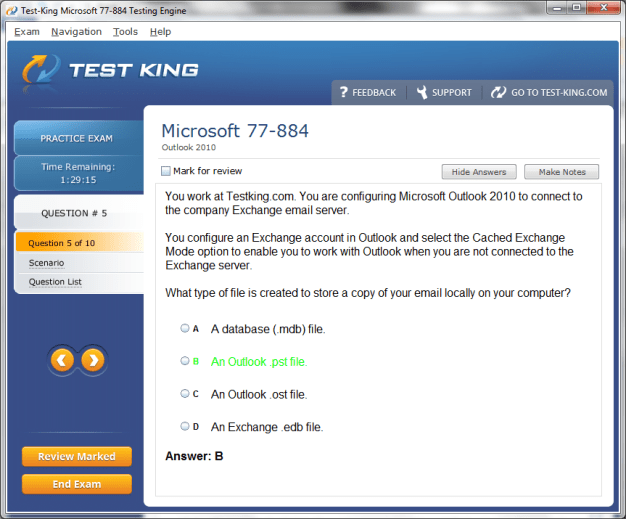
Data file management is critical for maintaining accessibility, integrity, and performance in Outlook 2010. Personal Storage Tables (PST) and Offline Storage Tables (OST) serve as repositories for emails, contacts, calendars, tasks, and notes. Candidates must understand how to create, manage, and maintain these files, including importing and exporting content. Tasks may include consolidating data from multiple PST files, repairing corrupted files, or optimizing storage to prevent performance degradation. Scenario-based exam questions often simulate real-world challenges such as recovering archived messages or merging contact lists, highlighting both technical acumen and methodical problem-solving skills.
Backup and restoration of data files are essential practices. Outlook 2010 allows export of PST files to external storage, ensuring that historical data is preserved and recoverable in the event of system failures. Candidates may be asked to restore data, recover deleted items, or verify the integrity of imported files. Such exercises assess attention to detail, adherence to best practices, and proficiency in safeguarding organizational information. Understanding how to manage multiple versions of PST files and synchronize OST files with Exchange servers ensures continuity and reliability across platforms.
Security considerations are paramount in professional email and data management. Outlook 2010 incorporates multiple layers of protection, including encryption, digital signatures, and junk mail filters. Candidates must demonstrate the ability to apply encryption to sensitive communications, configure trusted and blocked sender lists, and enable digital signatures to verify authenticity. Scenario-based questions may involve securing communications with external recipients or configuring mailbox rules to prevent phishing and spam, emphasizing both technical expertise and vigilance in maintaining confidentiality.
Managing junk email effectively is critical for ensuring productivity and security. Outlook 2010 provides configurable options for filtering unsolicited messages, including international content restrictions, blocked sender lists, and safe sender configurations. Candidates must understand the interaction between junk mail settings and mailbox rules to avoid inadvertently misclassifying legitimate communications. Practical exercises in the exam may present complex filtering scenarios, requiring candidates to balance efficiency with caution, reflecting real-world requirements.
Troubleshooting is an indispensable skill in maintaining Outlook 2010’s functionality. Performance issues, synchronization errors, missing items, and corrupted files are common challenges. Candidates must demonstrate systematic approaches to diagnosing and resolving problems. This may involve checking account settings, verifying server connectivity, repairing PST files, or resetting application profiles. Scenario-based tasks in the 77-884 exam often simulate realistic troubleshooting challenges, assessing the candidate’s analytical reasoning, methodical execution, and ability to restore operational continuity.
Advanced features also include message tracking and management tools. Read receipts, delivery confirmations, and message tracking options provide insights into communication effectiveness. Candidates may encounter scenarios requiring configuration of these features for multiple recipients, ensuring transparency and accountability. Mastery of message tracking demonstrates both operational awareness and strategic communication planning, aligning with professional best practices and exam objectives.
Integration of Outlook with other Microsoft Office applications enhances data utilization. Emails, contacts, and calendar events can be exported to Word, Excel, or PowerPoint for analysis, reporting, or presentation. Candidates may be required to perform tasks such as creating mail merges from contact lists, exporting calendar schedules to spreadsheets, or embedding documents in messages. Understanding these interoperability features ensures that Outlook functions as a comprehensive hub for organizational productivity and is often tested through practical exercises in the exam.
Advanced search capabilities in Outlook 2010 allow users to retrieve messages, contacts, tasks, and notes with precision. Candidates should be proficient in using logical operators, multiple search criteria, and Search Folders to streamline access to critical information. Exam scenarios may involve locating complex combinations of emails based on sender, recipient, subject content, attachment presence, and date parameters. Mastery of search techniques reflects analytical thinking, attention to detail, and the ability to optimize workflow efficiency.
Customization of the Outlook interface further enhances user experience. Candidates can modify the ribbon, quick access toolbar, navigation pane, and reading pane to reflect personal workflow preferences. Scenario-based exam questions may require rearranging commands, creating custom tabs, or adjusting views to facilitate specific tasks. Understanding the interplay between interface customization and functional efficiency demonstrates both technical skill and strategic planning.
Rules and automation remain central to advanced Outlook management. Candidates must understand how to create, prioritize, and troubleshoot complex rule sets. Rules can perform multiple actions based on conditions, including moving, copying, categorizing, or forwarding messages. Exam exercises often simulate large mailbox scenarios where automation is required to maintain organization and responsiveness. Knowledge of rule precedence, conflicts, and exceptions ensures that automated systems operate reliably, reflecting both practical and theoretical competence.
Synchronization between Outlook 2010 and Exchange servers, as well as mobile devices, is an important aspect of advanced management. Candidates must understand how to ensure data consistency, configure offline access, and resolve conflicts that arise from multi-device usage. Practical tasks may involve troubleshooting discrepancies between server-stored data and local PST or OST files, demonstrating proficiency in maintaining seamless operational continuity.
Archiving and retention policies provide structured approaches to mailbox management. Candidates should understand how to configure AutoArchive, manage retention tags, and ensure compliance with organizational or regulatory standards. Scenario-based exam questions may simulate environments requiring management of extensive historical data, prioritization of active content, and structured archival of inactive items, emphasizing both technical skill and strategic awareness.
Error handling and notifications are integral to operational efficiency. Outlook 2010 offers alerts for failed deliveries, synchronization errors, or storage thresholds. Candidates must be able to interpret these notifications, identify underlying issues, and apply corrective actions effectively. Exam tasks may present multiple concurrent errors, requiring logical prioritization and methodical problem resolution, mirroring real-world conditions.
Customization of email content, including stationary, fonts, and default message templates, enhances communication professionalism. Candidates may be required to configure templates for repeated correspondence, ensuring consistent formatting, branding, and messaging. Quick Parts allow storage of reusable text blocks, enabling rapid deployment in complex or repetitive communication scenarios. Mastery of these tools demonstrates both efficiency and adherence to professional standards.
Integration with task management and calendar events reinforces cohesive workflow. Candidates should understand how to flag messages for follow-up, link emails to calendar events, and create tasks from message content. Scenario-based exercises often require synchronizing these elements, reflecting the interconnectedness of Outlook functionalities and the importance of holistic operational awareness.
Performance optimization involves managing storage, archiving inactive items, compressing PST files, and maintaining mailbox efficiency. Candidates must demonstrate awareness of potential bottlenecks and implement preventive measures to ensure sustained functionality. Exam scenarios may involve resolving performance degradation in large mailboxes, highlighting the candidate’s ability to anticipate and correct operational issues proactively.
Security and compliance encompass both preventive and reactive measures. Encryption, digital signatures, access permissions, and retention policies collectively safeguard sensitive data. Candidates may encounter tasks requiring implementation of encryption protocols, configuration of secure sharing options, or application of retention rules, reflecting both theoretical knowledge and practical application. Mastery of these security features aligns with professional expectations and is integral to 77-884 exam competence.
Finally, advanced Outlook 2010 proficiency is measured by the ability to integrate these multiple capabilities seamlessly. Customization, data management, security, automation, troubleshooting, and interoperability must function cohesively to support professional communication and organizational efficiency. Candidates are expected to demonstrate practical skill through scenario-based exercises that replicate realistic challenges, requiring methodical problem-solving, strategic planning, and technical dexterity. Mastery of these elements reflects readiness for both the exam and complex professional environments, where Outlook 2010 serves as an indispensable hub for productivity, communication, and collaboration.
Strategies for Effective Preparation and Practice
Preparing for the Microsoft Outlook 2010 exam (77-884) requires more than familiarity with software functions; it demands strategic planning, disciplined practice, and a methodical understanding of real-world scenarios. Candidates must assimilate knowledge across multiple domains including email management, calendar organization, contact and task integration, collaboration tools, and advanced features such as data file handling, security, and troubleshooting. Each skill set is interconnected, and the ability to apply these capabilities cohesively is essential for both the exam and professional application.
Understanding the structure and objectives of the exam is a crucial first step. The exam evaluates competence in managing messages, scheduling appointments, organizing contacts, utilizing collaboration features, configuring customization, and implementing security measures. Candidates should review each domain thoroughly, allocating focused attention to areas with higher complexity or practical relevance. Prioritizing study efforts according to weighted competencies ensures efficient learning and mastery.
Hands-on practice is indispensable. Outlook 2010’s features, including the ribbon interface, navigation pane, and reading pane, must be explored extensively to achieve operational fluency. Tasks such as composing and managing emails, scheduling recurring meetings, and configuring rules and filters should be performed repeatedly to develop instinctive workflows. Candidates should simulate real-world scenarios, such as managing overlapping appointments, delegating calendar access, or troubleshooting data synchronization issues. This practical approach reinforces retention and prepares candidates for scenario-based exam questions.
Mock scenarios are an effective method for testing applied knowledge. Candidates may recreate professional situations where multiple emails arrive simultaneously, each requiring categorization, response, and follow-up. Advanced tasks may involve scheduling meetings across different time zones, assigning resources, and integrating emails with tasks and calendar entries. Practicing such exercises cultivates agility, prioritization skills, and proficiency in leveraging Outlook 2010’s multifaceted tools. Mock scenarios also facilitate identification of gaps in understanding, allowing targeted revision and refinement of strategies.
Time management is critical during both preparation and the exam. Candidates should allocate sufficient time to each domain based on complexity and personal familiarity. For instance, mastering email automation through rules and filters may require more focused practice than simple email composition. Simulating timed exercises replicates the pressure of the exam environment, enhancing confidence and reducing the likelihood of oversight during actual assessment.
Utilizing practice exercises, tutorials, and official Microsoft resources strengthens conceptual understanding. Step-by-step guides, video tutorials, and interactive modules allow candidates to explore features such as advanced search queries, contact integration with tasks, and calendar overlays. These exercises reinforce theoretical knowledge through tangible application. Repetition of tasks ensures familiarity with interface nuances, including hidden functionalities and customization options, which are often examined through scenario-based questions.
Analyzing previous exam patterns or sample questions is another effective strategy. Questions may require applying multiple features simultaneously, such as flagging an email for follow-up, creating a task, and linking it to a calendar event. Understanding how various elements interconnect allows candidates to navigate complex tasks efficiently. Additionally, reviewing sample questions reveals common pitfalls, such as misconfiguration of recurring meetings, incorrect delegation permissions, or mishandling of PST and OST files, allowing candidates to avoid similar mistakes.
Integration of advanced features should not be overlooked. Mastery of Quick Steps, automated rules, custom fields, and data management enhances workflow efficiency and demonstrates proficiency in the exam. Candidates should practice scenarios that involve creating multi-step automation, configuring message tracking, applying encryption, and managing archived data. Such exercises reinforce analytical thinking and operational dexterity, reflecting the applied knowledge expected by the 77-884 exam.
Collaboration and sharing exercises are essential for holistic preparation. Candidates may simulate granting permissions to colleagues, configuring shared folders, or managing public calendars. Understanding access levels, potential conflicts, and collaborative resolution strategies is necessary to ensure smooth operation. Scenario-based exercises in sharing tasks, contacts, and calendars reinforce the candidate’s ability to function effectively in professional environments, reflecting realistic exam contexts.
Customization of the Outlook interface enhances productivity and is frequently tested. Candidates should practice modifying the ribbon, quick access toolbar, reading pane, and navigation pane to suit individual workflows. Creating custom views, color-coded categories, and templates for repeated communications allows candidates to demonstrate strategic thinking and efficiency. Exercises should include setting up multiple accounts with distinct signatures, stationery, and automated replies to reflect complex organizational environments.
Security and data integrity form critical components of the exam. Candidates must understand how to encrypt messages, apply digital signatures, manage junk mail, and implement retention policies. Scenario-based practice may involve configuring permissions for shared folders, securing sensitive communications, and recovering lost or deleted items. Hands-on exercises in these areas ensure familiarity with preventive and corrective measures, cultivating confidence in applying security principles under examination conditions.
Troubleshooting practice is indispensable. Candidates should simulate issues such as missing messages, slow synchronization, corrupted PST files, or delegated access conflicts. Developing a systematic approach to diagnose problems, apply corrective actions, and verify outcomes ensures readiness for real-world challenges and exam scenarios. Emphasizing methodical resolution strategies and attention to detail is crucial for success in the 77-884 exam.
Integration exercises enhance applied understanding. Candidates should practice linking emails to tasks, attaching documents to calendar entries, embedding content from Word, Excel, and PowerPoint, and coordinating multi-device synchronization. Scenario-based exercises may involve resolving conflicts between local and server-stored data, ensuring accurate tracking of delegated responsibilities, or applying retention policies to maintain compliance. Mastery of these integrated workflows demonstrates operational sophistication and preparedness for complex exam tasks.
Building confidence is a crucial aspect of preparation. Repeated practice, simulated scenarios, and familiarization with the interface reduce anxiety and enhance focus during the exam. Candidates should focus on developing instinctive workflows for common tasks, such as flagging and categorizing emails, creating recurring meetings, or configuring automation rules. Confidence stems from repetition and deep familiarity, ensuring that candidates can execute tasks efficiently under time constraints.
Exam day strategies are essential for optimal performance. Candidates should read each question carefully, identify the task requirements, and apply relevant features logically. For scenario-based questions, it is important to consider dependencies between emails, tasks, calendar entries, and contacts. Candidates should allocate time wisely, prioritize complex tasks, and verify outcomes before submission. This methodical approach minimizes errors and demonstrates both technical knowledge and applied reasoning.
Consistent review enhances retention and reinforces understanding. Candidates should periodically revisit challenging topics, practice complex scenarios, and evaluate progress against objectives. Focused revision of advanced features, troubleshooting techniques, and integration exercises ensures readiness across all domains. Maintaining a balance between breadth and depth allows candidates to cover all aspects of Outlook 2010 efficiently while building confidence in executing tasks accurately.
Practical application of learned concepts in real-world contexts complements theoretical preparation. Candidates may simulate workplace scenarios such as managing multiple email accounts, coordinating team schedules, securing sensitive communications, and tracking delegated responsibilities. These exercises reinforce procedural knowledge, encourage proactive problem-solving, and cultivate strategic thinking, all of which are critical for success in the 77-884 exam.
Strategically combining review, practice, and scenario-based exercises provides a comprehensive preparation framework. Candidates should integrate email management, calendar scheduling, task coordination, contact organization, collaboration, customization, security, and troubleshooting into cohesive workflows. Repeated exposure to complex scenarios ensures familiarity with multi-layered tasks, reinforces operational efficiency, and prepares candidates to execute tasks confidently and accurately under exam conditions.
Developing an adaptive approach enhances performance. Candidates should learn to assess tasks quickly, identify relevant features, and apply optimal solutions without over-reliance on rote procedures. Flexibility in approach ensures the ability to handle unexpected or complex scenarios, reflecting professional competence and aligning with the applied nature of the 77-884 exam.
Conclusion
Successful preparation for the Microsoft Outlook 2010 exam requires a blend of theoretical knowledge, practical application, and strategic foresight. Candidates must develop fluency across all core functions including email management, calendar coordination, contact and task integration, collaboration tools, customization, security, and troubleshooting. Incorporating mock scenarios, hands-on exercises, and consistent review builds confidence, efficiency, and operational dexterity. By applying integrated workflows and adaptive strategies, candidates can navigate the complexities of the exam with precision, demonstrating proficiency in Outlook 2010 and readiness to leverage its capabilities effectively in professional environments. Thorough preparation ensures not only exam success but also mastery of Outlook 2010 as a robust tool for productivity, communication, and organizational excellence.