

Certification: Professional ChromeOS Administrator
Certification Full Name: Professional ChromeOS Administrator
Certification Provider: Google
Exam Code: Professional ChromeOS Administrator
Exam Name: Professional ChromeOS Administrator
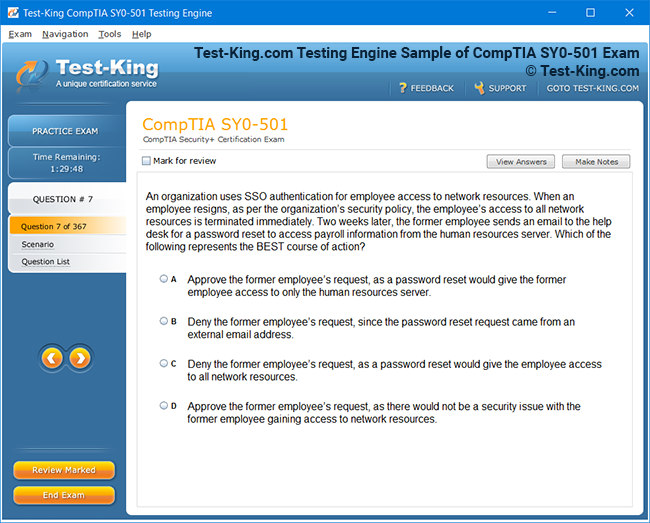
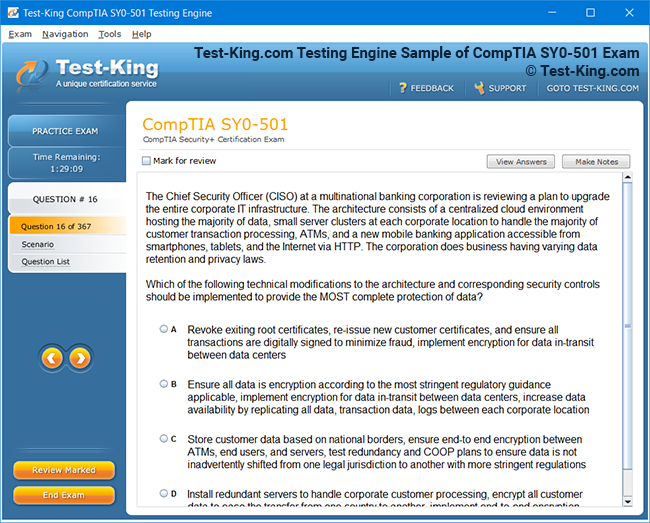
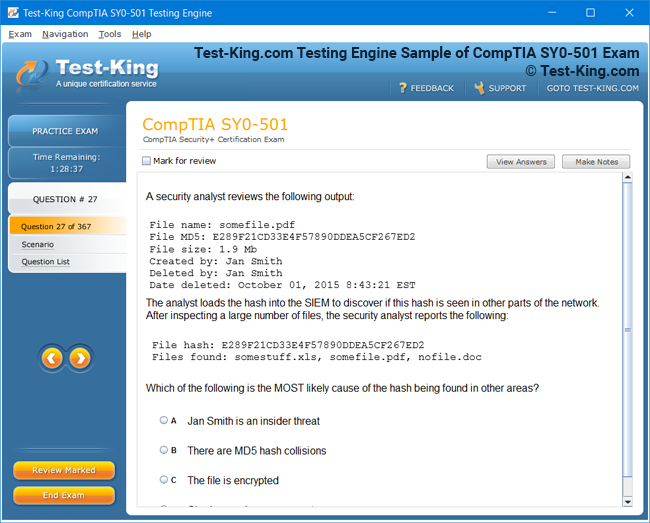
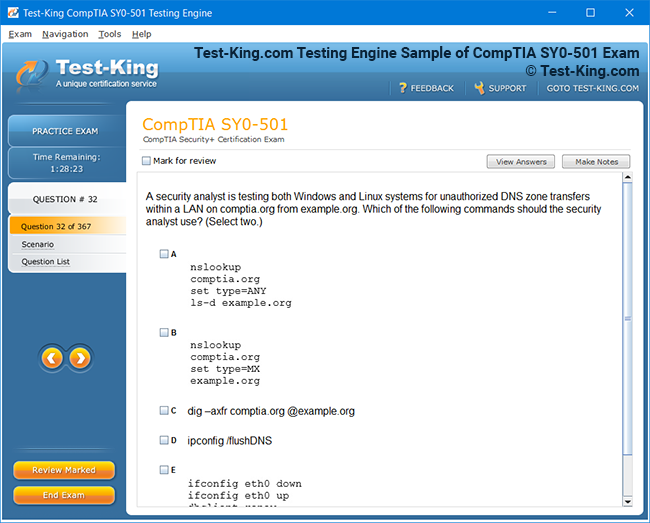
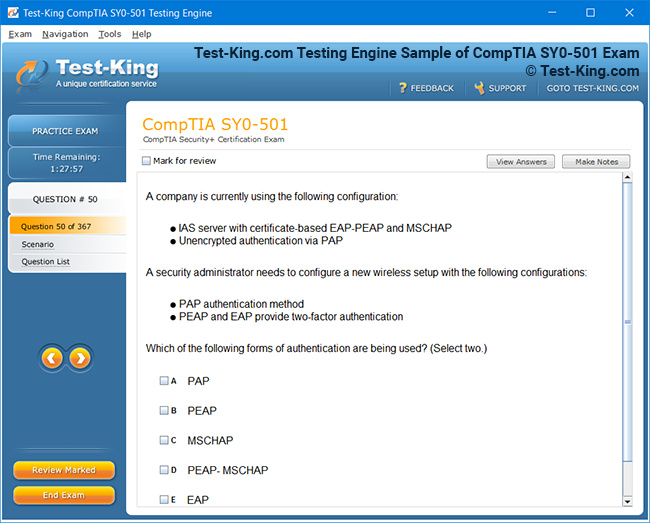
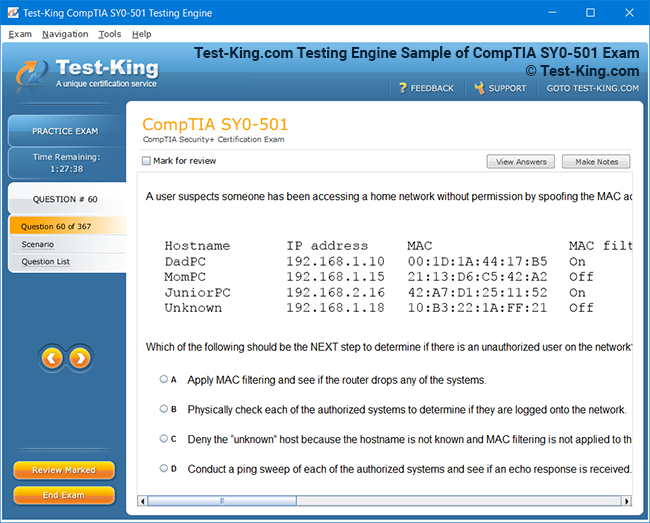
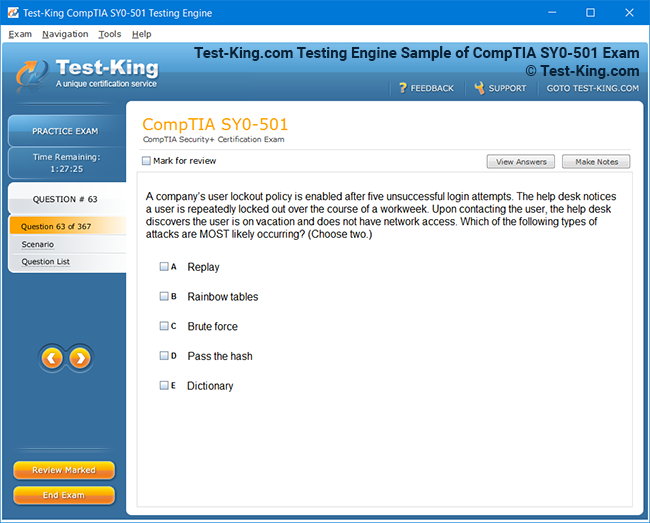
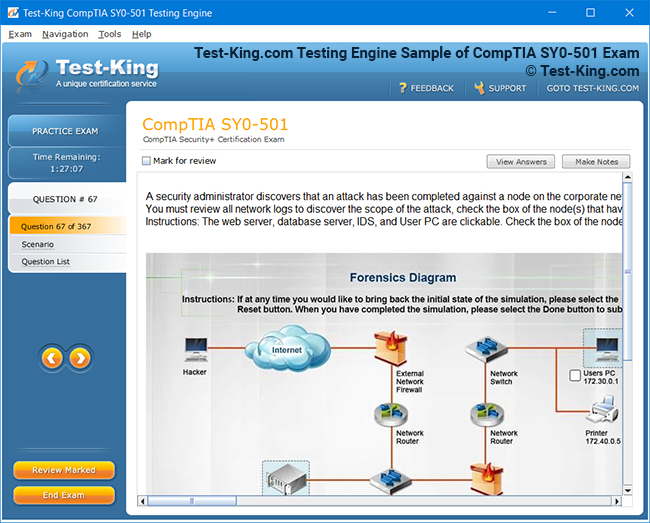
Product Screenshots
Why the Professional ChromeOS Administrator Certification is a Game-Changer for IT Careers
In the continuously evolving landscape of information technology, adaptability and skill diversification have become the foundation of professional success. The rise of cloud computing, virtualization, and hybrid infrastructure has drastically reshaped how enterprises operate, and within this transformation, ChromeOS has emerged as a central force redefining device management, endpoint security, and enterprise collaboration. Earning the Professional ChromeOS Administrator Certification is more than a conventional career step—it symbolizes a transformative leap into the modern ecosystem of cloud-driven IT administration. This credential stands as a validation of one’s mastery over ChromeOS ecosystem management, offering a distinct professional advantage in a marketplace hungry for hybrid administrators who can orchestrate seamless, secure, and scalable digital environments.
The Emergence of ChromeOS as a Cornerstone in Modern IT Infrastructure
The technological landscape that once revolved around traditional desktop systems has now gravitated toward lightweight, cloud-centric operating environments. ChromeOS, once considered a modest alternative for education and basic computing, has matured into a powerful enterprise platform capable of managing diverse devices and users across global networks. The Professional ChromeOS Administrator Certification represents an acknowledgment of this evolution. It equips IT professionals with a deep understanding of how to manage Chrome devices, enforce policies, and integrate them effectively into broader infrastructures that often include Windows, macOS, and Linux endpoints.
Organizations today demand systems that balance flexibility with control. ChromeOS fits this need precisely, offering administrators the capacity to deploy, secure, and manage thousands of devices with unparalleled simplicity. Through the Google Admin console, professionals can automate configurations, enforce compliance, and ensure data protection across distributed teams. The certification ensures that administrators possess the expertise to navigate these intricate controls, bridging the gap between traditional IT administration and next-generation cloud-based management.
Elevating IT Expertise Through Cloud-Native Proficiency
Earning the Professional ChromeOS Administrator Certification signifies an advanced comprehension of Google Workspace environments and Chrome device management at scale. It tests not only technical aptitude but also strategic insight—understanding how ChromeOS can be leveraged to optimize costs, enhance collaboration, and fortify enterprise security. The cloud-native structure of ChromeOS aligns with the principles of modern IT governance, where accessibility, resilience, and remote operability define success.
The certified professional learns to configure user settings, manage device enrollment, monitor system health, and implement automated updates. These responsibilities may appear routine, yet they form the backbone of an organization’s operational efficiency. ChromeOS administrators develop expertise in leveraging the Google Admin console for policy deployment, controlling access privileges, and integrating third-party security tools. This skill set transforms them into architects of digital ecosystems rather than mere troubleshooters.
With enterprises embracing hybrid work arrangements, professionals adept in ChromeOS administration become indispensable assets. Their ability to maintain continuity across various devices and networks ensures productivity remains uninterrupted, even in geographically scattered environments. The certification thus equips individuals with the proficiency to operate in the fluid dynamics of modern enterprises, where adaptability and foresight are paramount.
The Strategic Advantage for IT Professionals
The Professional ChromeOS Administrator Certification serves as a distinct differentiator in a competitive IT job market. Recruiters increasingly seek professionals who can manage multi-platform infrastructures while ensuring compliance and efficiency. ChromeOS administration encapsulates this duality—offering simplicity of management with complex enterprise-grade controls.
For system administrators, network specialists, and IT managers, mastering ChromeOS administration opens the door to diverse opportunities in enterprise mobility, cloud infrastructure, and endpoint management. The certification demonstrates that the holder possesses an intricate understanding of device policies, user management, network configuration, and security enforcement. It also signals that they can align technology strategies with organizational objectives, ensuring that digital transformation initiatives are not only implemented but sustained effectively.
Beyond employability, this certification provides professionals with intellectual fulfillment. Managing ChromeOS environments requires analytical precision, constant learning, and the ability to translate business requirements into technical configurations. It cultivates a forward-looking mindset—essential in a field that evolves as swiftly as IT. Professionals who pursue this credential embody a blend of technical mastery and strategic perspective, traits that are increasingly valued by global enterprises.
ChromeOS Administration in the Context of Enterprise Security
In an era defined by escalating cyber threats and regulatory complexity, the security model embedded within ChromeOS presents an unparalleled advantage. The Professional ChromeOS Administrator Certification ensures that professionals understand the nuances of this security framework, including verified boot, sandboxing, automatic updates, and encryption at both device and data levels. ChromeOS follows a principle of inherent security—rather than depending solely on reactive measures, it integrates preventative controls at its very core.
Administrators trained through this certification learn to manage user access, apply organizational policies, and monitor devices through centralized dashboards. The ability to remotely disable lost or compromised devices adds an extra layer of control, mitigating potential breaches before they escalate. Moreover, with the integration of zero-trust principles, ChromeOS enables administrators to enforce identity-driven access without compromising performance.
This synthesis of security and efficiency is what sets ChromeOS apart from other platforms. Professionals adept in this domain not only manage devices but also orchestrate an entire ecosystem of compliance and protection. The certification validates their ability to secure endpoints, align policies with international standards, and anticipate vulnerabilities in a perpetually shifting digital arena.
Redefining Device Management and Organizational Efficiency
ChromeOS administration revolves around an ethos of simplicity and automation. Through centralized management tools, administrators can deploy updates, control device settings, and streamline onboarding processes with remarkable ease. The certification instills the ability to utilize tools such as the Google Admin console, Chrome Management APIs, and enrollment features to automate repetitive workflows.
By mastering these tools, professionals significantly reduce administrative overhead. Instead of manually configuring each device, administrators can push organization-wide settings, deploy applications, and monitor compliance through a single interface. This operational fluidity translates into tangible cost reductions and productivity gains for enterprises.
Moreover, ChromeOS supports a diverse range of industries—education, healthcare, retail, finance, and public administration—each with unique security and compliance requirements. Certified professionals can tailor device policies according to these specific contexts, ensuring that users experience optimized performance without sacrificing safety. This adaptability underscores why organizations are increasingly transitioning to ChromeOS-based ecosystems, trusting certified administrators to maintain seamless operations.
The Economic and Professional Value of Certification
The economic implications of earning the Professional ChromeOS Administrator Certification extend beyond salary increments. It represents an investment in professional sustainability. As digital infrastructures evolve toward cloud-native environments, the demand for administrators skilled in ChromeOS management will continue to surge.
From an employer’s perspective, hiring certified professionals ensures operational consistency and reduced downtime. From an individual’s perspective, certification enhances credibility, bolsters confidence, and opens avenues for advanced roles such as cloud infrastructure manager, enterprise mobility lead, or systems integration architect. The knowledge acquired through certification extends far beyond ChromeOS itself—it encompasses the broader principles of device orchestration, cloud security, and data lifecycle management.
Furthermore, this credential aligns with the global movement toward sustainable technology. ChromeOS devices, known for their energy efficiency and long lifespan, are integral to green IT strategies. Administrators certified in managing such devices contribute not only to organizational performance but also to ecological responsibility, an increasingly important dimension of corporate governance.
The Intellectual Depth and Practical Application of the Certification
While the certification validates technical mastery, its essence lies in cultivating problem-solving acumen. It challenges professionals to analyze complex network environments, troubleshoot device anomalies, and design policies that accommodate diverse user groups. It fosters intellectual rigor through real-world simulations and scenario-based learning, ensuring that certified administrators can handle multifaceted challenges with composure and clarity.
The theoretical knowledge gained is immediately applicable. Certified professionals can deploy secure configurations, manage automatic updates, and analyze usage reports to optimize performance. They can interpret data insights from the Google Admin console to identify inefficiencies, predict potential issues, and implement proactive solutions. This analytical mindset transforms administrators into innovators capable of elevating organizational IT operations to a strategic plane.
The Expanding Horizon of ChromeOS in the IT Industry
ChromeOS is no longer confined to niche domains—it has permeated global enterprises, government institutions, and educational systems. As digital transformation accelerates, the demand for unified device management has intensified. The Professional ChromeOS Administrator Certification positions professionals at the epicenter of this evolution.
Enterprises are progressively adopting ChromeOS for its scalability, reliability, and cost-efficiency. Certified administrators, armed with advanced knowledge of deployment and maintenance, become the pivotal link between cloud infrastructure and end-user experience. Their expertise ensures that every device functions optimally, every policy aligns with compliance standards, and every user enjoys a frictionless digital environment.
Moreover, as organizations migrate to hybrid ecosystems combining ChromeOS with other operating systems, the certified administrator’s ability to integrate and harmonize disparate systems becomes indispensable. They navigate complexities involving network segmentation, VPN configuration, and multi-identity management—proving that ChromeOS administration is not merely about device management but about orchestrating digital synergy across platforms.
The Future-Oriented Relevance of ChromeOS Administration
The IT landscape is steering toward automation, cloud orchestration, and zero-trust architecture. ChromeOS, by its very nature, embodies these paradigms. The Professional ChromeOS Administrator Certification ensures that professionals are prepared for this future. It teaches them to harness the automation potential of the Chrome Management APIs, integrate with Google Cloud services, and utilize advanced security analytics to maintain system integrity.
In a future where device management will be measured not just by control but by intelligence, certified ChromeOS administrators will play an instrumental role. Their understanding of policy automation, cross-platform synchronization, and cloud-native deployment will distinguish them as architects of the next generation of enterprise computing. This certification thus transcends immediate employability—it serves as a long-term career investment in an industry that prizes innovation, efficiency, and foresight.
The transformative power of the Professional ChromeOS Administrator Certification lies in its synthesis of technical skill, strategic insight, and forward vision. It encapsulates the essence of modern IT leadership—rooted in adaptability, driven by knowledge, and sustained by the ability to translate technology into tangible business value. As organizations continue to embrace the fluidity of cloud ecosystems, those equipped with this certification will not only thrive but shape the very direction of enterprise computing in the years to come.
The Expansive Role of the Professional ChromeOS Administrator in Modern Enterprises
The emergence of cloud-first infrastructures and hybrid work ecosystems has transformed the responsibilities of IT administrators worldwide. No longer confined to managing on-premises servers or handling localized user issues, modern administrators must now orchestrate entire networks that span continents, integrate multiple operating systems, and ensure impeccable security within cloud-based environments. Within this evolving paradigm, the Professional ChromeOS Administrator Certification serves as an indispensable credential—one that validates expertise in managing, securing, and optimizing ChromeOS environments at scale. It is a certification that harmonizes technical precision with strategic foresight, positioning professionals at the forefront of enterprise innovation.
In today’s technology-driven economy, organizations are rapidly adopting ChromeOS due to its scalability, cost-effectiveness, and innate security architecture. The ability to manage thousands of Chromebooks, enforce compliance, and synchronize cloud policies has become a prized competency. Certified administrators hold the knowledge to design, deploy, and maintain environments where Chrome devices coexist with other operating systems seamlessly. This proficiency ensures that enterprises can maintain productivity, streamline operations, and uphold data integrity across diverse infrastructures.
ChromeOS administration embodies the very principles of efficiency and resilience. Through the certification, professionals gain mastery over device enrollment, automated configuration, and policy management within the Google Admin console. They acquire the dexterity to handle organizational units, integrate cloud identity systems, and oversee lifecycle management—from deployment to decommissioning. In an era defined by mobility and decentralization, this fluency in cross-environment management is no longer optional; it has become an imperative for IT departments seeking agility and reliability.
The significance of this certification extends beyond technical operations. It imbues professionals with the strategic mindset required to align ChromeOS administration with broader business objectives. Managing a ChromeOS environment is not merely about handling devices; it is about ensuring that every digital interaction within the organization adheres to principles of speed, accessibility, and protection. Certified administrators learn to balance performance optimization with governance, ensuring that business continuity remains unshaken even amidst infrastructural transitions or security challenges.
The technological sophistication embedded within ChromeOS demands administrators who can navigate its layered architecture. The operating system’s foundations—built upon Linux kernels, sandboxing frameworks, and verified boot mechanisms—require in-depth comprehension to fully harness their potential. The certification prepares professionals to interpret these layers not as isolated features but as interwoven elements that collectively safeguard the enterprise. A certified ChromeOS administrator thus becomes both a custodian of stability and a catalyst for technological progress.
As digital transformation initiatives expand, enterprises increasingly seek professionals who can integrate ChromeOS into multi-platform ecosystems. Chrome devices are now used alongside Windows PCs, macOS systems, Android tablets, and virtual desktops. The Professional ChromeOS Administrator Certification ensures that professionals can synchronize these varied technologies within a unified administrative framework. This capacity to manage heterogeneous infrastructures reduces friction, simplifies user access, and enhances productivity across departments.
The administrative depth explored during certification also covers automation—a crucial attribute in modern IT operations. Certified professionals become adept at using policy automation, remote management, and script-based deployment strategies within the ChromeOS environment. These capabilities enable organizations to standardize device behavior, minimize manual intervention, and ensure consistent security postures across all endpoints. This systematic orchestration ultimately leads to improved operational fluidity, reduced downtime, and a more cohesive technological environment.
Another distinguishing element of ChromeOS administration lies in its data-driven governance. The certification empowers professionals to analyze real-time metrics from the Google Admin console, interpret device health indicators, and anticipate potential failures. This proactive approach transforms IT management from a reactive process into a predictive science. Administrators can detect anomalies, adjust network configurations, and implement corrective measures before disruptions occur. The synergy between analytics and automation enables enterprises to function with heightened efficiency, a hallmark of well-administered ChromeOS ecosystems.
From an organizational perspective, the certification translates into tangible business outcomes. Certified administrators contribute to cost reduction by leveraging ChromeOS’s lightweight infrastructure and centralized control mechanisms. They minimize the need for physical IT support, streamline device provisioning, and ensure minimal resource wastage through cloud-based management. Furthermore, the inherent security mechanisms of ChromeOS—combined with expert oversight—diminish the risks of data breaches, unauthorized access, and non-compliance with regulatory frameworks. In industries such as finance, healthcare, and government, this level of reliability is indispensable.
Security remains a cornerstone of ChromeOS administration, and the certification emphasizes this dimension with great intensity. Professionals are trained to configure user permissions, manage identity synchronization through cloud directories, and apply contextual access policies that adapt to user behavior. They learn to utilize tools like device quarantine, verified boot integrity checks, and automatic patch management to maintain a state of perpetual security readiness. This meticulous control ensures that every Chrome device adheres to enterprise security protocols without impeding user experience.
What distinguishes certified administrators from their non-certified counterparts is the depth of understanding regarding ChromeOS’s zero-trust philosophy. Rather than relying on static network boundaries, ChromeOS enforces trust at the identity and device level. Certified professionals master the art of integrating identity providers, establishing access verification workflows, and monitoring continuous authentication metrics. This dynamic approach ensures that security evolves in tandem with user behavior and organizational demands.
The Professional ChromeOS Administrator Certification also reinforces the concept of scalability within IT ecosystems. As organizations grow, the complexity of managing thousands of endpoints escalates dramatically. The certification equips professionals with the knowledge to scale infrastructure without compromising control. Through structured policies, device grouping, and automation frameworks, certified administrators can manage expanding digital landscapes with composure and precision. Their ability to orchestrate device rollouts, maintain synchronization, and optimize network configurations ensures that operational performance remains consistent even under exponential growth.
From a professional standpoint, acquiring this certification signifies a leap into advanced IT specialization. It represents not only technical mastery but also leadership potential. Certified administrators often transition into roles such as enterprise mobility manager, cloud systems architect, or IT operations strategist. These roles demand an understanding of technology’s broader implications—how administrative decisions influence organizational efficiency, sustainability, and innovation.
Furthermore, the certification fosters intellectual adaptability. ChromeOS, being an ever-evolving platform, introduces periodic updates and feature enhancements. Certified professionals are trained to assimilate these changes swiftly, ensuring their environments remain aligned with the latest advancements. This continuous learning cycle promotes resilience, a quality highly valued in the volatile realm of information technology.
An often-overlooked benefit of ChromeOS administration is its contribution to ecological sustainability. Chrome devices are known for their energy efficiency and extended hardware longevity. By mastering the ChromeOS ecosystem, administrators indirectly contribute to environmentally responsible computing. Certified professionals become advocates of low-energy consumption, reduced electronic waste, and optimized digital operations—principles that align with global sustainability goals and responsible enterprise practices.
On a global scale, ChromeOS has gained traction in industries ranging from education to retail, healthcare to government institutions. Its cloud-managed architecture allows for consistent control over distributed networks, making it an ideal solution for geographically diverse organizations. The Professional ChromeOS Administrator Certification ensures that professionals can manage these deployments effectively, adapting to the unique operational challenges each sector presents. For instance, educational institutions prioritize user accessibility and content filtering, while healthcare entities demand stringent data confidentiality. Certified administrators are trained to reconcile such diverse priorities under a unified management strategy.
The credential also carries an inherent element of professional credibility. In recruitment processes, it acts as an assurance of technical proficiency and ethical responsibility. Employers recognize certified administrators as individuals capable of handling mission-critical systems with integrity and foresight. This recognition often translates into accelerated career growth, global employability, and enhanced professional esteem.
For IT professionals aiming to diversify their skill set, ChromeOS administration offers a gateway into the broader realm of cloud computing. The certification exposes learners to concepts of identity federation, policy orchestration, and infrastructure as a service. These competencies transcend ChromeOS itself, extending into adjacent domains such as Google Cloud Platform, Azure AD integration, and cross-platform device management. In essence, the certification serves as both a specialization and a springboard into the larger digital ecosystem.
Moreover, the human dimension of ChromeOS administration should not be underestimated. Certified professionals play a vital role in enhancing user experiences. They ensure that employees, students, or customers interact with devices that are fast, secure, and reliable. This user-centric perspective aligns technological proficiency with empathy—an attribute that defines exceptional IT leadership. The ability to translate technical configurations into seamless user engagement marks the difference between a competent administrator and a visionary one.
The Professional ChromeOS Administrator Certification also instills a profound understanding of organizational policy dynamics. Certified administrators grasp how technological policies influence corporate governance, employee productivity, and data sovereignty. They learn to craft administrative frameworks that not only enforce compliance but also encourage innovation. The delicate balance between control and flexibility becomes a hallmark of their professional identity.
From an infrastructure standpoint, ChromeOS’s integration capabilities remain one of its most compelling strengths. Certified administrators are equipped to synchronize Chrome devices with virtual private networks, identity management systems, and application delivery platforms. They can manage single sign-on configurations, implement secure browsing environments, and facilitate cross-domain authentication seamlessly. Such proficiency ensures interoperability across diverse digital environments—a critical attribute for enterprises embracing multi-cloud or hybrid strategies.
In practical scenarios, the certification’s impact is visible in the reduction of administrative overhead and the enhancement of system resilience. Certified professionals can deploy configuration updates remotely, perform centralized troubleshooting, and implement adaptive network policies. These efficiencies minimize downtime and optimize resource utilization, allowing IT teams to focus on innovation rather than maintenance.
The broader implication of this certification lies in its alignment with the trajectory of future technology. The IT industry is rapidly moving toward autonomous management, where artificial intelligence, analytics, and automation converge to create self-healing systems. ChromeOS administration aligns naturally with this vision. Certified professionals are already familiar with automated updates, real-time analytics, and policy enforcement—all precursors to autonomous infrastructure. Their skill set positions them to thrive in a future where IT ecosystems self-regulate under human supervision.
In summation, the Professional ChromeOS Administrator Certification encapsulates the spirit of modern information technology—agile, secure, and cloud-native. It nurtures a blend of technical competence, strategic insight, and ethical responsibility that defines the modern IT professional. As organizations around the world continue to transition into cloud-centric models, the demand for experts capable of managing ChromeOS environments with precision will continue to intensify. Those who possess this certification are not just administrators; they are architects of digital equilibrium, ensuring that the interplay between technology, people, and progress remains harmonious and enduring.
The Transformation of IT Administration Through the Professional ChromeOS Administrator Certification
The technological realm has entered an epoch where mobility, cloud-native infrastructure, and cross-platform integration have become indispensable components of organizational success. Within this dynamic ecosystem, the Professional ChromeOS Administrator Certification emerges as a defining credential, symbolizing mastery over a domain that seamlessly integrates cloud computing, endpoint security, and enterprise administration. This certification stands as a mark of technical virtuosity and strategic intelligence, enabling IT professionals to bridge the gap between conventional infrastructure management and the futuristic paradigms of digital governance. As organizations increasingly migrate toward agile, cloud-centric frameworks, the certified ChromeOS administrator has become the custodian of digital stability, ensuring efficiency, security, and innovation coexist within enterprise environments.
In the age of cloud ubiquity, IT operations are no longer confined to static data centers. Instead, they extend across distributed networks, remote workforces, and interconnected devices that must function flawlessly regardless of geographical boundaries. The Professional ChromeOS Administrator Certification prepares individuals to manage this intricate web of technologies with precision and confidence. Through the mastery of ChromeOS, professionals acquire the capacity to orchestrate device management, configure advanced policies, synchronize user privileges, and secure data in motion and at rest. This expertise reflects not merely a technical ability but a strategic acumen—one that aligns with modern organizational imperatives of scalability, compliance, and sustainability.
The administrative ethos surrounding ChromeOS revolves around simplicity and control. Unlike traditional systems that demand constant manual intervention, ChromeOS provides a streamlined ecosystem where automation governs much of the administrative workload. Certified professionals learn to harness these automated capabilities to enforce consistent policies, deploy updates seamlessly, and maintain endpoint security across vast device fleets. The Professional ChromeOS Administrator Certification ensures mastery over these mechanisms, allowing professionals to cultivate digital environments that are both agile and impenetrable.
Within enterprises, ChromeOS administration has transcended its initial perception as a niche skillset. It now functions as a critical pillar of IT governance, particularly for organizations embracing hybrid work structures. Certified administrators are equipped to manage Chrome devices used in offices, homes, and remote field locations through centralized cloud-based consoles. This uniform control framework guarantees that every device remains compliant with enterprise standards, irrespective of its physical location. Such control fortifies security and enhances productivity, making the certification indispensable for modern organizations navigating decentralization.
The strategic utility of the Professional ChromeOS Administrator Certification is rooted in its comprehensive curriculum. It trains professionals to interpret the Chrome Enterprise ecosystem holistically, encompassing device enrollment, identity management, network configuration, and user policy enforcement. A certified administrator understands the intricate interconnections between ChromeOS and Google Workspace, identity providers, and security protocols. By mastering these integrations, they facilitate an environment where collaboration thrives without compromising security. The credential transforms the administrator into an architect of interconnected systems—an individual capable of ensuring that every node in the network operates harmoniously.
In an era where cybersecurity threats have become increasingly insidious, ChromeOS administration offers an advanced security model that prioritizes prevention over remediation. The Professional ChromeOS Administrator Certification delves deeply into ChromeOS’s multilayered security architecture, which includes sandboxing, verified boot processes, data encryption, and automatic updates. Certified professionals become proficient in configuring these protective mechanisms to create an impregnable defense structure within enterprises. They also gain expertise in leveraging the Admin console for real-time monitoring, device quarantine, and access revocation, thereby ensuring rapid response to any potential anomalies. This proactive governance model reduces the risk of cyber breaches and safeguards organizational assets with unmatched precision.
Beyond security, ChromeOS administration promotes operational elasticity. Certified professionals possess the ability to adjust administrative strategies based on evolving enterprise demands. Whether scaling device fleets, integrating new software ecosystems, or aligning with regulatory frameworks, the certified ChromeOS administrator navigates such transitions effortlessly. Their knowledge extends to policy inheritance, role-based access control, and organizational unit structuring, allowing them to optimize administrative hierarchies in complex environments. This elasticity not only reinforces IT efficiency but also reflects the adaptability required in an age defined by perpetual technological flux.
The Professional ChromeOS Administrator Certification also cultivates mastery in automation and policy orchestration. Certified administrators leverage Chrome Management APIs and automation scripts to streamline repetitive administrative functions, from device provisioning to update scheduling. Through this automation-driven paradigm, enterprises minimize operational bottlenecks, reduce human error, and ensure consistent policy adherence across every endpoint. Such automation embodies the essence of digital evolution—where human oversight collaborates with machine precision to create self-sustaining infrastructures.
Professionals equipped with this certification also gain proficiency in performance optimization. ChromeOS, being inherently lightweight, offers administrators numerous avenues to enhance system efficiency. Certified professionals learn to monitor performance analytics, manage device health metrics, and adjust configurations for optimal speed and resource utilization. This technical refinement ensures that Chrome devices operate at peak capacity, directly influencing employee productivity and user satisfaction. The administrator’s ability to maintain this equilibrium between speed and stability transforms ChromeOS environments into benchmarks of operational excellence.
In the broader context of enterprise mobility, ChromeOS administration epitomizes secure accessibility. Certified professionals understand how to maintain the delicate balance between openness and restriction—granting users seamless access to resources while upholding stringent data protection standards. They configure single sign-on mechanisms, integrate identity providers, and apply contextual access controls that adapt dynamically to user behavior and network conditions. This sophisticated approach to identity and access management reinforces the principle that productivity and protection can coexist harmoniously.
The Professional ChromeOS Administrator Certification also highlights the importance of resilience. In large organizations, system downtime can lead to significant financial and reputational damage. Certified administrators mitigate this risk through redundancy planning, rapid recovery strategies, and predictive maintenance. Their ability to anticipate issues through analytics ensures that disruptions are addressed before they affect end users. This anticipatory methodology distinguishes ChromeOS administrators as proactive guardians of digital continuity rather than reactive troubleshooters.
In addition to technical mastery, the certification nurtures leadership and communication skills. Modern IT professionals must collaborate with cross-functional teams, articulate complex configurations to non-technical stakeholders, and align administrative policies with corporate objectives. The certification process instills these soft skills alongside technical instruction, producing administrators who are not only experts but also effective communicators and strategic advisors. This multidimensional competence enhances their professional standing within organizations and the broader IT community.
Economic implications of this certification are equally noteworthy. As enterprises increasingly adopt ChromeOS, the demand for certified professionals has grown exponentially. Organizations view certification as evidence of specialized knowledge that directly correlates with reduced risk and improved efficiency. Consequently, certified administrators often enjoy higher compensation, expanded career mobility, and greater job security. The certification’s global recognition further amplifies these benefits, enabling professionals to pursue opportunities across borders and industries.
The sustainability factor associated with ChromeOS further elevates the significance of certification. Chrome devices are designed for longevity and minimal energy consumption, aligning with environmental sustainability goals. Certified administrators contribute to this ecological stewardship by implementing efficient update cycles, managing device lifespans, and optimizing energy usage. Their administrative practices not only support organizational efficiency but also reinforce environmental responsibility—an increasingly valued dimension of modern enterprise ethics.
The Professional ChromeOS Administrator Certification also imparts a deep understanding of integration between ChromeOS and other enterprise technologies. As organizations often operate within heterogeneous infrastructures, the ability to synchronize ChromeOS with Windows, macOS, Android, and iOS systems becomes critical. Certified professionals gain the knowledge to implement interoperability solutions that foster seamless collaboration across these diverse platforms. This capacity to unify fragmented systems strengthens enterprise cohesion, reduces friction, and enhances overall user experience.
A distinguishing characteristic of certified administrators is their fluency in governance and compliance management. ChromeOS provides extensive capabilities for enforcing regulatory adherence across industries bound by strict data protection mandates. Certified professionals are adept at applying compliance policies that align with frameworks such as GDPR, HIPAA, and ISO standards. They ensure that data handling practices within the ChromeOS environment meet both legal and ethical benchmarks. This alignment of technology with compliance reinforces corporate credibility and reduces the risks associated with non-compliance.
Moreover, the certification instills the capacity to manage organizational transitions with finesse. Whether an enterprise is migrating from traditional systems to ChromeOS or expanding its digital infrastructure, certified administrators provide the expertise to execute these transitions smoothly. They design rollout strategies, manage pilot programs, and oversee full-scale deployments, ensuring minimal disruption to operations. Their strategic insight enables them to predict potential challenges, mitigate risks, and optimize resource allocation throughout the transformation journey.
From an educational standpoint, the Professional ChromeOS Administrator Certification also functions as an instrument of continuous learning. ChromeOS evolves through periodic updates and feature enhancements, demanding ongoing engagement from administrators. Certified professionals remain attuned to these advancements, interpreting them not as disruptions but as opportunities for refinement. This perpetual learning mindset keeps their skill set relevant and ensures that their organizations remain at the technological forefront.
The global spread of ChromeOS within education, healthcare, government, and enterprise sectors has intensified the demand for such certified expertise. Educational institutions value administrators who can manage large-scale deployments with content filtering and access control; healthcare organizations rely on administrators who can ensure data privacy and device reliability; and corporations depend on them to sustain workforce productivity through secure cloud environments. The universality of ChromeOS application amplifies the certification’s value, positioning it as a cornerstone of digital proficiency across industries.
In operational contexts, the certification fosters an elevated sense of accountability. Certified professionals understand that their role extends beyond routine maintenance—they are the guardians of digital trust within their organizations. Their configurations determine how securely employees access resources, how efficiently systems perform, and how compliant the organization remains. Every administrative decision carries strategic implications, and the certification prepares professionals to make those decisions with precision, ethics, and foresight.
The certification also empowers administrators to embrace analytics-driven management. The ChromeOS ecosystem offers comprehensive visibility into device performance, policy compliance, and user behavior. Certified professionals interpret this data to make informed decisions, identify inefficiencies, and enhance operational strategies. This analytical proficiency embodies the modern IT paradigm, where data-driven insights guide every aspect of infrastructure management.
A profound dimension of ChromeOS administration lies in its emphasis on user-centric design. Certified professionals understand that technological excellence must translate into tangible user benefits. They ensure that device configurations promote seamless collaboration, minimal latency, and intuitive access to cloud resources. By optimizing user experience, they indirectly elevate productivity, morale, and engagement across the organization. This synthesis of human and technological efficiency is a hallmark of the ChromeOS administration philosophy.
The Professional ChromeOS Administrator Certification also introduces professionals to a global community of peers and innovators. This network facilitates knowledge exchange, collaboration, and exposure to emerging best practices. Certified administrators become part of a collective that continually refines the art and science of ChromeOS management. Such participation enriches their professional journey, enabling them to contribute to and benefit from a dynamic ecosystem of expertise.
Ultimately, the Professional ChromeOS Administrator Certification symbolizes far more than technical competence—it embodies a holistic approach to digital stewardship. It prepares professionals to manage, secure, and evolve enterprise infrastructures with precision and adaptability. It transforms IT administrators into strategists capable of bridging technology and business imperatives. As enterprises continue to redefine their technological frameworks around cloud-native architectures, the demand for certified ChromeOS administrators will remain inexorable. Their role will not merely be operational but transformative, ensuring that technology continues to serve as a force for innovation, resilience, and progress in the digital age.
The Evolution of Professional Identity Through ChromeOS Administration
The modern IT landscape has entered a transformative epoch in which boundaries between traditional and cloud-native infrastructures have blurred, giving rise to a new breed of administrators—those capable of harmonizing security, scalability, and innovation through digital ecosystems. Within this paradigm, the Professional ChromeOS Administrator Certification stands as a monumental credential, symbolizing the convergence of technical mastery and strategic intellect. It validates an individual’s capacity to navigate, secure, and optimize enterprise environments built around ChromeOS—a system celebrated for its cloud-driven architecture, formidable security mechanisms, and administrative agility. This certification has emerged as a pivotal force redefining the contours of IT professionalism, establishing a framework where skill, foresight, and adaptability merge into a singular form of digital leadership.
The modern enterprise thrives on the interconnectedness of systems, devices, and human collaboration. The Professional ChromeOS Administrator Certification equips individuals with the capability to orchestrate this intricate web of interactions through structured governance, automation, and analytics. Certified professionals gain the acumen to manage Chrome devices, configure user privileges, implement policy hierarchies, and ensure end-to-end compliance with organizational standards. Unlike traditional administrators bound by localized systems, ChromeOS administrators operate within the fluid continuum of cloud environments—balancing agility with control, simplicity with depth, and efficiency with precision.
This certification transcends the notion of mere technical validation. It represents a philosophical alignment with the evolving ethos of digital transformation. The ChromeOS administrator embodies a forward-looking archetype—an individual who comprehends the interplay between technological evolution and human productivity. ChromeOS administration is not simply an act of configuration; it is a discipline of orchestration, where device management, security enforcement, and policy automation converge to sustain the operational rhythm of global enterprises. The certification serves as a recognition of one’s ability to sustain this rhythm with unwavering accuracy and strategic intuition.
As organizations expand across geographic frontiers, the necessity for centralized yet flexible device management becomes paramount. ChromeOS offers precisely this equilibrium, and certified administrators are the architects who sustain it. They command the Google Admin console, mastering its capabilities for policy creation, user group management, network configuration, and access control. The certification ensures that administrators can scale these operations seamlessly, maintaining uniformity across thousands of devices dispersed through multiple regions. This ability to manage complexity through a single administrative lens epitomizes the essence of contemporary IT efficiency.
A defining feature of ChromeOS administration is its emphasis on proactive security. The Professional ChromeOS Administrator Certification immerses professionals in the intricate layers of ChromeOS’s security architecture, where automated patching, sandboxing, and verified boot processes collectively create an ecosystem resistant to intrusion. Certified professionals gain the expertise to implement these mechanisms strategically, ensuring organizational resilience against emerging threats. They also learn to establish contextual access frameworks that adapt to user roles, device status, and network conditions—transforming static defenses into adaptive security models. Such a paradigm reflects the shift from traditional perimeter-based protection to a fluid, zero-trust framework where every access request is scrutinized, validated, and monitored.
The certification’s scope extends beyond the purely technical realm, introducing administrators to the intellectual rigor of policy design and compliance management. Certified professionals learn to craft administrative frameworks that align technological operations with legal mandates, corporate governance, and ethical imperatives. They become conversant with international data protection principles, ensuring that ChromeOS deployments meet standards of confidentiality, integrity, and accountability. This awareness transforms them from operational technicians into ethical stewards of digital ecosystems—individuals who ensure that technology serves humanity without compromising trust or transparency.
ChromeOS administration also epitomizes the union of automation and human oversight. Through the certification, professionals acquire the ability to harness automation tools within the ChromeOS ecosystem to manage repetitive administrative tasks. Device provisioning, policy enforcement, and update distribution can be automated, liberating administrators from manual workloads and allowing them to focus on strategic optimization. This symbiosis between human intelligence and automated precision lies at the heart of modern IT management. Certified ChromeOS administrators exemplify this dual capability, blending algorithmic efficiency with human discernment to maintain seamless enterprise continuity.
The Professional ChromeOS Administrator Certification also redefines the concept of collaboration within organizations. By mastering ChromeOS administration, professionals enable environments where teams operate cohesively across platforms, time zones, and device types. The cloud-based nature of ChromeOS facilitates synchronous operations, ensuring that productivity remains unhindered by geography or hardware disparities. Certified administrators maintain this collaborative equilibrium by configuring identity management systems, integrating authentication services, and enforcing access policies that support inclusivity without sacrificing security. This stewardship of connectivity reinforces the notion that digital ecosystems are as much about human cohesion as they are about computational precision.
The certification’s influence on professional trajectories cannot be overstated. It elevates individuals into an echelon of IT professionals who are equipped not only with technical expertise but also with strategic perspective. Certified administrators often transition into leadership positions within IT departments, overseeing enterprise mobility programs, digital workplace transformation initiatives, and cloud migration strategies. Their ability to align ChromeOS administration with broader organizational goals enhances their relevance and indispensability within corporate hierarchies. This evolution of role from executor to strategist reflects the deeper purpose of the certification—to cultivate professionals capable of shaping technological direction rather than merely implementing it.
In the contemporary business milieu, efficiency has become synonymous with competitiveness. ChromeOS administration, through its lightweight architecture and centralized management framework, contributes directly to operational efficiency. Certified administrators are trained to optimize device performance, manage bandwidth consumption, and streamline workflows. They employ performance analytics to monitor usage patterns, identify inefficiencies, and implement refinements. Such interventions result in tangible benefits—reduced downtime, accelerated task completion, and optimized resource utilization. The certification thus fosters a culture of analytical precision, where decisions are guided by empirical data rather than conjecture.
Security, governance, and performance converge within the realm of ChromeOS administration, yet another layer of significance lies in sustainability. ChromeOS devices, known for their energy efficiency and minimal environmental impact, align perfectly with the global movement toward sustainable technology. Certified administrators contribute to this vision by managing device lifecycles responsibly, implementing energy-efficient policies, and supporting the recycling of obsolete hardware. Their role transcends the digital sphere, intersecting with environmental stewardship and corporate social responsibility. This holistic dimension further elevates the certification’s value, positioning it as a credential that harmonizes technological progress with ecological mindfulness.
A notable strength of the certification lies in its adaptability across industries. ChromeOS has permeated sectors as diverse as education, healthcare, finance, retail, and government administration. Each sector imposes distinct operational demands, yet the principles of ChromeOS management remain universally applicable. Certified professionals possess the agility to tailor administrative strategies according to contextual requirements. In education, they prioritize accessibility and content control; in healthcare, they emphasize data protection and device reliability; in retail, they focus on speed and scalability. This cross-sector versatility underscores the universal relevance of ChromeOS administration within the broader technological landscape.
The Professional ChromeOS Administrator Certification also nurtures innovation by encouraging professionals to experiment with emerging tools and integrations. Certified administrators are often among the first to adopt new Chrome Enterprise features, test beta functionalities, and provide feedback that shapes product evolution. Their continuous engagement with innovation ecosystems keeps organizations ahead of the technological curve. Moreover, this proactive experimentation enhances the administrator’s problem-solving capabilities, fostering an inventive spirit that transcends traditional IT conventions.
From an organizational perspective, employing certified ChromeOS administrators yields profound advantages. Enterprises benefit from streamlined device management, enhanced security compliance, and reduced operational costs. The certification ensures that administrators possess the expertise to anticipate potential disruptions, mitigate risks, and execute preventive measures. This proactive orientation fortifies enterprise resilience, enabling organizations to adapt swiftly to market or infrastructural changes. Furthermore, certified professionals serve as educators within their teams, disseminating knowledge and cultivating a culture of technical excellence. This internal knowledge transfer amplifies the overall competency of the IT department, ensuring long-term stability and innovation.
The global dimension of ChromeOS administration cannot be ignored. As multinational corporations adopt ChromeOS across continents, the ability to manage global device networks has become an invaluable skill. Certified professionals are equipped to navigate this scale of operation with finesse, implementing region-specific policies, managing multilingual user interfaces, and ensuring compliance with international standards. Their expertise bridges cultural, regulatory, and technological divides, reinforcing the role of the ChromeOS administrator as a unifying force within global enterprises.
In addition to technical prowess, the certification emphasizes cognitive adaptability. ChromeOS evolves continuously through automatic updates and ecosystem enhancements, requiring administrators to remain agile and responsive. Certified professionals cultivate a mindset of perpetual learning, interpreting each update as an opportunity for refinement rather than disruption. This intellectual elasticity distinguishes them from static practitioners who struggle to keep pace with innovation. Their commitment to continuous growth ensures that they remain relevant in an industry characterized by relentless transformation.
The psychological dimension of the certification is equally significant. It instills confidence, discipline, and a sense of purpose within professionals. Mastering ChromeOS administration requires patience, analytical thinking, and an appreciation for systemic coherence. As administrators navigate complex configurations and security protocols, they develop cognitive resilience and a meticulous approach to problem-solving. These attributes extend beyond technical contexts, enriching their broader professional and personal endeavors.
In the larger framework of IT evolution, the Professional ChromeOS Administrator Certification represents a paradigm shift. It embodies the transition from localized administration to global orchestration, from reactive maintenance to predictive governance, and from siloed operations to interconnected ecosystems. Certified administrators embody the essence of this transition, serving as intermediaries between the technological and the human, ensuring that innovation enhances rather than overwhelms the fabric of organizational life.
Furthermore, the certification’s emphasis on governance integrates seamlessly with the growing prominence of regulatory accountability. Modern enterprises operate under the scrutiny of data protection laws and industry-specific regulations. Certified ChromeOS administrators ensure compliance not merely as a procedural requirement but as an intrinsic element of ethical IT management. Their understanding of audit trails, policy enforcement, and risk management ensures that enterprises maintain transparency and integrity in their technological operations.
The credential’s influence also extends into thought leadership. Certified administrators often evolve into advocates of ChromeOS technologies, sharing insights through forums, publications, and professional communities. Their expertise contributes to collective knowledge, shaping global dialogues on secure and sustainable cloud computing. This dimension of advocacy reinforces the professional identity of certified administrators as innovators and educators who contribute to the broader advancement of technology.
The Professional ChromeOS Administrator Certification, therefore, represents an intricate synthesis of technology, intellect, and vision. It redefines what it means to be an IT professional in the twenty-first century—an individual who navigates the complex interplay of digital infrastructure, human behavior, and organizational purpose with dexterity and insight. In mastering ChromeOS administration, professionals gain not only a certification but a transformative perspective on the future of enterprise technology. They become stewards of progress, ensuring that every device, policy, and connection within their sphere of influence contributes to a cohesive, secure, and enlightened digital civilization.
How ChromeOS Administration Redefines Enterprise Agility and Digital Mastery
The emergence of the Professional ChromeOS Administrator Certification signifies far more than a credential—it marks the dawn of a transformative era in IT governance, where efficiency, cloud-native intelligence, and human ingenuity converge to reshape how technology sustains the modern enterprise. Within this evolving domain, the ChromeOS administrator stands not merely as a systems manager but as an architect of seamless digital continuity. The mastery of ChromeOS administration encapsulates the essence of adaptability, the orchestration of complex infrastructures, and the preservation of organizational coherence across a spectrum of devices and users. The certification, therefore, becomes an emblem of modern technical authority—symbolizing the synthesis of precision, foresight, and innovation.
The Professional ChromeOS Administrator Certification imparts profound knowledge of the Chrome ecosystem, enabling individuals to manage enterprise environments with meticulous control and strategic dexterity. Professionals gain proficiency in the management of Chrome devices, user accounts, network configurations, and administrative policies through a unified console that integrates control with transparency. ChromeOS, by its intrinsic design, eliminates the inefficiencies that plague traditional IT frameworks—no longer does the administrator need to depend on fragmented tools or localized solutions. Instead, a cohesive and cloud-oriented administrative structure ensures continuity across global infrastructures. The certification empowers professionals to wield this structure with surgical accuracy, ensuring operational fluidity and security in equal measure.
The fabric of ChromeOS administration is woven from three interlocking strands: device governance, policy orchestration, and data security. Certified administrators are trained to navigate each with precision. Device governance encompasses provisioning, enrollment, and lifecycle management. Through the certification process, professionals acquire the expertise to deploy fleets of Chrome devices across diverse organizational environments. They master the art of automating configurations and enforcing uniform settings, ensuring each device aligns with corporate standards. This uniformity, when scaled to thousands of devices, not only streamlines operational oversight but also mitigates the likelihood of configuration drift—one of the most persistent challenges in enterprise administration.
Policy orchestration forms the nucleus of ChromeOS administration. Certified professionals are adept at crafting dynamic policies that define how users interact with devices and data. These policies regulate access levels, application permissions, browsing behavior, and network parameters. They become the invisible yet omnipresent framework within which organizational security and productivity coexist harmoniously. The Professional ChromeOS Administrator Certification trains individuals to design these frameworks with balance and intentionality, understanding that the art of administration lies as much in restraint as in enforcement. The ability to tailor policies to contextual demands—departments, roles, or geographies—reflects the administrator’s intellectual dexterity.
Security, the third strand, permeates every aspect of ChromeOS administration. Certified professionals are versed in ChromeOS’s layered defense architecture, encompassing sandboxing, verified boot, data encryption, and automatic patching. The certification ensures that administrators can integrate these features strategically, constructing an ecosystem that is inherently resistant to compromise. The security model of ChromeOS does not rely solely on reactive protection but thrives on anticipatory mechanisms. Certified administrators employ device-level insights and analytics to detect anomalies before they escalate into threats. They also cultivate zero-trust frameworks where authentication and authorization are continuous, dynamic processes rather than static validations. This forward-thinking approach elevates ChromeOS administrators into vanguards of cybersecurity resilience.
Yet, beyond technical expertise lies the deeper dimension of strategic influence. The Professional ChromeOS Administrator Certification transforms its holders into leaders who can align technological execution with organizational vision. They understand that device management, while foundational, is only a means to achieve larger objectives—innovation, efficiency, and user empowerment. Through their administrative acumen, they ensure that ChromeOS becomes not just a platform for computing but an enabler of collaboration and progress. Their work reverberates across departments, shaping how employees engage with digital tools and how enterprises sustain agility amidst perpetual transformation.
One of the most distinctive characteristics of ChromeOS administration is its intrinsic scalability. Traditional IT systems often falter when confronted with exponential growth—more devices, users, or locations strain their infrastructures. ChromeOS, however, thrives in expansion, and the certification equips professionals to manage this growth gracefully. Certified administrators can provision devices remotely, enforce policies across continents, and synchronize updates instantaneously. The result is an enterprise ecosystem that grows organically without compromising structure or control. This scalability epitomizes the essence of cloud-native administration: agility without chaos, flexibility without fragility.
The Professional ChromeOS Administrator Certification also illuminates the symbiosis between automation and human judgment. In the modern IT environment, automation is indispensable, but it requires governance. Certified professionals learn to design automated workflows that handle repetitive administrative duties—provisioning, policy enforcement, and patch management—while retaining oversight to ensure alignment with evolving needs. This balance between algorithmic precision and human intuition defines the art of contemporary IT management. ChromeOS administrators thus become orchestrators of harmony between machine efficiency and human sensibility.
Another transformative aspect of the certification lies in its emphasis on data-driven decision-making. ChromeOS offers granular insights into device performance, network health, and user behavior. Certified administrators learn to interpret these metrics with analytical acuity, translating raw data into actionable intelligence. Through dashboards and reports, they identify inefficiencies, anticipate resource demands, and optimize configurations. This analytical literacy not only enhances operational efficiency but also reinforces strategic foresight. It enables organizations to make informed decisions grounded in empirical evidence rather than conjecture.
The educational impact of the certification also deserves attention. Through structured training and examination, professionals engage with a comprehensive curriculum encompassing both theoretical foundations and practical applications. They explore the anatomy of ChromeOS architecture, the intricacies of Google Workspace integration, and the subtleties of user experience optimization. More importantly, they cultivate a mindset of continuous learning—an essential quality in a landscape where technology evolves incessantly. The certification is not a terminus of education but a gateway to perpetual refinement. Those who pursue it embrace the ethos of adaptive intelligence, remaining agile amid technological flux.
In the modern workforce, collaboration is the cornerstone of productivity. ChromeOS administration, at its core, is designed to enhance collaborative ecosystems. Certified administrators configure systems to facilitate frictionless communication across applications, devices, and users. They integrate identity management systems to streamline authentication and enable unified access across platforms. This seamless interaction between human and machine fosters a sense of fluid continuity that defines high-performing digital environments. Through their expertise, administrators create digital spaces where creativity flourishes unimpeded by technical barriers.
The Professional ChromeOS Administrator Certification also carries an economic dimension. Enterprises increasingly seek professionals capable of reducing operational expenditures through strategic management. ChromeOS’s lightweight infrastructure minimizes maintenance costs, while its centralized administration reduces the need for extensive on-site IT support. Certified administrators leverage these characteristics to design cost-efficient frameworks that maintain security and functionality without inflating budgets. This fiscal prudence enhances their value to organizations, positioning them as both technical experts and economic strategists.
From a professional standpoint, the certification acts as a catalyst for career ascension. Employers recognize it as a mark of proficiency and reliability, often associating it with elevated roles in system administration, enterprise architecture, and IT leadership. Certified professionals distinguish themselves through their mastery of cloud-native ecosystems and their ability to translate technical intricacies into business value. Their credentials not only enhance employability but also establish credibility within professional communities. They become part of a global cohort of specialists who embody the future of enterprise technology.
The certification’s impact extends into the cultural fabric of organizations. ChromeOS administrators influence how digital systems are perceived and utilized by employees. Through effective policy design and empathetic governance, they cultivate digital environments that empower users rather than constrain them. They ensure that technology remains an enabler of human potential. This cultural stewardship transforms IT from a backstage function into a central catalyst for organizational progress. Certified administrators embody this transformation, bridging the gap between technical infrastructure and human aspiration.
The ecological implications of ChromeOS administration also reflect its contemporary relevance. As organizations pursue sustainability, ChromeOS’s energy-efficient architecture and extended device longevity align with environmental objectives. Certified administrators contribute to this ethos by managing device lifecycles responsibly, implementing energy-saving configurations, and supporting sustainable procurement. Their work demonstrates that technological advancement and environmental consciousness need not be mutually exclusive. The certification, in this sense, fosters a breed of IT professionals who are as attentive to planetary welfare as they are to system uptime.
ChromeOS’s compatibility with hybrid and remote work models has further amplified its significance. Certified administrators ensure seamless device performance across diverse connectivity environments. They implement security measures that safeguard remote access without impeding usability. Their expertise enables organizations to maintain operational continuity even in decentralized work structures. This competence has become indispensable in the post-pandemic era, where flexibility and resilience define competitive advantage. ChromeOS administrators are, therefore, custodians of digital fluidity—ensuring that distance never disrupts collaboration.
A distinguishing trait of ChromeOS administration lies in its capacity for cross-platform integration. Certified professionals understand how to synchronize ChromeOS devices with broader enterprise ecosystems, including legacy infrastructure and third-party applications. This integrative skill set ensures that the transition to cloud-native environments occurs without disruption. The ability to harmonize disparate systems exemplifies the administrator’s role as a mediator between tradition and innovation. Through this synthesis, organizations achieve both modernization and continuity—a delicate equilibrium that defines successful digital transformation.
The certification also nurtures a global perspective. ChromeOS is not confined to a particular geography; it is a universal platform embraced by educational institutions, governments, and corporations worldwide. Certified administrators learn to navigate international regulations, multilingual configurations, and region-specific compliance frameworks. Their expertise transcends borders, enabling them to operate seamlessly within multinational environments. This global competency enhances their professional mobility and reinforces their identity as architects of borderless technology ecosystems.
Beyond the enterprise, the Professional ChromeOS Administrator Certification holds social significance. By facilitating access to secure and affordable digital infrastructure, certified administrators contribute to the democratization of technology. They help educational institutions deploy devices for students, support healthcare systems in delivering telemedicine, and assist nonprofits in scaling operations efficiently. In doing so, they extend the reach of technology to communities that might otherwise remain disconnected. Their role thus acquires a humanitarian dimension—transforming them from mere technologists into enablers of digital equity.
The philosophical essence of the certification lies in its advocacy for simplicity as the ultimate sophistication. ChromeOS, with its minimalistic interface and streamlined architecture, embodies the principle that elegance arises from clarity. Certified administrators uphold this principle by designing systems that are functional yet intuitive, secure yet unobtrusive. They demonstrate that the highest form of technological mastery lies not in complexity but in coherence. This philosophy reshapes how enterprises conceive technology—not as an enigma to be deciphered but as a companion to be harmonized.
The Professional ChromeOS Administrator Certification continues to shape the future of IT by merging technical knowledge with visionary leadership. It symbolizes a shift from mechanical administration to strategic orchestration, from reactive problem-solving to anticipatory governance, and from isolated systems to interconnected ecosystems. Certified professionals embody this transformation through their capacity to manage complexity with grace and to guide enterprises toward digital maturity with purpose. They are the custodians of an era where technology, ethics, and intellect converge to forge resilient, enlightened, and agile digital civilizations.
The Strategic Power of ChromeOS Expertise in a Hyperconnected World
In the ever-expanding digital continuum, where agility, innovation, and security define organizational success, the Professional ChromeOS Administrator Certification stands as a benchmark of mastery and adaptability. It is a testament to the evolution of IT professionalism—an emblem that signifies not only technical prowess but also the intellectual dexterity to manage complex, cloud-native environments. ChromeOS administration has redefined the contours of modern enterprise management by introducing a model grounded in simplicity, scalability, and sustainability. As organizations migrate toward decentralized infrastructures, the expertise of certified ChromeOS administrators becomes indispensable in ensuring seamless transitions, secure operations, and strategic coherence.
The certification cultivates professionals who understand the symbiotic relationship between technology and organizational intent. Through rigorous training, candidates gain an encompassing understanding of device orchestration, security governance, and user policy design within the Chrome ecosystem. The administrative framework of ChromeOS is inherently fluid, designed to thrive in diverse operational contexts—ranging from educational institutions and healthcare facilities to multinational corporations and government networks. Certified administrators learn to tailor these frameworks to suit the unique ethos of each environment, balancing operational discipline with creative flexibility. In mastering these nuances, they become not just system custodians but visionaries of digital transformation.
ChromeOS administration is characterized by its reliance on a centralized yet elastic management model. The Google Admin console, a cornerstone of ChromeOS administration, serves as a unified interface through which certified professionals orchestrate thousands of devices across geographies. They configure network settings, manage user roles, and enforce enterprise policies from a single vantage point. This centralized mechanism, when coupled with cloud-native agility, enables real-time visibility and control across entire organizational ecosystems. Certified administrators wield this capability with precision, ensuring that no device operates beyond the boundaries of compliance or security. Their expertise transcends routine configuration—they curate digital order from potential chaos, maintaining operational symmetry within ever-expanding infrastructures.
Security remains the fulcrum of ChromeOS administration, and the certification instills in professionals a profound understanding of its layered architecture. ChromeOS employs mechanisms such as verified boot, sandboxing, data encryption, and auto-updates to ensure persistent system integrity. Certified administrators go beyond passive awareness; they learn to manipulate these mechanisms proactively to fortify enterprise environments. By implementing context-aware access controls and adaptive authentication, they establish a security paradigm that evolves with each interaction. The zero-trust philosophy, foundational to modern cybersecurity, finds its practical manifestation within the ChromeOS ecosystem. Through vigilant policy enforcement and continuous monitoring, administrators ensure that every device, connection, and user adheres to security protocols without disrupting productivity.
Another defining quality of ChromeOS administration lies in its inherent scalability. The certification empowers professionals to deploy and manage Chrome devices on an unparalleled scale—whether a few dozen or several thousand. The automated enrollment and configuration features of ChromeOS enable administrators to bring devices online within minutes, reducing downtime and minimizing human intervention. Certified professionals harness these efficiencies to architect systems that can evolve organically alongside organizational growth. This adaptability aligns perfectly with the demands of enterprises operating in volatile markets, where speed and resilience are the ultimate competitive differentiators.
Beyond operational competence, the certification refines the intellectual framework through which administrators perceive technology. It instills a sense of strategic consciousness—an awareness that every policy, configuration, and update contributes to the broader tapestry of organizational functionality. Certified professionals approach ChromeOS not merely as an operating system but as an evolving ecosystem that influences collaboration, innovation, and sustainability. They understand how device management intersects with user experience, data analytics, and corporate governance. Through this multidimensional insight, they become mediators between technological infrastructure and human aspiration, ensuring that digital systems remain aligned with organizational values and objectives.
The professional versatility engendered by the certification extends across industries. In education, certified ChromeOS administrators create environments conducive to learning by managing student accounts, safeguarding data privacy, and maintaining consistent device performance. In healthcare, they uphold the sanctity of patient data through stringent access controls and secure network configurations. Within finance and retail, they optimize workflows, enforce compliance, and safeguard transactional data from infiltration. This cross-industry applicability exemplifies the universal relevance of ChromeOS administration. Certified professionals carry their expertise seamlessly across domains, adapting technical strategies to diverse regulatory landscapes and operational demands.
Automation, a core tenet of ChromeOS administration, reinforces the efficiency and precision of enterprise IT. Certified professionals master the orchestration of automated workflows that manage device provisioning, enforce compliance, and distribute updates without manual oversight. These mechanisms not only reduce administrative burdens but also mitigate human error—one of the most persistent vulnerabilities in IT management. Yet, the ChromeOS administrator’s mastery lies in balancing automation with human judgment. They oversee automation as stewards rather than spectators, ensuring that each automated action aligns with evolving business requirements. This delicate equilibrium exemplifies the sophistication of modern administration—where technology serves human intelligence rather than eclipsing it.
In today’s hyperconnected professional environment, collaboration is the foundation of productivity. ChromeOS was designed to facilitate seamless communication and cooperation across geographical and organizational boundaries. Certified administrators configure systems that enable fluid synchronization between applications, data, and users. They manage authentication services, integrate identity frameworks, and optimize performance across distributed teams. The result is an ecosystem where technology amplifies human synergy, allowing innovation to flourish without infrastructural impediments. The ChromeOS administrator’s role thus extends beyond management—it becomes an act of cultivation, nurturing a collaborative culture through digital architecture.
Another remarkable feature of the certification lies in its focus on analytics-driven administration. ChromeOS provides extensive insights into device health, user activity, and security events. Certified professionals learn to interpret these analytics, transforming abstract data into actionable intelligence. They identify performance anomalies, detect inefficiencies, and anticipate system vulnerabilities before they manifest into crises. This data-centric approach elevates ChromeOS administration from reactive maintenance to predictive governance. It exemplifies the administrator’s evolution into an analyst and strategist—a professional whose decisions are informed by evidence and guided by foresight.
Economic prudence is an integral advantage of ChromeOS administration. The lightweight infrastructure and cloud-centric design of ChromeOS significantly reduce operational expenditures. Certified administrators optimize these benefits by managing device lifecycles, reducing maintenance overhead, and extending hardware longevity through efficient configurations. Their proficiency translates into tangible cost savings, enhancing the financial sustainability of enterprise IT operations. Moreover, their strategic insights allow organizations to allocate resources more effectively, channeling savings toward innovation and growth initiatives. This intersection of technology management and fiscal responsibility underscores the multidimensional impact of certified ChromeOS administrators.
From a career perspective, the certification catalyzes professional advancement. It distinguishes individuals as experts in one of the fastest-growing technological domains. Employers increasingly seek professionals capable of managing hybrid infrastructures, enforcing compliance, and driving cloud-based transformation. The certification provides a verifiable assurance of such competencies, enhancing employability and earning potential. Certified ChromeOS administrators often ascend to leadership roles, managing enterprise mobility, cloud strategy, and digital transformation projects. Their expertise positions them as indispensable assets to any organization striving to maintain technological relevance in an era defined by perpetual innovation.
Sustainability has become an ethical and operational imperative in modern IT ecosystems, and ChromeOS aligns seamlessly with this global ethos. ChromeOS devices are energy-efficient, durable, and designed for minimal environmental impact. Certified administrators amplify these attributes by implementing eco-conscious configurations and managing device retirement responsibly. They extend device lifespans through intelligent maintenance practices and support recycling initiatives. This integration of ecological mindfulness into technical administration reflects a holistic understanding of progress—one that values planetary welfare alongside digital advancement. The Professional ChromeOS Administrator Certification thus nurtures professionals who embody sustainability as a principle, not an afterthought.
The global accessibility of ChromeOS further enhances the relevance of this certification. As organizations embrace remote and hybrid work models, certified administrators become the custodians of digital continuity. They ensure that employees across time zones and devices experience consistent performance, security, and accessibility. Their ability to adapt configurations to variable network conditions, manage remote device enrollments, and enforce identity policies ensures uninterrupted productivity in decentralized environments. This expertise has become indispensable in the modern workplace, where the boundaries between physical and digital offices have all but dissolved.
The certification also fosters a distinctive intellectual ethos among professionals. It encourages critical thinking, analytical precision, and ethical consciousness. Certified administrators view technology not as an isolated mechanism but as a dynamic entity intertwined with human progress. They approach challenges with a mindset of systemic understanding, recognizing that each configuration, each decision, contributes to a greater digital ecosystem. This philosophical depth elevates their professional identity beyond technical skill—it defines them as stewards of technological integrity and societal advancement.
The Professional ChromeOS Administrator Certification’s influence also extends into the realm of innovation. Certified professionals frequently engage in exploratory initiatives, testing beta functionalities, experimenting with integrations, and contributing feedback to product development communities. Their involvement in these collaborative networks accelerates the evolution of ChromeOS itself, making them both beneficiaries and contributors to its continual refinement. This symbiotic relationship between administrator and platform exemplifies the participatory nature of modern technology—where innovation is a collective pursuit rather than an isolated act.
Moreover, the certification fosters a global community of like-minded professionals united by a shared commitment to excellence. This network becomes a reservoir of knowledge exchange, mentorship, and professional support. Certified administrators collaborate to address challenges, share insights, and develop best practices that shape the broader discipline of cloud-native administration. This sense of community transforms individual expertise into collective wisdom, amplifying the impact of ChromeOS administration on a global scale.
ChromeOS administration also reinforces organizational resilience. The certification ensures that professionals can devise contingency frameworks that sustain operations amid disruptions—whether technological, environmental, or geopolitical. Certified administrators are trained to deploy disaster recovery mechanisms, enforce backup strategies, and manage failover systems. Their readiness to respond to crises reflects the certification’s emphasis on proactive governance rather than reactive intervention. Through such preparedness, they ensure that enterprises maintain stability even in times of uncertainty.
Another dimension of the certification’s significance is its alignment with ethical governance. ChromeOS administrators are entrusted with managing data, access, and user privacy—responsibilities that demand integrity and discernment. The certification process emphasizes adherence to ethical standards and global data protection principles. Certified professionals internalize the importance of transparency, accountability, and fairness in their administrative practices. In an age where digital ethics have become inseparable from technological innovation, such moral grounding is indispensable.
The intellectual rigor of ChromeOS administration also redefines the relationship between simplicity and sophistication. ChromeOS’s minimalist interface conceals an intricate symphony of engineering, and certified professionals learn to navigate this duality with grace. They appreciate that true mastery lies not in complication but in comprehension—the ability to extract maximum functionality from minimal complexity. This principle reshapes how enterprises conceive technology, encouraging them to value clarity and usability over ostentatious intricacy.
In the larger context of digital transformation, the Professional ChromeOS Administrator Certification represents a milestone in redefining what it means to be an IT professional. It bridges the gap between operational command and visionary leadership, between localized expertise and global influence. Certified administrators embody a rare confluence of skills—technical proficiency, analytical depth, ethical awareness, and adaptive intelligence. They are the architects of digital ecosystems that are secure, sustainable, and human-centered. Their work exemplifies the ideal of technology as an instrument of progress rather than dominance.
Conclusion
The Professional ChromeOS Administrator Certification has transcended its identity as a technical qualification to become a symbol of strategic evolution within the IT discipline. It cultivates professionals who not only manage systems but also envision the future of enterprise technology with precision and humanity. Through their command of ChromeOS, certified administrators enable organizations to thrive amid the turbulence of digital transformation, balancing agility with governance and innovation with stability. They represent the new vanguard of IT—individuals who blend intellect with empathy, structure with creativity, and foresight with execution.
In a world defined by interconnection and perpetual change, the value of such expertise cannot be overstated. The certification empowers professionals to act as custodians of technological progress, guiding enterprises toward sustainable, efficient, and ethical digital futures. It redefines professional identity, elevating administrators from operational technicians to strategic stewards of the modern digital realm. Through their mastery, organizations find not only efficiency and security but also direction—a reminder that technology, when governed wisely, becomes the greatest enabler of human advancement.
Frequently Asked Questions
How can I get the products after purchase?
All products are available for download immediately from your Member's Area. Once you have made the payment, you will be transferred to Member's Area where you can login and download the products you have purchased to your computer.
How long can I use my product? Will it be valid forever?
Test-King products have a validity of 90 days from the date of purchase. This means that any updates to the products, including but not limited to new questions, or updates and changes by our editing team, will be automatically downloaded on to computer to make sure that you get latest exam prep materials during those 90 days.
Can I renew my product if when it's expired?
Yes, when the 90 days of your product validity are over, you have the option of renewing your expired products with a 30% discount. This can be done in your Member's Area.
Please note that you will not be able to use the product after it has expired if you don't renew it.
How often are the questions updated?
We always try to provide the latest pool of questions, Updates in the questions depend on the changes in actual pool of questions by different vendors. As soon as we know about the change in the exam question pool we try our best to update the products as fast as possible.
How many computers I can download Test-King software on?
You can download the Test-King products on the maximum number of 2 (two) computers or devices. If you need to use the software on more than two machines, you can purchase this option separately. Please email support@test-king.com if you need to use more than 5 (five) computers.
What is a PDF Version?
PDF Version is a pdf document of Questions & Answers product. The document file has standart .pdf format, which can be easily read by any pdf reader application like Adobe Acrobat Reader, Foxit Reader, OpenOffice, Google Docs and many others.
Can I purchase PDF Version without the Testing Engine?
PDF Version cannot be purchased separately. It is only available as an add-on to main Question & Answer Testing Engine product.
What operating systems are supported by your Testing Engine software?
Our testing engine is supported by Windows. Andriod and IOS software is currently under development.
Top Google Exams
- Professional Cloud Architect - Google Cloud Certified - Professional Cloud Architect
- Professional Data Engineer - Professional Data Engineer on Google Cloud Platform
- Generative AI Leader - Generative AI Leader
- Professional Machine Learning Engineer - Professional Machine Learning Engineer
- Associate Cloud Engineer - Associate Cloud Engineer
- Professional Security Operations Engineer - Professional Security Operations Engineer
- Professional Cloud Security Engineer - Professional Cloud Security Engineer
- Professional Cloud Network Engineer - Professional Cloud Network Engineer
- Professional Cloud DevOps Engineer - Professional Cloud DevOps Engineer
- Associate Google Workspace Administrator - Associate Google Workspace Administrator
- Professional Cloud Database Engineer - Professional Cloud Database Engineer
- Cloud Digital Leader - Cloud Digital Leader
- Professional Cloud Developer - Professional Cloud Developer
- Associate Data Practitioner - Google Cloud Certified - Associate Data Practitioner
- Professional ChromeOS Administrator - Professional ChromeOS Administrator
Google Certifications
- Analytics - Google Analytics Certification
- Associate Android Developer
- Associate Cloud Engineer
- Associate Google Workspace Administrator
- Cloud Digital Leader
- Generative AI Leader
- Google Analytics Individual Qualification
- Looker Business Analyst
- LookML Developer
- Professional ChromeOS Administrator
- Professional Cloud Architect
- Professional Cloud Database Engineer
- Professional Cloud Developer
- Professional Cloud Network Engineer
- Professional Cloud Security Engineer
- Professional Collaboration Engineer
- Professional Data Engineer
- Professional Google Workspace Administrator
- Professional Machine Learning Engineer
- Professional Security Operations Engineer
