

Exam Code: 2V0-11.25
Exam Name: VMware Cloud Foundation 5.2 Administrator
Certification Provider: VMware
Product Screenshots
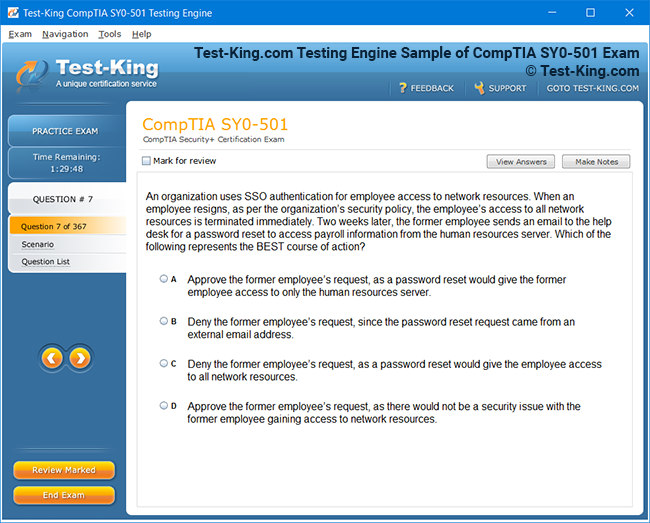
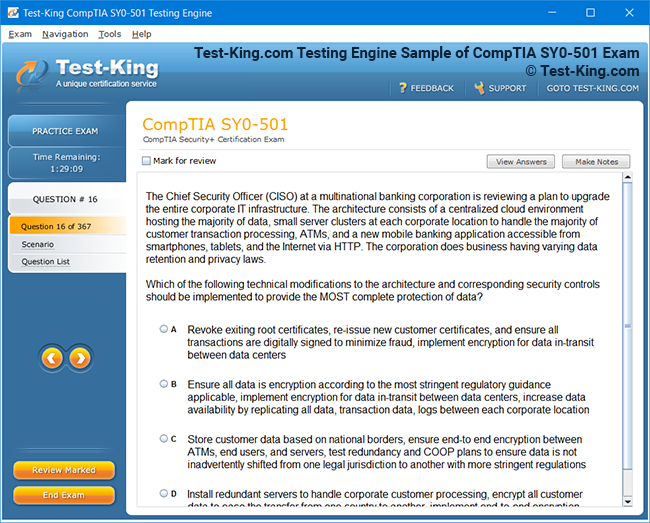
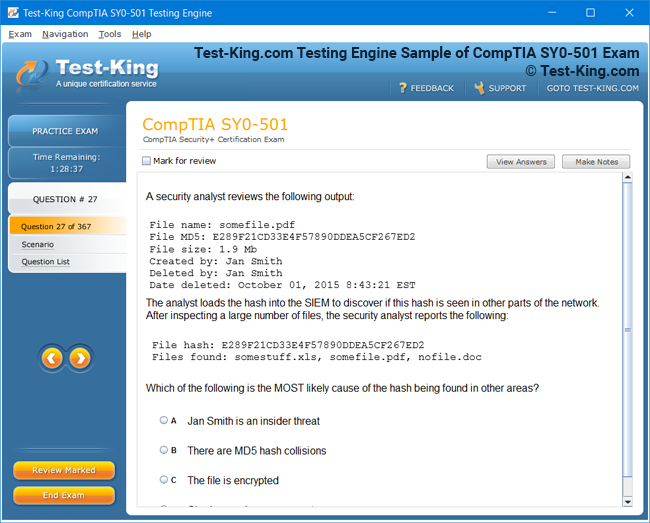
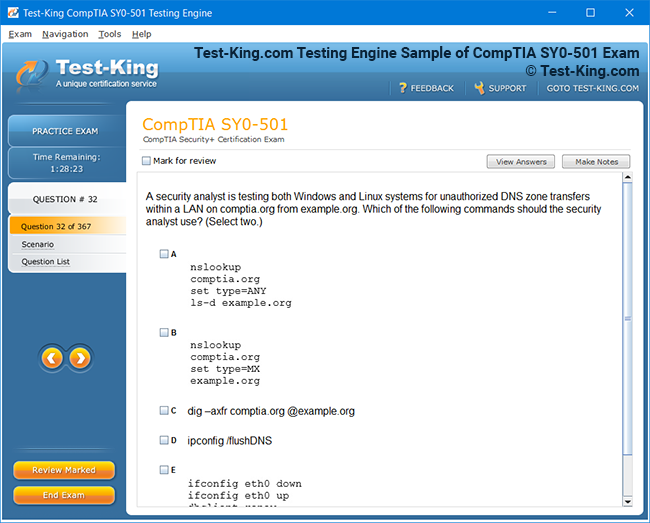
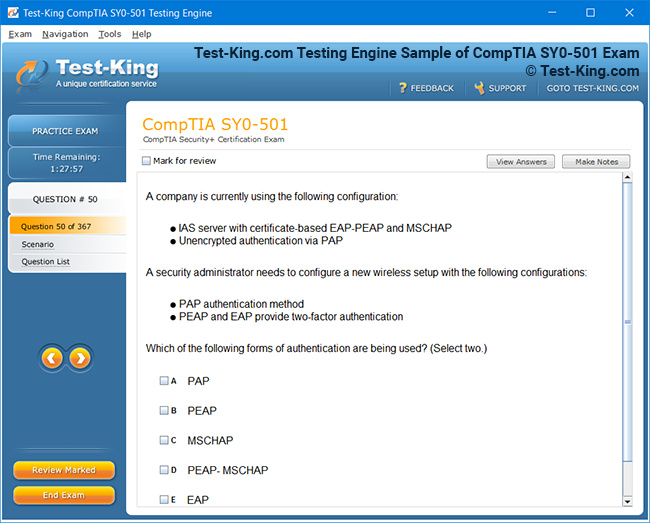
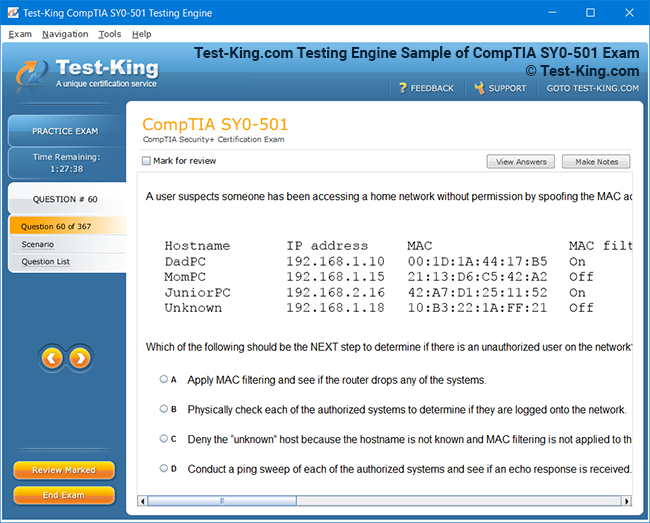
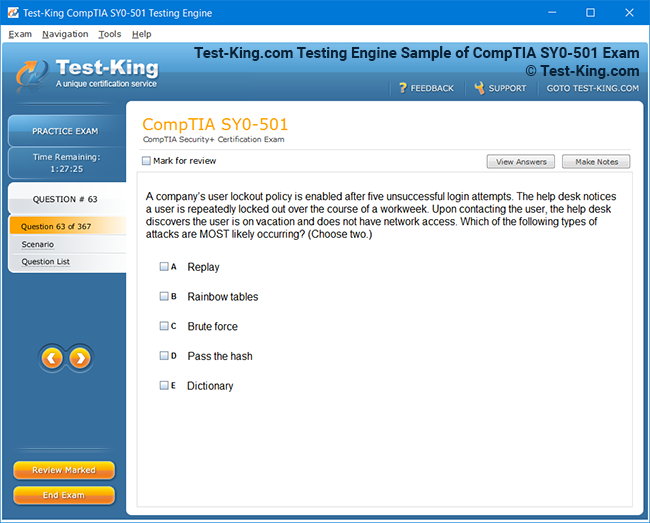
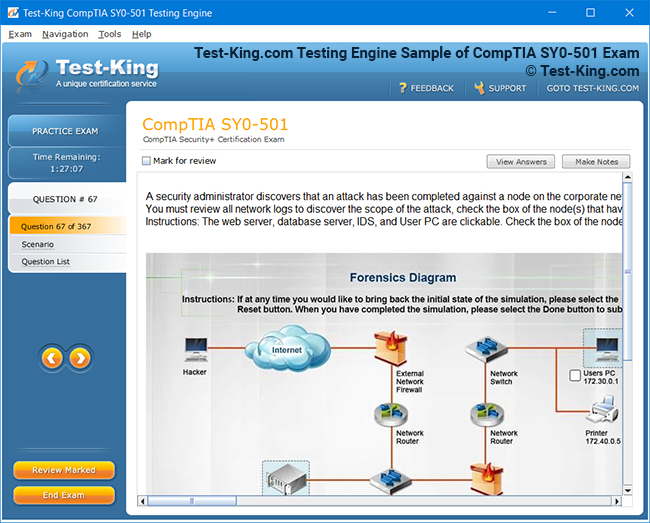
Frequently Asked Questions
How can I get the products after purchase?
All products are available for download immediately from your Member's Area. Once you have made the payment, you will be transferred to Member's Area where you can login and download the products you have purchased to your computer.
How long can I use my product? Will it be valid forever?
Test-King products have a validity of 90 days from the date of purchase. This means that any updates to the products, including but not limited to new questions, or updates and changes by our editing team, will be automatically downloaded on to computer to make sure that you get latest exam prep materials during those 90 days.
Can I renew my product if when it's expired?
Yes, when the 90 days of your product validity are over, you have the option of renewing your expired products with a 30% discount. This can be done in your Member's Area.
Please note that you will not be able to use the product after it has expired if you don't renew it.
How often are the questions updated?
We always try to provide the latest pool of questions, Updates in the questions depend on the changes in actual pool of questions by different vendors. As soon as we know about the change in the exam question pool we try our best to update the products as fast as possible.
How many computers I can download Test-King software on?
You can download the Test-King products on the maximum number of 2 (two) computers or devices. If you need to use the software on more than two machines, you can purchase this option separately. Please email support@test-king.com if you need to use more than 5 (five) computers.
What is a PDF Version?
PDF Version is a pdf document of Questions & Answers product. The document file has standart .pdf format, which can be easily read by any pdf reader application like Adobe Acrobat Reader, Foxit Reader, OpenOffice, Google Docs and many others.
Can I purchase PDF Version without the Testing Engine?
PDF Version cannot be purchased separately. It is only available as an add-on to main Question & Answer Testing Engine product.
What operating systems are supported by your Testing Engine software?
Our testing engine is supported by Windows. Andriod and IOS software is currently under development.
Top VMware Exams
- 2V0-17.25 - VMware Cloud Foundation 9.0 Administrator
- 2V0-13.25 - VMware Cloud Foundation 9.0 Architect
- 3V0-25.25 - Advanced VMware Cloud Foundation 9.0 Networking
- 2V0-16.25 - VMware vSphere Foundation 9.0 Administrator
- 3V0-21.25 - Advanced VMware Cloud Foundation 9.0 Automation
- 3V0-24.25 - VMware Certified Advanced Professional - VMware Cloud Foundation VKS
- 2V0-21.23 - VMware vSphere 8.x Professional
- 2V0-15.25 - VMware Cloud Foundation 9.0 Support
- 3V0-11.26 - VMware Certified Advanced Professional - VMware Cloud Foundation 9 Administrator
- 2V0-41.24 - VMware NSX 4.X Professional V2
- 2V0-72.22 - Professional Develop VMware Spring
- 3V0-32.23 - Cloud Management and Automation Advanced Design
- 2V0-51.23 - VMware Horizon 8.x Professional
- 2V0-11.25 - VMware Cloud Foundation 5.2 Administrator
2V0-11.25 : Top VMware Cloud Foundation 5.2 Administrator Exam Tips and Best Practices – Expert Advice for Exam Success
The VMware Cloud Foundation 5.2 Administrator exam represents a critical milestone for IT professionals seeking to validate their expertise in deploying, configuring, and managing cloud infrastructure. Candidates often find themselves challenged by the breadth of content, including management, networking, storage, and security facets. A strategic approach combining theoretical knowledge, hands-on practice, and understanding of real-world scenarios is essential for achieving success.
Understanding the Exam Structure
The 2V0-11.25 exam evaluates a candidate's proficiency in administering VMware Cloud Foundation environments. It assesses understanding of deployment workflows, lifecycle management, monitoring, troubleshooting, and integration with VMware vSphere, vSAN, and NSX components. Candidates should recognize that the exam questions not only test rote memorization but also the ability to apply concepts to practical situations. For instance, recognizing how network isolation impacts virtual machine mobility or understanding the nuances of cluster expansion can be decisive in answering scenario-based questions.
Emphasizing Hands-On Experience
Hands-on experience remains the most effective preparation method for the exam. Candidates who dedicate substantial time to deploying VMware Cloud Foundation environments in lab settings gain familiarity with operational intricacies. It is recommended to simulate daily administrative tasks such as adding hosts to clusters, configuring vSAN storage policies, or managing NSX-T networking components. Such exercises enable candidates to internalize workflows and troubleshoot potential failures in controlled environments, building confidence for the real exam.
Practical exercises should include deployment scenarios starting from initial planning, verifying hardware compatibility, to finalizing workloads on a fully functional cluster. Troubleshooting exercises, such as identifying misconfigured vSAN policies or addressing network segmentation errors, provide insight into common administrative pitfalls. Regular interaction with the vSphere Client and VMware SDDC Manager helps solidify an intuitive understanding of the platform's capabilities, enabling faster decision-making under exam conditions.
Strategizing Study Techniques
An effective preparation strategy integrates multiple approaches. Candidates are encouraged to begin with official VMware documentation, reviewing administration guides for Cloud Foundation 5.2, vSphere, NSX-T, and vSAN. Detailed reading ensures comprehension of core concepts, configuration options, and recommended best practices. Supplementing documentation with video tutorials, webinars, and community discussions can provide diverse perspectives and clarify nuanced concepts that might not be immediately obvious from manuals alone.
Creating a study plan that sequences topics logically enhances retention. For instance, understanding fundamental storage concepts such as vSAN architecture is more meaningful when combined with practical exercises in cluster expansion and policy enforcement. Networking topics, including logical switches, edge services, and overlay segments, should be interwoven with hands-on NSX-T deployment exercises. This integrated approach encourages contextual learning, where theoretical knowledge is continually reinforced through application.
Leveraging Troubleshooting Scenarios
Troubleshooting is a recurring theme in the VMware Cloud Foundation 5.2 Administrator exam. Candidates must demonstrate the ability to diagnose issues in areas such as cluster health, network connectivity, and storage performance. Familiarity with vRealize Operations and SDDC Manager dashboards allows administrators to interpret metrics, identify anomalies, and implement corrective actions efficiently.
For example, a scenario may involve a cluster displaying degraded vSAN health. Administrators should methodically analyze the alerts, determine whether hardware failures, network misconfigurations, or policy violations are causing the problem, and implement a solution. Such exercises cultivate analytical thinking, enabling candidates to approach complex scenarios methodically rather than relying on guesswork.
Time Management During Exam
Managing time effectively during the exam is crucial. The 2V0-11.25 test includes scenario-based questions that may be lengthier than standard multiple-choice items. Candidates should practice reading each question carefully, identifying key details, and eliminating implausible options. Setting a mental pacing strategy, such as allocating a specific number of minutes per question, ensures that candidates can address all items without rushing or leaving questions incomplete.
In addition to pacing, it is advantageous to note questions that appear challenging and revisit them after completing more straightforward items. This ensures that initial uncertainty does not consume excessive time. Experienced test-takers emphasize that maintaining composure and avoiding panic is as critical as technical knowledge. Mindful breathing techniques and brief mental resets during the exam can enhance focus and reduce cognitive fatigue.
Integrating Knowledge Across Components
The exam emphasizes the interconnected nature of VMware Cloud Foundation components. Administrators must understand how compute, storage, and networking layers interact to provide a seamless operational experience. For instance, deploying a virtual machine requires understanding cluster capacity, storage policies, network connectivity, and security configurations. Awareness of these interdependencies allows candidates to anticipate potential conflicts and resolve issues efficiently.
Another critical area is lifecycle management, including patching and upgrading clusters. Candidates must understand the sequence of operations to minimize downtime and prevent cascading failures. Practicing upgrade scenarios in a lab environment, such as applying software bundles to management domains before workload domains, equips candidates with experiential knowledge that is directly relevant to exam questions.
Exploring Real-World Use Cases
Linking exam preparation to real-world use cases helps solidify understanding. For example, deploying a multi-cluster environment across geographically dispersed data centers introduces challenges related to network latency, replication, and disaster recovery planning. Candidates who have encountered such scenarios in a lab or professional setting can apply practical insights when answering exam questions about availability, scalability, and resource optimization.
Similarly, scenarios involving integration with vRealize Automation or VMware Cloud Director demonstrate the broader ecosystem in which Cloud Foundation operates. Understanding these integration points is advantageous, as the exam often tests the candidate’s ability to navigate complex, enterprise-scale deployments rather than isolated configurations.
Developing Analytical Thinking
Analytical thinking is a cornerstone for success. VMware exam questions often present symptoms or alerts rather than explicit errors. Candidates are expected to deduce root causes from incomplete data, requiring logical reasoning and familiarity with operational patterns. Practicing case studies and reviewing incident logs in lab environments cultivates this skill. It is beneficial to document findings and solutions during practice exercises, as the process of articulation reinforces understanding and memory retention.
Adopting Resource Optimization Mindset
Efficient resource management is another critical domain. Candidates should understand how to optimize compute, storage, and networking resources to meet performance objectives while minimizing overhead. Topics such as affinity rules, storage policy enforcement, and network segmentation contribute to effective resource utilization. Developing an intuitive sense of balancing workload demands with available infrastructure enhances both exam performance and practical administrative capability.
Staying Updated with VMware Innovations
VMware frequently introduces updates, enhancements, and best practices. Staying informed about the latest changes in Cloud Foundation 5.2 helps candidates anticipate potential exam topics and aligns their knowledge with current industry standards. Following VMware blogs, official release notes, and community forums provides timely insights into evolving features, common issues, and recommended workflows.
Utilizing Community Knowledge
The VMware community is a rich source of practical knowledge. Engaging in discussion forums, reading shared experiences, and examining troubleshooting examples exposes candidates to a variety of scenarios they may not encounter in isolated labs. Peer discussions often reveal nuanced tips for exam preparation, such as subtle configuration dependencies, command-line tricks, or overlooked troubleshooting steps. Leveraging community wisdom complements structured study and hands-on practice.
Practicing with Simulated Exams
Simulated exams replicate the structure, difficulty, and scenario-based nature of the actual test. Practicing with these simulations builds familiarity with question formats and reinforces the application of theoretical knowledge. After each simulated exam, reviewing incorrect answers and understanding the reasoning behind correct solutions is invaluable. This iterative process strengthens comprehension and confidence, enabling candidates to approach the real exam with a well-calibrated mindset.
Building Confidence Through Repetition
Repeated exposure to exam objectives, hands-on tasks, and scenario-based exercises cultivates confidence. Candidates who systematically revisit challenging topics, such as NSX-T firewall rules, vSAN policy adjustments, or cluster scaling procedures, internalize workflows and reduce anxiety. Confidence is not merely a psychological advantage; it directly impacts the ability to analyze questions accurately and apply knowledge efficiently under exam conditions.
Maintaining Focus and Discipline
Sustained focus and disciplined study habits are indispensable. Establishing a regular study schedule, combining reading, practice, and review, ensures comprehensive coverage of exam objectives. Setting achievable daily or weekly goals encourages progress without overwhelming the candidate. Incorporating periodic breaks and mindfulness techniques prevents burnout and maintains cognitive acuity over extended study periods.
Preparing Mentally for Exam Day
Mental preparation is equally important as technical mastery. Candidates should visualize the exam environment, anticipate complex scenarios, and practice maintaining composure under time constraints. Strategies such as brief mental resets, controlled breathing, and focusing on process rather than outcomes can mitigate anxiety. Entering the exam with a balanced mindset allows candidates to leverage their preparation fully and approach each question with clarity.
Emphasizing Documentation and Notetaking
During preparation, maintaining concise notes and diagrams reinforces understanding. Capturing key workflows, troubleshooting steps, and command sequences in written form creates a personalized reference that can be reviewed efficiently. Visual representations of network topologies, cluster relationships, and storage hierarchies aid memory retention and facilitate comprehension of complex interactions between components.
Cultivating a Problem-Solving Approach
Ultimately, the exam evaluates problem-solving skills as much as technical knowledge. Candidates who approach each scenario analytically, deconstructing the problem into manageable elements, demonstrate the capacity expected of a VMware Cloud Foundation Administrator. Practicing structured problem-solving, documenting hypotheses, testing solutions in lab environments, and learning from errors cultivates the mindset necessary for both exam success and real-world administration.
Deepening Knowledge for VMware Cloud Foundation 5.2 Administration
The VMware Cloud Foundation 5.2 Administrator exam presents an intricate tapestry of knowledge, demanding both theoretical comprehension and practical acuity. Success is not merely a matter of memorizing concepts but synthesizing them into cohesive strategies applicable to real-world administration. Candidates are encouraged to approach preparation holistically, integrating architectural understanding, operational tasks, and scenario-based problem-solving into a unified methodology.
Embracing Architectural Nuances
A profound grasp of VMware Cloud Foundation architecture is indispensable. This encompasses management domains, workload domains, and the interplay between compute, storage, and networking components. Understanding how workload domains inherit policies from management domains and the implications for lifecycle management enhances the candidate’s ability to navigate complex deployment scenarios. For example, knowing how to optimize resource allocation between multiple workload domains can prevent performance bottlenecks and ensure high availability.
Cluster design principles also warrant attention. Candidates should internalize strategies for distributing workloads across clusters, configuring high availability, and implementing fault-tolerant designs. Awareness of vSAN storage architectures, including all-flash versus hybrid configurations, and their impact on performance and resilience is crucial. Additionally, NSX-T overlays, logical segments, and edge services must be understood in terms of both configuration and operational impact.
Integrating Lifecycle Management Expertise
Lifecycle management is a recurring theme on the exam, emphasizing tasks such as patching, upgrading, and extending clusters. Candidates must appreciate the sequential dependencies of upgrades, ensuring that management domains are updated before workload domains to maintain system stability. Practicing patching workflows in lab environments, including pre-upgrade health checks and post-upgrade validation, builds confidence in executing these operations under exam constraints.
Equally important is understanding automated tools such as SDDC Manager, which orchestrates lifecycle operations across clusters. Familiarity with its dashboards, alerts, and workflow options enables administrators to anticipate potential complications and devise remediation strategies. Candidates who develop a hands-on familiarity with these tools gain both operational proficiency and a practical framework for answering scenario-based questions.
Enhancing Networking Competence
Networking remains a challenging domain for many candidates. VMware Cloud Foundation integrates NSX-T to provide flexible network virtualization, overlay and underlay configurations, and distributed firewall capabilities. Administrators should practice creating logical switches, routers, and segments, understanding how each element influences traffic flow and security policies.
Troubleshooting network issues is a frequent theme on the exam. For example, diagnosing connectivity failures between virtual machines may involve analyzing overlay segments, verifying distributed firewall rules, and checking edge service configurations. Systematically approaching these tasks in lab environments allows candidates to develop analytical reasoning skills essential for the exam.
Mastering Storage Management
Storage configuration and optimization are pivotal. vSAN policies, data placement strategies, and storage compliance checks form an integral part of daily administration. Candidates should gain experience creating storage policies, applying them to virtual machines, and monitoring performance and health metrics. Understanding capacity planning and deduplication mechanisms is equally critical, as exam scenarios may test the candidate’s ability to balance efficiency with performance.
In addition to policy management, practical exercises should include handling vSAN failures, such as disk group degradation, host failures, and rebalancing operations. Simulating such conditions in a controlled lab environment equips candidates with problem-solving techniques and reinforces a nuanced understanding of storage behavior in VMware Cloud Foundation.
Navigating Security and Compliance
Security is an overarching concern, intertwined with networking, storage, and compute management. Candidates must understand how to implement role-based access controls, configure NSX-T firewalls, and monitor compliance dashboards. Security considerations extend beyond configuration to operational vigilance, including log analysis, event monitoring, and incident response.
Scenario-based questions frequently assess the ability to mitigate threats while maintaining operational continuity. Candidates should practice responding to hypothetical security incidents, such as unauthorized access attempts or policy violations, and devise corrective actions that align with VMware best practices. This cultivates both technical proficiency and strategic thinking.
Leveraging Automation and Scripting
Automation is a hallmark of proficient administration. VMware Cloud Foundation provides multiple avenues for automating tasks, from built-in orchestration within SDDC Manager to integration with vRealize Automation and PowerCLI scripting. Familiarity with these tools allows candidates to streamline repetitive tasks, enforce consistency, and reduce human error.
Candidates are advised to practice automating routine operations, such as host addition, cluster expansion, and policy deployment. Understanding the underlying APIs and workflows not only reinforces technical knowledge but also enhances problem-solving skills. Automation exercises help candidates anticipate exam scenarios where multiple-step operations must be managed efficiently and accurately.
Applying Scenario-Based Reasoning
The exam frequently presents multi-faceted scenarios that require careful analysis. Candidates must interpret alerts, system logs, and metrics to identify root causes of issues. Developing a structured reasoning process—assessing symptoms, hypothesizing causes, testing solutions, and validating results—is crucial. This approach is reinforced through repeated exposure to lab exercises, simulated incidents, and troubleshooting challenges.
An illustrative scenario might involve a workload domain exhibiting degraded performance. Candidates should methodically evaluate compute utilization, storage policies, network latency, and configuration errors, considering interdependencies among components. Practicing these integrated analyses cultivates the analytical agility necessary for the exam.
Strengthening Monitoring and Performance Analysis
Monitoring is central to maintaining operational excellence and forms a significant portion of the exam. Administrators should practice interpreting metrics from SDDC Manager, vRealize Operations, and NSX-T Manager. Recognizing patterns in resource consumption, identifying anomalies, and applying remediation strategies are skills that directly translate to both exam questions and real-world administration.
Performance analysis exercises might include detecting imbalanced workloads, diagnosing storage bottlenecks, or optimizing network throughput. Candidates should focus on correlating metrics across compute, storage, and networking layers to develop a holistic understanding of system behavior.
Cultivating Knowledge of Integration Points
VMware Cloud Foundation does not exist in isolation; it interacts with various VMware products and external systems. Candidates should understand integration points with vRealize Suite, vSphere, vSAN, and NSX-T. Knowledge of API interactions, orchestration capabilities, and service dependencies enhances problem-solving skills and informs practical decision-making.
Integration-focused exercises could include configuring automated provisioning with vRealize Automation, orchestrating updates through SDDC Manager, or monitoring health across interconnected clusters. Familiarity with these interrelationships reinforces exam preparedness and reflects realistic administrative responsibilities.
Practicing Resource Optimization Strategies
Efficient resource management is essential. Candidates must balance performance, availability, and capacity, ensuring that virtual machines are allocated appropriate compute, storage, and network resources. Practical exercises in policy enforcement, affinity rule configuration, and workload balancing cultivate the ability to make informed decisions quickly—a skill tested repeatedly in exam scenarios.
Resource optimization exercises should also include scaling operations, such as adding nodes to clusters or extending storage capacity. Understanding the operational impact of such changes is critical for achieving optimal performance while maintaining compliance with organizational policies.
Enhancing Cognitive Agility Under Exam Pressure
Exam conditions test not only technical knowledge but also cognitive agility. Candidates are required to interpret complex scenarios, recall relevant concepts, and apply reasoning under time constraints. Practicing timed exercises, simulating exam conditions, and reviewing challenging lab tasks develop both speed and accuracy.
Techniques for maintaining focus, such as strategic pacing, mental resets, and compartmentalizing problems, are invaluable. Candidates who cultivate a calm and methodical approach are better positioned to analyze questions effectively and avoid common pitfalls under pressure.
Exploring Advanced Troubleshooting Scenarios
Advanced troubleshooting involves synthesizing knowledge across multiple domains. Candidates may encounter scenarios where multiple components exhibit interconnected failures, such as vSAN capacity issues impacting workload performance or misconfigured NSX-T segments causing network interruptions. Practicing multi-layer troubleshooting in a lab environment builds resilience and deepens conceptual understanding.
Exercises should emphasize systematic analysis: isolating variables, verifying configurations, and cross-referencing logs and alerts. This methodical approach ensures that candidates can respond to intricate scenarios confidently and accurately.
Leveraging Community Wisdom for Insight
Engaging with the VMware community offers insights into real-world challenges and best practices. Candidates can benefit from discussions, troubleshooting anecdotes, and shared experiences, which provide perspectives that extend beyond formal documentation. Community interactions often reveal subtle configuration nuances, advanced optimization techniques, and strategies for managing complex deployments.
Participating in forums, attending webinars, and reviewing case studies complement structured preparation, reinforcing knowledge and offering practical approaches that enhance exam readiness.
Integrating Continuous Review Practices
Repetition and continuous review are essential for retaining complex information. Candidates should revisit challenging topics, review lab exercises, and consolidate knowledge through periodic self-assessment. Visual aids, diagrams, and personalized notes enhance retention by reinforcing conceptual frameworks and operational workflows.
Reviewing previous troubleshooting scenarios, network configurations, and lifecycle management exercises ensures that knowledge is both current and deeply ingrained. Continuous practice strengthens the candidate’s ability to recall information accurately and apply it effectively in exam contexts.
Embracing Strategic Resourcefulness
Resourcefulness is a distinguishing trait of successful candidates. Anticipating potential challenges, leveraging lab environments, and synthesizing knowledge across components fosters an adaptive mindset. This capacity to navigate unforeseen scenarios, apply best practices judiciously, and make informed decisions underpins both exam performance and real-world administrative competence.
Developing resourcefulness involves combining technical knowledge with analytical reasoning, hands-on practice, and scenario-based problem solving. Candidates who cultivate this skill can approach complex questions with confidence, applying principles logically and efficiently.
Reinforcing Core Competencies
Finally, candidates should continually reinforce core competencies in compute, storage, networking, security, and lifecycle management. Mastery of foundational concepts, coupled with practical experience and analytical reasoning, provides the scaffolding necessary to tackle advanced scenarios. Systematic reinforcement through lab exercises, study, and practical application consolidates expertise and enhances readiness for exam challenges.
Enhancing Expertise for VMware Cloud Foundation 5.2 Administration
Achieving mastery in VMware Cloud Foundation 5.2 administration requires more than superficial study. The exam evaluates the candidate’s capacity to integrate multiple facets of cloud infrastructure, including compute, storage, networking, lifecycle management, security, and automation. Success demands a disciplined approach that combines theoretical understanding with extensive hands-on practice, analytical reasoning, and exposure to realistic operational scenarios. Candidates are encouraged to adopt a holistic strategy that emphasizes comprehension, application, and problem-solving rather than rote memorization.
Strengthening Operational Knowledge
A profound operational understanding is critical for exam readiness. Candidates must be adept at performing day-to-day administration tasks within VMware Cloud Foundation environments. These include provisioning workloads, managing vSAN storage policies, configuring NSX-T networking segments, monitoring system health, and implementing security controls. Each task should be practiced in a controlled lab environment to cultivate familiarity with operational intricacies and potential pitfalls.
Practical exercises should extend to deployment scenarios, starting from initial architecture planning to executing complex tasks such as expanding clusters, configuring distributed firewalls, or troubleshooting degraded virtual machines. By immersing in these workflows, candidates develop both technical proficiency and confidence, enabling them to handle scenario-based questions efficiently.
Leveraging Troubleshooting Skills
Troubleshooting is a cornerstone of the exam. Candidates must analyze system alerts, logs, and metrics to identify and resolve issues across compute, storage, and networking layers. Practicing diagnostic workflows helps develop methodical thinking. For instance, when a vSAN cluster exhibits reduced performance, administrators should examine disk group health, verify storage policies, evaluate network connectivity, and consider host resource utilization. Understanding the sequence of checks and the interdependencies among components is essential for accurate problem resolution.
Exam scenarios may present multiple interrelated failures, requiring candidates to synthesize information across domains. Repeated exposure to simulated issues in a lab setting enhances analytical agility, ensuring that candidates approach complex questions systematically rather than relying on guesswork.
Optimizing Storage Management
Effective storage management is a frequent exam focus. Candidates should understand vSAN architecture, including fault domains, disk group composition, deduplication, and compression techniques. Storage policies should be practiced in deployment scenarios to understand how they influence virtual machine placement, performance, and compliance.
In addition, candidates should simulate scenarios where storage capacity is constrained or disk groups fail, practicing recovery operations and policy reassignment. These exercises reinforce an understanding of storage resiliency, performance optimization, and compliance enforcement, all of which are crucial for exam success.
Mastering Networking and Security
Networking within VMware Cloud Foundation is tightly integrated with NSX-T. Candidates should practice configuring logical segments, distributed switches, edge services, and firewalls. Understanding the interaction between overlay and underlay networks, as well as segment connectivity, is vital for both operational management and troubleshooting.
Security practices, including role-based access control, policy enforcement, and compliance monitoring, must also be internalized. Scenario-based questions often assess the candidate’s ability to maintain security while performing administrative tasks, such as deploying new workloads or modifying network configurations. Practicing incident response and remediation in lab exercises builds competence and confidence.
Deepening Knowledge of Lifecycle Management
Lifecycle management is a recurrent theme. Candidates must comprehend patching, upgrading, and extending clusters while preserving system stability. Practicing upgrade workflows, pre- and post-upgrade health checks, and software bundle application ensures familiarity with these processes. Utilizing SDDC Manager for orchestrating lifecycle tasks enhances understanding and operational fluency.
Understanding dependency sequences, such as updating management domains before workload domains or verifying vSAN health before cluster expansion, is critical. Repeated hands-on practice enables candidates to anticipate potential issues and develop strategies for mitigating risks during complex operations.
Integrating Automation for Efficiency
Automation is a hallmark of proficient administration. Candidates should become comfortable with automating routine tasks using SDDC Manager, vRealize Automation, and PowerCLI scripts. Automation reduces manual errors, enforces consistency, and allows administrators to focus on higher-order tasks.
Practical exercises should include automating host additions, storage policy deployment, and cluster scaling. Familiarity with API interactions, orchestration workflows, and automation tools builds both efficiency and conceptual understanding, which are frequently evaluated in scenario-based exam questions.
Applying Scenario-Based Reasoning
Scenario-based reasoning is essential for navigating the exam. Candidates must interpret symptoms, correlate alerts, and hypothesize causes to resolve complex issues. Practicing structured problem-solving—identifying variables, testing potential solutions, and validating outcomes—enhances analytical skills and prepares candidates for multi-step exam questions.
For instance, a scenario may involve degraded virtual machine performance caused by network latency, storage misconfiguration, and host resource contention. Systematic analysis, informed by hands-on experience, allows candidates to deconstruct the problem, determine root causes, and select the most appropriate remediation steps.
Enhancing Monitoring and Performance Analysis
Monitoring is central to both exam questions and real-world administration. Candidates should be adept at interpreting metrics from vRealize Operations, SDDC Manager, and NSX-T Manager to identify anomalies, capacity issues, or performance degradation. Exercises in analyzing performance metrics across compute, storage, and networking layers cultivate a holistic understanding of system behavior.
Performance analysis scenarios might include balancing workloads across clusters, identifying vSAN bottlenecks, or optimizing NSX-T segment throughput. Practicing these activities ensures that candidates can respond effectively to questions requiring both insight and practical application.
Leveraging Integration Points
Understanding integration points within the VMware ecosystem enhances exam readiness. VMware Cloud Foundation interacts with vSphere, vSAN, NSX-T, and vRealize Suite. Knowledge of these interactions, orchestration capabilities, and service dependencies strengthens the candidate’s ability to answer questions involving complex, multi-layered deployments.
Hands-on exercises should simulate integration scenarios, such as coordinating automated provisioning, orchestrating updates, or monitoring cross-domain health. Familiarity with these interconnections promotes both technical and strategic proficiency.
Practicing Resource Optimization
Resource optimization is crucial for both operational efficiency and exam performance. Candidates should gain experience balancing compute, storage, and networking resources to meet workload requirements without overprovisioning. Practical exercises in applying affinity rules, adjusting storage policies, and scaling clusters reinforce understanding of efficient resource utilization.
Scenarios that test scaling operations, resource allocation, and load balancing provide valuable experience for both exam questions and real-world administration, enhancing confidence and decision-making agility.
Developing Analytical Agility
The exam challenges candidates to demonstrate analytical agility, applying reasoning to unfamiliar or complex scenarios. Candidates should cultivate the ability to interpret incomplete information, formulate hypotheses, and execute systematic troubleshooting. Repeated exposure to lab exercises, case studies, and scenario-based practice strengthens this skill, enabling rapid and accurate decision-making during the exam.
Analytical agility also involves recognizing patterns, correlating alerts with performance metrics, and anticipating the operational impact of changes across compute, storage, and networking layers.
Strengthening Security Awareness
Security awareness is integral to successful administration. Candidates should practice implementing role-based access control, configuring distributed firewall rules, and monitoring compliance. Exam scenarios often require evaluating the impact of configuration changes on security posture while ensuring operational continuity.
Simulating security incidents, analyzing logs, and designing remediation strategies in lab exercises enhances both technical competence and situational judgment, preparing candidates for questions that blend operational and security challenges.
Reinforcing Documentation and Notetaking
Maintaining concise, structured documentation enhances learning and exam preparation. Candidates should record key workflows, troubleshooting steps, and configuration sequences. Visual representations of network topologies, storage hierarchies, and cluster relationships aid memory retention and conceptual clarity.
Documentation exercises help candidates consolidate knowledge, provide reference material for review, and strengthen the ability to recall critical information under exam pressure.
Engaging with Community Insights
Engaging with VMware communities offers access to practical knowledge, advanced troubleshooting techniques, and shared experiences. Participating in discussions, reviewing case studies, and observing best practices provides perspectives that extend beyond formal documentation, exposing candidates to nuanced scenarios and optimization strategies.
Community engagement also highlights emerging trends, feature updates, and common pitfalls, equipping candidates with insights that improve both exam performance and operational competence.
Practicing Simulated Exams
Simulated exams are invaluable for developing exam readiness. They replicate question formats, scenario complexity, and time constraints, providing realistic practice opportunities. Candidates should review incorrect responses thoroughly, analyzing reasoning and reinforcing understanding.
Practicing under timed conditions also cultivates pacing strategies, mental focus, and confidence, allowing candidates to approach the actual exam with clarity and efficiency.
Cultivating Confidence and Composure
Confidence and composure are decisive factors in exam success. Candidates who have practiced extensively, mastered lab exercises, and internalized workflows approach questions with calm deliberation. Techniques such as mental resets, controlled breathing, and strategic focus management mitigate stress and enhance cognitive performance.
Confidence is reinforced through repetition, scenario practice, and reflection on problem-solving strategies. Candidates who cultivate both competence and composure are better equipped to navigate complex, multi-layered exam questions.
Integrating Knowledge Across Domains
Successful candidates demonstrate the ability to integrate knowledge across compute, storage, networking, security, and lifecycle management. Understanding interdependencies, anticipating operational consequences, and applying best practices holistically allows candidates to tackle multi-faceted scenarios efficiently.
Exercises should emphasize cross-domain analysis, including cluster scaling impacts on storage, network configuration effects on workload performance, and security implications of operational changes. This integrated perspective aligns closely with exam expectations.
Continuous Review and Reinforcement
Continuous review reinforces knowledge retention and operational understanding. Candidates should periodically revisit challenging topics, lab exercises, and scenario-based practice. Visual aids, structured notes, and diagrams support conceptual clarity, facilitating rapid recall during the exam.
Reviewing past troubleshooting exercises, deployment tasks, and integration scenarios ensures that knowledge remains fresh, practical, and applicable to both exam questions and real-world administration.
Emphasizing Strategic Thinking
Strategic thinking enhances decision-making under exam conditions. Candidates should anticipate potential issues, consider interrelated system effects, and evaluate multiple approaches before implementing solutions. Practicing strategic reasoning in lab exercises and scenario analyses cultivates foresight, adaptability, and operational prudence.
Strategic thinking also enables candidates to prioritize actions, optimize resources, and mitigate risks in multi-component deployments, reflecting the competencies tested by VMware Cloud Foundation 5.2 Administrator exam scenarios.
Advancing Skills for VMware Cloud Foundation 5.2 Administration
The VMware Cloud Foundation 5.2 Administrator exam demands a profound combination of theoretical knowledge, hands-on experience, and analytical reasoning. Candidates must demonstrate mastery over complex administrative tasks, lifecycle management, networking, storage, security, and integration with the broader VMware ecosystem. The exam is designed to assess both operational competence and the ability to apply best practices to multifaceted, real-world scenarios.
Deepening Understanding of Compute Management
Compute resources form the foundation of VMware Cloud Foundation operations. Candidates should practice provisioning hosts, configuring clusters, and balancing virtual machine workloads across multiple nodes. Understanding CPU and memory allocation, resource pools, and affinity rules ensures optimal performance and operational efficiency. Hands-on exercises in deploying workloads under varying resource constraints cultivate both practical skills and conceptual clarity.
Candidates must also comprehend failover mechanisms and high-availability configurations. Recognizing the impact of host failures, vMotion migrations, and DRS policies enables administrators to maintain continuity while addressing performance issues. Scenario-based exercises, such as simulating host outages or sudden workload spikes, reinforce analytical thinking and operational agility.
Enhancing Storage Administration
Storage management is pivotal for exam success. Candidates should gain hands-on experience with vSAN policies, capacity planning, disk group management, and storage compliance monitoring. Practicing creation and application of storage policies ensures understanding of performance, redundancy, and cost-efficiency considerations. Storage scenarios may include balancing workloads across disk groups, managing deduplication and compression, and recovering from disk failures.
Evaluating performance metrics, troubleshooting latency, and adjusting policies for optimal throughput are key skills. Exercises that simulate constrained storage environments, degraded disk groups, or compliance violations prepare candidates for questions requiring analytical problem-solving and practical decision-making.
Refining Networking and Security Knowledge
Networking within VMware Cloud Foundation, powered by NSX-T, requires thorough comprehension. Candidates should practice configuring logical switches, routers, overlay segments, and distributed firewalls. Understanding connectivity between workload domains, security zoning, and routing protocols ensures operational reliability. Hands-on exercises in configuring distributed firewall rules, edge services, and load balancing enhance both technical proficiency and scenario-based reasoning skills.
Security management is integral to networking tasks. Candidates should practice role-based access control, security monitoring, and incident response. Exam questions often present complex scenarios where operational tasks intersect with security requirements, such as modifying network segments while preserving compliance and minimizing exposure. Familiarity with these dynamics enables precise and confident responses.
Mastering Lifecycle Management
Lifecycle management encompasses patching, upgrading, and extending clusters while ensuring stability and compliance. Candidates must understand sequential dependencies and pre-upgrade verification processes. Practicing software bundle applications, health checks, and node expansions in lab environments reinforces operational familiarity.
Automation tools such as SDDC Manager streamline lifecycle operations. Candidates should explore orchestrated upgrades, automated alerts, and workflow monitoring. Integrating lifecycle management exercises with compute, storage, and networking tasks ensures a holistic understanding, enabling accurate and confident handling of exam scenarios.
Leveraging Automation and Orchestration
Automation enhances efficiency and consistency in VMware Cloud Foundation administration. Candidates should become proficient with SDDC Manager workflows, vRealize Automation, and PowerCLI scripts. Automating host additions, storage policy applications, and network configuration streamlines operations and reduces human error.
Practicing automation in lab environments cultivates both technical competence and problem-solving agility. Exam scenarios may require the candidate to apply automation to multi-step processes, evaluate the impact of automated workflows, and troubleshoot anomalies efficiently. Hands-on exposure ensures familiarity with these tools and their practical implications.
Strengthening Monitoring and Performance Analysis
Monitoring is crucial for maintaining operational excellence. Candidates should practice interpreting metrics from vRealize Operations, SDDC Manager, and NSX-T dashboards to identify anomalies, performance bottlenecks, and compliance deviations. Exercises should include correlating data across compute, storage, and networking domains to develop a holistic understanding of system health.
Performance scenarios might involve balancing workloads, analyzing latency, optimizing storage throughput, or adjusting network configurations. Familiarity with these processes enables candidates to respond accurately to complex exam questions, demonstrating both technical understanding and analytical reasoning.
Developing Scenario-Based Reasoning
Scenario-based reasoning is essential for navigating multi-faceted exam questions. Candidates must synthesize information from system alerts, configuration data, and performance metrics to identify root causes and propose solutions. Practicing structured problem-solving through lab exercises cultivates analytical agility, enhancing the candidate’s ability to handle unfamiliar or complex situations.
For example, a scenario may involve network latency impacting multiple workloads, compounded by storage bottlenecks and host resource contention. Candidates must analyze each component, identify causal relationships, and implement corrective actions efficiently. Repetition of such exercises reinforces cognitive agility and operational confidence.
Integrating Knowledge Across Domains
The exam emphasizes integration across compute, storage, networking, security, and lifecycle management domains. Candidates should understand interdependencies, anticipate operational impacts, and apply best practices holistically. Exercises should simulate multi-domain scenarios, such as scaling clusters while maintaining network and storage performance, ensuring compliance, and optimizing resource allocation.
Understanding these interconnections enhances problem-solving skills, enabling candidates to tackle complex exam questions and real-world administrative challenges with precision.
Emphasizing Analytical Agility
Analytical agility allows candidates to navigate ambiguous or incomplete scenarios effectively. Developing systematic approaches to troubleshooting, including isolating variables, hypothesizing root causes, and validating solutions, strengthens both confidence and decision-making. Repeated exposure to lab exercises, incident simulations, and scenario-based practice reinforces these skills.
Candidates should focus on correlating alerts, logs, and performance metrics to derive actionable insights. Analytical agility is critical for questions requiring multi-step reasoning and evaluation of competing solutions.
Reinforcing Security Awareness
Security awareness underpins operational decisions. Candidates must understand role-based access control, distributed firewall rules, and compliance monitoring. Exam scenarios may involve evaluating operational changes against security policies, requiring candidates to balance functionality with risk mitigation.
Simulating security incidents, analyzing logs, and practicing corrective actions enhance both technical competence and judgment. Security awareness is closely tied to networking, storage, and compute management, reinforcing the interconnected nature of VMware Cloud Foundation administration.
Utilizing Community Insights
VMware communities provide valuable practical insights. Engaging with discussion forums, reviewing case studies, and observing best practices expose candidates to nuanced scenarios, optimization strategies, and troubleshooting techniques. Community engagement complements structured study, providing real-world perspectives that enrich understanding.
Learning from community experiences helps candidates anticipate common pitfalls, uncover advanced techniques, and gain practical knowledge that is frequently relevant to exam scenarios.
Practicing with Simulated Exams
Simulated exams replicate the structure, timing, and scenario complexity of the actual VMware Cloud Foundation 5.2 Administrator test. Candidates should practice under timed conditions, reviewing incorrect answers to understand reasoning and reinforce concepts. Simulated exams cultivate pacing, mental resilience, and strategic thinking.
Practicing repeatedly ensures candidates approach the real exam with familiarity and confidence, able to apply both knowledge and reasoning skills under time constraints.
Building Confidence and Focus
Confidence and focus are critical during the exam. Candidates who have practiced extensively, internalized workflows, and mastered lab exercises are better equipped to navigate complex scenarios calmly. Techniques such as controlled breathing, mental resets, and compartmentalization of tasks support sustained focus.
Confidence is reinforced through repetition, scenario practice, and reflective learning. Candidates who combine competence with composure can analyze questions thoroughly and respond with precision.
Enhancing Resource Optimization Skills
Resource optimization is an essential competency. Candidates should practice balancing compute, storage, and networking resources to achieve performance and efficiency objectives. Exercises might include scaling clusters, adjusting storage policies, and managing workload placement to optimize utilization.
Understanding the interplay between resource allocation, performance, and compliance enables candidates to make informed decisions during the exam. Practical exercises cultivate both operational insight and strategic reasoning.
Reinforcing Lifecycle Knowledge
Mastery of lifecycle operations enhances exam preparedness. Candidates should practice patching, upgrading, and extending clusters while maintaining operational stability. Understanding upgrade dependencies, pre- and post-operation verification, and potential failure points ensures readiness for scenario-based questions.
Lifecycle management exercises integrate compute, storage, and networking tasks, reinforcing holistic understanding. Repetition and hands-on practice strengthen confidence and operational agility.
Integrating Automation Strategies
Automation is a recurring theme. Candidates should practice orchestrating routine operations, automating workflows, and leveraging API interactions for efficiency. Exercises in automated host provisioning, network configuration, and storage management prepare candidates for questions requiring practical application of automation tools.
Familiarity with orchestration workflows, error handling, and remediation in automated processes cultivates both technical competence and scenario-based problem-solving.
Cultivating Analytical Problem-Solving
Analytical problem-solving underpins success. Candidates must identify root causes, evaluate solutions, and implement corrective actions systematically. Exercises in troubleshooting, scenario simulation, and lab practice strengthen analytical reasoning, enhancing readiness for complex, multi-domain exam questions.
Repeated practice with diverse scenarios, coupled with structured review, ensures candidates can navigate challenges efficiently and confidently.
Maintaining Continuous Review
Continuous review ensures knowledge retention and operational familiarity. Candidates should revisit complex topics, lab exercises, and scenario-based tasks periodically. Notes, diagrams, and visual aids support memory consolidation and conceptual clarity, enabling rapid recall during exam conditions.
Reviewing past simulations, troubleshooting exercises, and workflow sequences reinforces practical understanding and strategic thinking.
Embracing Strategic Thinking
Strategic thinking enhances operational decision-making and exam performance. Candidates should anticipate potential complications, consider cascading effects across multiple components, and evaluate options before executing solutions. Strategic reasoning in lab exercises strengthens foresight, adaptability, and judgment.
Strategic thinking allows candidates to prioritize actions, optimize resources, and mitigate risks, reflecting the competencies evaluated in VMware Cloud Foundation 5.2 Administrator scenarios.
Advanced Techniques for VMware Cloud Foundation 5.2 Administration
The VMware Cloud Foundation 5.2 Administrator exam demands extensive technical knowledge, practical experience, and analytical acumen. Success relies on a candidate’s ability to integrate compute, storage, networking, lifecycle management, security, and automation in a cohesive operational strategy. Candidates must approach preparation with a holistic mindset, focusing on understanding concepts, practicing tasks, and developing problem-solving capabilities applicable to complex, real-world scenarios.
Strengthening Compute Resource Management
Proficiency in compute management is foundational. Candidates should practice configuring clusters, balancing workloads, managing resource pools, and applying CPU and memory allocation strategies. Hands-on exercises in deploying virtual machines, simulating host failures, and performing vMotion migrations cultivate operational insight and confidence.
Understanding affinity and anti-affinity rules, DRS settings, and high-availability mechanisms ensures optimized performance and resilience. Candidates should perform scenarios that test workload distribution, recovery from host outages, and prioritization of critical virtual machines to build familiarity with real operational conditions.
Refining Storage Administration Skills
Storage management is a key exam focus. Candidates must understand vSAN architecture, storage policies, capacity planning, deduplication, compression, and fault domains. Practical exercises should involve creating and applying storage policies, monitoring compliance, and troubleshooting performance issues.
Scenario-based practice, such as simulating degraded disk groups or capacity constraints, reinforces problem-solving skills. Candidates should practice recovery procedures, policy reassignment, and performance optimization to ensure operational readiness and exam competence.
Enhancing Networking Proficiency
Networking is integral to VMware Cloud Foundation. Candidates should practice configuring NSX-T logical switches, routers, overlay segments, and distributed firewalls. Understanding connectivity between workload domains, network isolation, and routing policies ensures operational reliability and prepares candidates for scenario-based questions.
Practical exercises should include monitoring traffic, configuring edge services, and troubleshooting network latency. Candidates must also understand security implications, including firewall rules and segmentation strategies, to ensure compliance while maintaining operational efficiency.
Strengthening Security Awareness
Security is interwoven with compute, storage, and networking tasks. Candidates should practice role-based access control, monitoring compliance dashboards, and responding to hypothetical security incidents. Scenario-based exercises that simulate unauthorized access, misconfigured firewall rules, or policy violations develop situational judgment and technical expertise.
Understanding security best practices, incident response protocols, and operational impacts of configuration changes equips candidates to handle exam questions requiring analytical reasoning and operational foresight.
Mastering Lifecycle Management
Lifecycle management is crucial for exam success. Candidates should practice patching, upgrading, and extending clusters while ensuring system stability. Understanding dependencies, pre-upgrade health checks, and post-upgrade validation is essential.
Using SDDC Manager to orchestrate these tasks enhances both technical proficiency and operational efficiency. Candidates should simulate multi-step upgrades, node additions, and software bundle applications to gain experience with real-world workflows and exam scenarios.
Integrating Automation and Orchestration
Automation improves efficiency and reduces human error. Candidates should explore SDDC Manager workflows, vRealize Automation, and PowerCLI scripts for automating routine tasks. Exercises should include host provisioning, policy deployment, and network configuration.
Understanding the impact of automated workflows, error handling, and remediation ensures readiness for exam questions that evaluate both conceptual knowledge and practical application. Repetition of automation tasks builds familiarity, confidence, and operational agility.
Enhancing Monitoring and Performance Analysis
Monitoring is essential for maintaining system health and optimizing performance. Candidates should practice interpreting metrics from SDDC Manager, vRealize Operations, and NSX-T dashboards. Exercises should focus on identifying anomalies, diagnosing performance bottlenecks, and implementing corrective actions across compute, storage, and networking layers.
Performance analysis exercises might involve balancing workloads, optimizing storage throughput, mitigating latency, or adjusting network configurations. These practices build analytical reasoning, ensuring candidates can respond effectively to complex scenario-based questions.
Applying Scenario-Based Problem Solving
Scenario-based reasoning is pivotal. Candidates must integrate knowledge across multiple domains to analyze symptoms, hypothesize causes, and implement solutions. Practicing structured problem-solving, including variable isolation, testing hypotheses, and validating results, enhances cognitive agility and operational competence.
Complex scenarios, such as simultaneous storage, network, and compute issues, require multi-step analysis. Repeated exposure to lab-based incidents prepares candidates for these challenges, reinforcing analytical thinking and decision-making skills.
Integrating Knowledge Across Domains
The exam assesses understanding of interdependencies among compute, storage, networking, security, and lifecycle management. Candidates should practice cross-domain exercises, such as scaling clusters while ensuring network connectivity, storage performance, and compliance adherence.
Integrated exercises reinforce the ability to anticipate cascading effects, evaluate solutions holistically, and apply best practices to maintain operational integrity. This synthesis of knowledge is crucial for both exam performance and practical administration.
Developing Analytical Agility
Analytical agility allows candidates to respond effectively to unfamiliar scenarios. Candidates should practice interpreting incomplete or ambiguous data, correlating alerts with performance metrics, and formulating logical solutions. Structured troubleshooting and repeated scenario-based exercises cultivate this skill.
Candidates should focus on identifying patterns, anticipating potential failures, and evaluating alternative solutions. Analytical agility is central to navigating complex exam questions that test both operational knowledge and reasoning.
Strengthening Resource Optimization Skills
Resource optimization is critical for operational efficiency and exam readiness. Candidates should practice balancing compute, storage, and networking resources, ensuring workloads receive adequate allocation without over-provisioning. Exercises should include configuring affinity rules, adjusting storage policies, and optimizing workload placement.
Understanding the interrelationship between resources, performance, and compliance enables candidates to make informed decisions under exam conditions. Practical exercises reinforce operational competence and strategic reasoning.
Reinforcing Documentation and Notetaking
Maintaining clear documentation enhances retention and understanding. Candidates should record workflows, troubleshooting steps, configuration sequences, and key concepts. Visual representations of clusters, network topologies, and storage hierarchies aid memory retention and conceptual clarity.
Notes and diagrams serve as personalized references during study and review, reinforcing comprehension and improving recall during the exam. Documenting lessons learned from lab exercises strengthens analytical and operational skills.
Engaging with Community Knowledge
The VMware community provides practical insights, advanced troubleshooting techniques, and optimization strategies. Candidates should participate in forums, webinars, and discussions to learn from real-world experiences. Community engagement supplements formal study, providing nuanced perspectives that can improve both exam performance and administrative competence.
Learning from shared experiences highlights common pitfalls, innovative solutions, and practical best practices, preparing candidates for scenario-based questions and real-world challenges.
Practicing with Simulated Exams
Simulated exams replicate the structure, scenario complexity, and timing of the actual VMware Cloud Foundation 5.2 Administrator test. Candidates should practice under timed conditions, reviewing incorrect answers to understand reasoning and reinforce knowledge.
Repeated practice enhances pacing, focus, and familiarity with exam question formats. Simulated exams also build confidence, allowing candidates to apply knowledge effectively and navigate complex scenarios under pressure.
Cultivating Confidence and Composure
Confidence and composure are essential during the exam. Candidates who have practiced extensively, mastered lab exercises, and internalized workflows approach questions with calm deliberation. Techniques such as mental resets, controlled breathing, and focused analysis improve performance under time constraints.
Confidence is reinforced through repetition, reflective practice, and scenario-based problem-solving. Composure allows candidates to analyze questions thoroughly and respond accurately, minimizing errors due to stress or time pressure.
Emphasizing Strategic Thinking
Strategic thinking enhances decision-making, resource allocation, and problem-solving. Candidates should anticipate potential challenges, evaluate cascading effects across multiple components, and consider multiple solutions before implementation.
Practicing strategic reasoning in lab exercises and scenario simulations cultivates foresight, adaptability, and operational judgment. This competency is essential for navigating complex exam scenarios and achieving success in real-world administration.
Conclusion
Continuous review strengthens knowledge retention, operational understanding, and exam preparedness. Candidates should revisit challenging topics, lab exercises, and scenario-based tasks periodically. Notes, diagrams, and structured study materials support rapid recall and conceptual clarity.
Reviewing prior simulations, troubleshooting exercises, and workflow scenarios consolidates knowledge, ensuring candidates can apply skills accurately and efficiently under exam conditions.