

Exam Code: 1Y0-341
Exam Name: Citrix ADC Advanced Topics - Security, Management, and Optimization
Certification Provider: Citrix
Corresponding Certification: CCP-AppDS
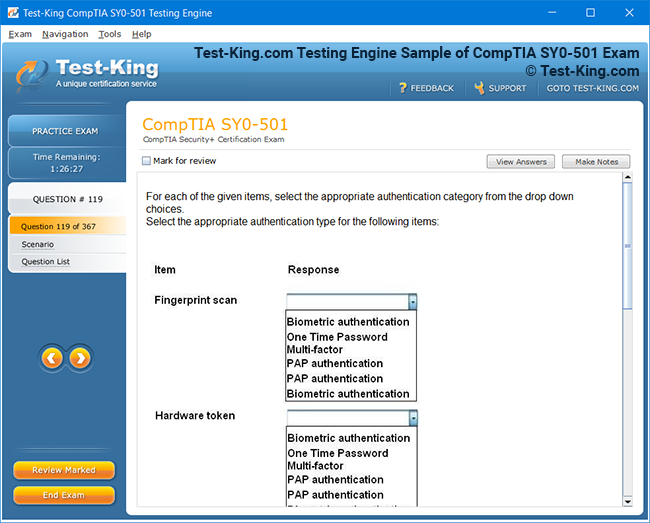
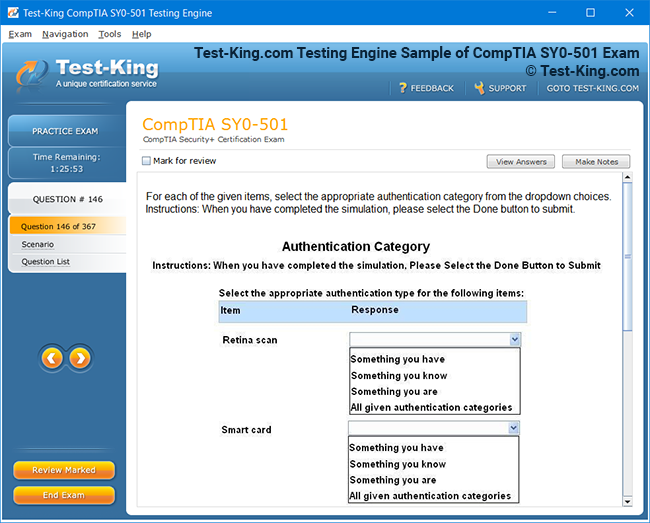
Product Screenshots
Frequently Asked Questions
How can I get the products after purchase?
All products are available for download immediately from your Member's Area. Once you have made the payment, you will be transferred to Member's Area where you can login and download the products you have purchased to your computer.
How long can I use my product? Will it be valid forever?
Test-King products have a validity of 90 days from the date of purchase. This means that any updates to the products, including but not limited to new questions, or updates and changes by our editing team, will be automatically downloaded on to computer to make sure that you get latest exam prep materials during those 90 days.
Can I renew my product if when it's expired?
Yes, when the 90 days of your product validity are over, you have the option of renewing your expired products with a 30% discount. This can be done in your Member's Area.
Please note that you will not be able to use the product after it has expired if you don't renew it.
How often are the questions updated?
We always try to provide the latest pool of questions, Updates in the questions depend on the changes in actual pool of questions by different vendors. As soon as we know about the change in the exam question pool we try our best to update the products as fast as possible.
How many computers I can download Test-King software on?
You can download the Test-King products on the maximum number of 2 (two) computers or devices. If you need to use the software on more than two machines, you can purchase this option separately. Please email support@test-king.com if you need to use more than 5 (five) computers.
What is a PDF Version?
PDF Version is a pdf document of Questions & Answers product. The document file has standart .pdf format, which can be easily read by any pdf reader application like Adobe Acrobat Reader, Foxit Reader, OpenOffice, Google Docs and many others.
Can I purchase PDF Version without the Testing Engine?
PDF Version cannot be purchased separately. It is only available as an add-on to main Question & Answer Testing Engine product.
What operating systems are supported by your Testing Engine software?
Our testing engine is supported by Windows. Andriod and IOS software is currently under development.
Top Citrix Exams
- 1Y0-312 - Citrix Virtual Apps and Desktops 7 Advanced Administration
- 1Y0-204 - Citrix Virtual Apps and Desktops 7 Administration
- 1Y0-205 - Citrix Virtual Apps and Desktops Administration
- 1Y0-241 - Deploy and Manage Citrix ADC 13 with Traffic Management
- 1Y0-231 - Deploy and Manage Citrix ADC 13 with Citrix Gateway
- 1Y0-342 - CPP-AppDS-NetScaler Advance Features (Security and Management)
1Y0-341: The Rise of Citrix Certifications in the Modern IT Ecosystem
The 1Y0-341 certification has emerged as one of the most relevant credentials for IT professionals working with Citrix technologies in enterprise environments. As organizations continue to shift toward virtualized desktops, application delivery, and cloud-based workforce solutions, the demand for professionals who can architect and manage these systems has grown considerably. The 1Y0-341 exam, formally associated with the Citrix Virtual Apps and Desktops 7 Advanced Administration credential, tests a candidate's ability to manage, optimize, and troubleshoot complex Citrix deployments. It sits at an advanced level within the Citrix certification hierarchy and is designed for professionals who go beyond basic administration.
The relevance of this certification extends far beyond its technical content. In a world where remote work has become a permanent feature of the professional landscape, Citrix technologies have become critical infrastructure for countless organizations. Professionals who hold advanced Citrix credentials are trusted to maintain the systems that thousands of employees depend on every day. The 1Y0-341 certification validates the depth of knowledge required to operate in that high-stakes environment, making it a credential that carries real weight in hiring decisions, project assignments, and salary negotiations across the IT industry.
Citrix Certification Hierarchy Explained
The Citrix certification program is organized into a clear hierarchy that takes candidates from foundational knowledge to expert-level competency. At the entry level, the Citrix Certified Associate program covers the basics of product deployment and administration. Above that, the Citrix Certified Professional tier addresses more advanced administrative tasks and solution design. The 1Y0-341 exam falls within the Citrix Certified Professional — Virtualization track, making it a mid-to-advanced level credential that assumes prior experience with Citrix environments.
Understanding where the 1Y0-341 sits within this hierarchy helps candidates plan their certification journey more effectively. Most professionals who attempt this exam have already worked with Citrix Virtual Apps and Desktops in a professional setting and hold at least an associate-level credential. The structured progression of the Citrix program ensures that by the time candidates sit for the 1Y0-341 exam, they have both the theoretical foundation and the practical context needed to engage with its advanced content. This layered approach to certification design is one of the reasons Citrix credentials remain well-regarded across the enterprise IT community.
Exam Structure and Format Details
The 1Y0-341 exam consists of multiple-choice and scenario-based questions that assess a candidate's practical and conceptual knowledge of advanced Citrix administration. The examination typically includes around 57 questions and must be completed within a set time limit that tests not only knowledge but also efficiency under pressure. Questions are drawn from several topic domains, each weighted according to its importance in real-world Citrix administration roles. Candidates are evaluated on their ability to apply knowledge to realistic administrative scenarios rather than simply recall product specifications.
The exam is delivered through Pearson VUE testing centers and is also available in an online proctored format, providing flexibility for candidates in different geographic locations. Registration requires a Citrix account and payment of the applicable examination fee, which varies by region. Candidates are encouraged to review the official exam preparation guide available from Citrix Education before booking their examination date. This guide provides a detailed breakdown of the exam domains, recommended experience levels, and suggested preparation resources, giving candidates a reliable roadmap for their study efforts.
Citrix Virtual Apps Core Concepts
Citrix Virtual Apps, previously known as XenApp, is the product that has defined application virtualization for enterprise environments for decades. At its core, the product allows applications installed on centralized servers to be delivered to end users regardless of device type or network location. The user experience is designed to be seamless, with the application appearing as though it is running locally even though all processing occurs on the server side. This centralized model simplifies patch management, reduces endpoint hardware requirements, and improves security by keeping sensitive data off user devices.
The 1Y0-341 exam requires candidates to have a thorough grasp of how Citrix Virtual Apps environments are configured and maintained at scale. This includes knowledge of delivery groups, machine catalogs, application publishing, session management, and policy configuration. Candidates must also understand how user profile management affects application behavior and how the Citrix Profile Management tool can be used to deliver a consistent, personalized experience across sessions. Proficiency in these areas reflects the daily responsibilities of a senior Citrix administrator and is therefore central to the exam content.
Virtual Desktops Deployment Approaches
Citrix Virtual Desktops extends the virtualization model from individual applications to full desktop environments. In a virtual desktop infrastructure deployment, users connect to a complete Windows desktop that runs on a server or cloud platform rather than on local hardware. This approach gives IT departments complete control over the desktop environment, enabling rapid provisioning, consistent security configurations, and simplified disaster recovery. For organizations with strict compliance requirements or highly mobile workforces, virtual desktops represent a practical and cost-effective solution.
The 1Y0-341 exam covers multiple desktop delivery models, including hosted shared desktops, virtual desktop infrastructure with persistent and non-persistent machines, and remote PC access. Each model has distinct implications for infrastructure sizing, user experience, and management complexity, and candidates must be able to recommend the appropriate model based on a given set of organizational requirements. The exam also tests knowledge of machine creation services and Citrix Provisioning, two technologies used to deploy and maintain large fleets of virtual machines efficiently. Understanding the trade-offs between these provisioning approaches is a key competency for any advanced Citrix administrator.
Citrix StoreFront Configuration Essentials
Citrix StoreFront is the web-based gateway through which users access their virtual applications and desktops. It serves as the central aggregation point for published resources, presenting users with a personalized workspace based on their identity and group membership. StoreFront can be configured to aggregate resources from multiple Citrix Virtual Apps and Desktops sites, making it particularly valuable in large or geographically distributed organizations. Its architecture supports high availability through server group configurations, ensuring that users can always reach their resources even if individual StoreFront servers experience issues.
For the 1Y0-341 exam, candidates must demonstrate detailed knowledge of StoreFront configuration, including how to set up stores, configure authentication methods, customize the user interface, and integrate with Citrix Gateway for remote access. They should also know how to troubleshoot common StoreFront issues such as subscription synchronization failures, authentication errors, and resource enumeration problems. StoreFront is often the first component that users interact with, and its availability and performance directly affect the perception of the entire Citrix environment, making expertise in this area especially valuable.
Citrix Gateway and Remote Access
Citrix Gateway, formerly known as NetScaler Gateway, provides secure remote access to Citrix environments over public networks. It acts as a reverse proxy, encrypting traffic between the user's device and the Citrix environment and enforcing access policies based on user identity, device posture, and network location. For organizations with large remote workforces, Citrix Gateway is a mission-critical component that must be designed and configured with both security and performance in mind. The gateway integrates tightly with StoreFront and the Delivery Controller to provide a unified access experience.
The 1Y0-341 exam includes questions on how to configure and manage Citrix Gateway in the context of a virtual apps and desktops environment. Candidates need to understand how to set up virtual servers, configure session policies and profiles, implement multi-factor authentication, and troubleshoot connectivity issues. They should also be aware of how SmartAccess and SmartControl policies interact with Citrix Virtual Apps and Desktops policies to provide context-aware access decisions. Mastery of Citrix Gateway configuration is one of the more technically demanding areas of the exam and one that reflects the real-world complexity of enterprise remote access architectures.
Policy Configuration and Management
Citrix policies are among the most powerful tools available to Citrix administrators, allowing them to control virtually every aspect of the user session experience. Policies can be applied based on user identity, client device type, network location, and other contextual factors, making it possible to deliver differentiated experiences to different classes of users from a single infrastructure. For example, users connecting from corporate-managed devices on the internal network may receive a richer experience with clipboard access and file redirection enabled, while users connecting from personal devices over the internet may have these features restricted for security reasons.
The 1Y0-341 exam tests candidates on their ability to design, implement, and troubleshoot Citrix policy configurations. This includes understanding the policy priority and inheritance model, knowing how to use Citrix Studio and Group Policy to manage policies, and being able to diagnose situations where policies are not applying as expected. Candidates should also be familiar with commonly used policy settings related to graphics, printing, redirection, and session limits. Policy configuration is a topic that appears frequently in real administrative work, and the exam reflects this by dedicating a meaningful portion of its content to this domain.
Performance Monitoring and Optimization
Maintaining acceptable performance in a large Citrix environment requires ongoing monitoring, capacity management, and proactive optimization. Citrix provides several tools for this purpose, including Citrix Director, which offers real-time and historical session data, and Citrix Analytics, which provides machine learning-based insights into user experience and security events. Together, these tools give administrators the visibility needed to identify bottlenecks, detect anomalies, and make informed decisions about infrastructure changes.
The 1Y0-341 exam assesses candidates on their ability to use these monitoring tools effectively. This includes knowing how to interpret key performance indicators such as session logon duration, application launch time, and host CPU and memory utilization. Candidates must also understand how to use baselining and trending data to anticipate capacity issues before they affect users. Optimization techniques covered in the exam include HDX settings for graphics and multimedia, session pre-launch and lingering configurations, and load management policies. Professionals who can keep a Citrix environment running smoothly under varying load conditions are highly valued, and this exam domain reflects that reality.
Profile Management and User Experience
User profile management is a topic that has a disproportionately large impact on the quality of the Citrix user experience. A poorly configured profile environment leads to slow logon times, lost settings, and frustrated users. Citrix Profile Management addresses these challenges by providing a lightweight, efficient mechanism for maintaining user settings and preferences across sessions and devices. When configured correctly, it delivers a personalized experience while keeping profile sizes manageable and logon durations short.
Candidates for the 1Y0-341 exam must understand how to configure Citrix Profile Management, including how to set active write-back, configure folder redirection, and manage profile streaming. They should also know how Profile Management interacts with other profile technologies such as Microsoft roaming profiles and mandatory profiles, and when it is appropriate to use each approach. Troubleshooting profile-related issues, such as corrupt profiles, excessive profile sizes, and settings not persisting between sessions, is another area the exam covers. Given how frequently profile problems appear in real administrative work, this topic receives well-deserved attention in the exam.
Printing Architecture and Troubleshooting
Printing is one of the most persistently challenging aspects of virtual app and desktop environments, and the 1Y0-341 exam acknowledges this by dedicating a section of its content to printing architecture and troubleshooting. Citrix offers several approaches to printer management, including auto-created client printers, network printers provisioned through policies, and the Citrix Universal Print Server. Each approach has different implications for performance, compatibility, and administrative overhead, and candidates must be able to select the right approach for a given scenario.
The Universal Print Server deserves particular attention because it significantly improves printing performance in large environments by offloading print job processing from the virtual machine to a dedicated server. Candidates should understand how to configure and troubleshoot the Universal Print Server, including how to manage print drivers and how to diagnose common printing failures such as missing printers, driver conflicts, and slow print job delivery. Printing issues are among the most common support requests in Citrix environments, so professionals who can resolve them quickly and reliably add significant operational value.
Security Hardening for Citrix Environments
Security is a top priority in any environment that delivers access to enterprise applications and data, and Citrix deployments require careful hardening to protect against both external threats and insider risks. The 1Y0-341 exam covers a range of security-related topics, including how to configure Citrix policies to restrict potentially risky features such as clipboard mapping, drive redirection, and local application access. It also covers how to implement session recording for compliance and forensic purposes, and how to use Citrix Application Delivery Management to enforce security policies across the delivery infrastructure.
Candidates must also be familiar with best practices for securing the Citrix infrastructure itself, including hardening StoreFront, Delivery Controllers, and Citrix Gateway against common attack vectors. This includes topics such as certificate management, TLS configuration, administrator account security, and auditing. As cybersecurity threats continue to evolve, organizations place increasing value on IT professionals who can think critically about security at every layer of the technology stack. The security content in the 1Y0-341 exam reflects the expectation that advanced Citrix administrators will take an active role in protecting the environments they manage.
Provisioning Services Technical Knowledge
Citrix Provisioning, formerly known as Provisioning Services, is a technology that allows virtual machines to boot from a centrally managed disk image rather than from local or individually provisioned storage. This approach dramatically simplifies desktop and server lifecycle management because changes to the base image are made once and then streamed to all target devices on the next boot. For large-scale Citrix deployments, Provisioning represents a highly efficient alternative to traditional machine provisioning methods.
The 1Y0-341 exam requires candidates to have working knowledge of how Citrix Provisioning operates, including how to configure the Provisioning server, manage vDisks, and maintain target device collections. Candidates should understand the difference between standard and difference disk modes, know how to perform vDisk versioning and promotion, and be able to troubleshoot common boot failures. They should also understand how Citrix Provisioning compares to Machine Creation Services and when each technology is more appropriate. This is a technically dense topic that rewards candidates who have spent time working with the product in a lab or production environment.
Citrix Director Advanced Usage
Citrix Director is the primary monitoring and helpdesk tool for Citrix Virtual Apps and Desktops environments. It provides a web-based interface where administrators and helpdesk staff can view session information, send messages to users, shadow sessions for support purposes, and investigate performance issues. Director connects to the Citrix Delivery Controller and to monitoring databases to provide both real-time and historical data, making it a versatile tool for both reactive support and proactive capacity management.
The 1Y0-341 exam tests candidates on advanced Director usage scenarios, including how to generate and interpret reports, how to configure alert policies, and how to use the troubleshooting workflows built into the Director interface. Candidates should understand how Director integrates with Citrix Analytics for Performance and how to use the combined data to investigate user experience degradation. They should also know the limitations of Director and when it is appropriate to supplement its data with information from other monitoring tools such as Windows Performance Monitor or third-party observability platforms. Advanced Director proficiency is a practical skill that translates directly into faster problem resolution in real environments.
Troubleshooting Methodology and Tools
Effective troubleshooting in a Citrix environment requires a structured methodology rather than a trial-and-error approach. The 1Y0-341 exam emphasizes the importance of following a systematic process that begins with clearly defining the problem, isolating the affected components, gathering relevant data, and testing hypotheses in a controlled manner. This approach reduces the risk of making changes that introduce new problems while the original issue remains unresolved, and it ensures that the root cause is properly identified rather than merely masked.
Candidates must also know the specific tools available for Citrix troubleshooting, including the Citrix Scout diagnostic collection tool, the HealthCheck feature in Citrix Studio, Windows Event Viewer logs, and HDX Monitor for session diagnostics. Understanding how to read and interpret Citrix log files, particularly those generated by the Broker Service, Monitor Service, and Machine Creation Services, is a skill that appears in exam scenarios and in daily administrative practice. The ability to troubleshoot efficiently under pressure is one of the qualities that distinguishes a senior Citrix professional from a junior one, and the exam content reflects this expectation.
Cloud Integration and Hybrid Deployments
As organizations adopt cloud infrastructure, Citrix has evolved to support deployments that span on-premises data centers and public cloud platforms such as Microsoft Azure, Amazon Web Services, and Google Cloud. Citrix Cloud, the managed control plane service, allows organizations to run their Citrix Delivery Controllers in the cloud while keeping their workloads wherever makes the most sense for their business. This hybrid model gives organizations flexibility in how they deploy and scale their Citrix infrastructure without requiring a complete migration away from existing investments.
The 1Y0-341 exam includes content on cloud integration concepts, including how Citrix Cloud connects to on-premises resource locations through Cloud Connectors and how workloads can be provisioned in public cloud environments using Citrix Machine Creation Services. Candidates should understand the architectural differences between a fully on-premises deployment and a Citrix Cloud-connected deployment, and they should be aware of the considerations involved in choosing between these models. As cloud adoption accelerates, this knowledge becomes increasingly important for Citrix professionals who want to remain relevant in an environment where hybrid infrastructure is the norm.
Career Advancement with 1Y0-341
The 1Y0-341 certification opens meaningful career pathways for IT professionals in the virtualization and end-user computing space. Certified professionals are qualified for roles such as senior Citrix administrator, end-user computing architect, and virtual desktop infrastructure engineer, all of which command competitive compensation packages and offer significant opportunities for professional growth. The credential signals to employers that the holder has invested in developing advanced skills and can be trusted with complex, high-impact projects.
Beyond job titles and salaries, the 1Y0-341 certification provides a framework for continuous professional development. The process of preparing for the exam forces candidates to engage with topics they may not encounter regularly in their current role, broadening their perspective and expanding their problem-solving toolkit. Many professionals report that the preparation process alone improved their performance at work by exposing them to techniques and configurations they had not previously considered. The value of this credential therefore extends well beyond the examination itself and continues to pay dividends throughout a professional's career.
Conclusion
The 1Y0-341 certification occupies an important position in the Citrix credentialing framework and in the broader landscape of enterprise IT certifications. It represents a serious commitment to professional excellence in a technology area that underpins the daily work experience of millions of employees around the world. Organizations depend on Citrix environments to deliver applications and desktops reliably, securely, and at scale, and they rely on certified professionals to keep those environments functioning at their best. The 1Y0-341 certification provides a credible, standardized way to demonstrate the competency required for this responsibility.
What distinguishes this certification from more basic credentials is its insistence on depth. The exam does not reward candidates who have only surface-level familiarity with Citrix products. It demands a genuine grasp of architecture, configuration, troubleshooting, and optimization across a broad range of functional areas. Candidates who earn this certification have proven that they can think analytically about complex administrative challenges and arrive at solutions that are technically sound, operationally practical, and aligned with enterprise standards. This quality of thinking is what makes them valuable to the organizations that employ them.
The rise of Citrix certifications in the modern IT ecosystem is not accidental. It reflects the growing complexity of enterprise computing environments and the increasing importance of specialized expertise. As hybrid work models become permanent, as cloud adoption accelerates, and as security requirements become more stringent, the role of the advanced Citrix administrator becomes more demanding and more consequential. The 1Y0-341 certification is designed to validate readiness for exactly this environment, and professionals who hold it are well-positioned to take on the challenges that define the current era of enterprise IT.
For those considering whether to pursue the 1Y0-341 certification, the case is compelling on multiple levels. The certification improves immediate job performance, supports long-term career advancement, and provides a foundation for engaging with the evolving Citrix product portfolio including cloud services and advanced analytics. Preparation requires effort and discipline, but the resources available through Citrix Education and the broader community make the path manageable for motivated professionals. Those who invest in this credential will find that the return, measured in skills, opportunities, and professional recognition, more than justifies the commitment required to earn it.