

Exam Code: 2V0-11.24
Exam Name: VMware Cloud Foundation 5.2 Administrator
Certification Provider: VMware
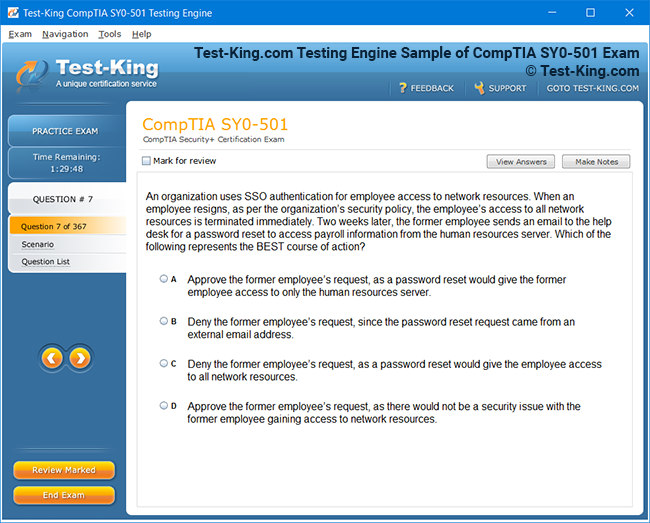
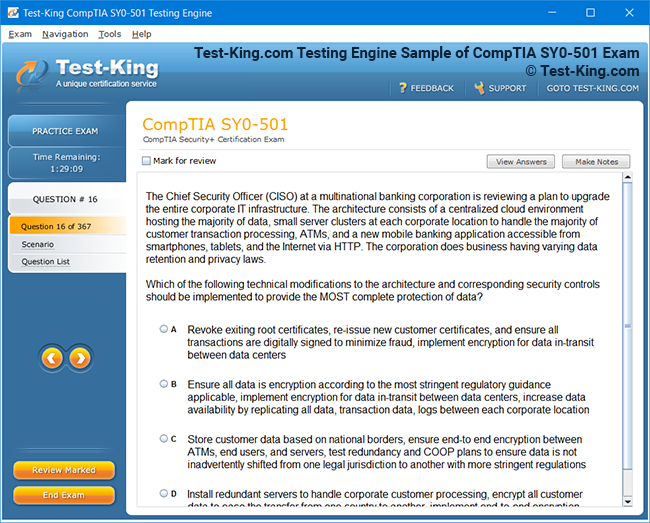
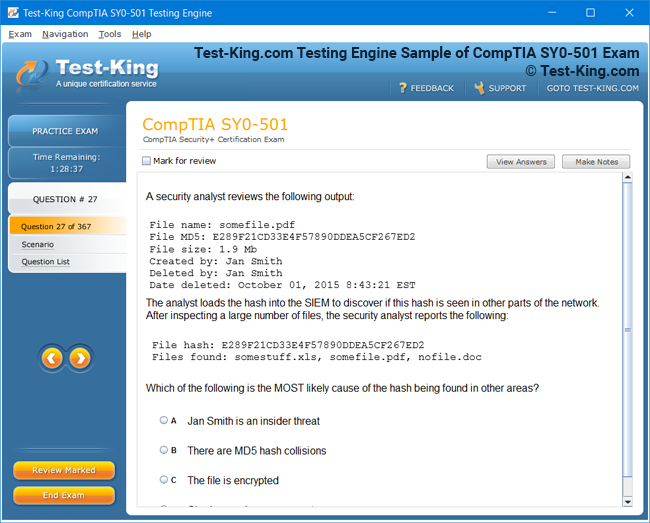
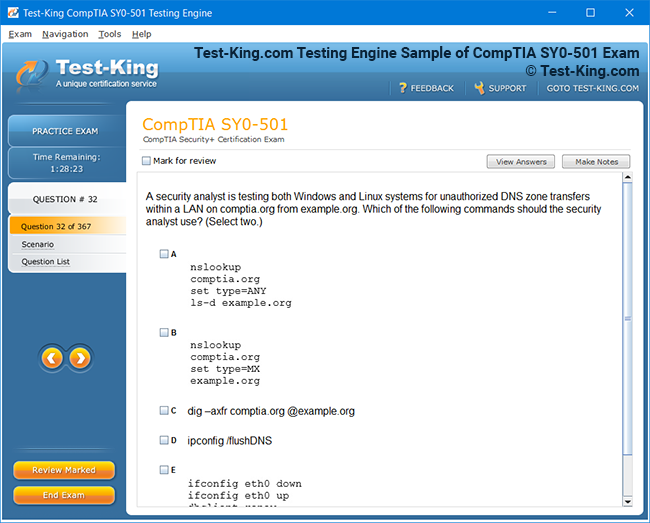
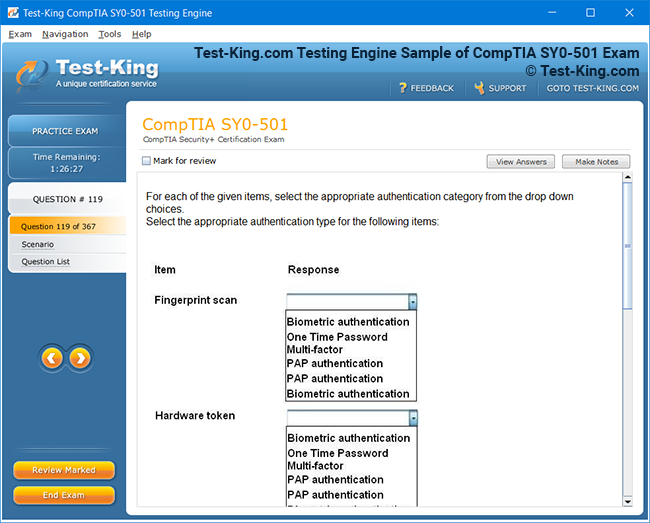
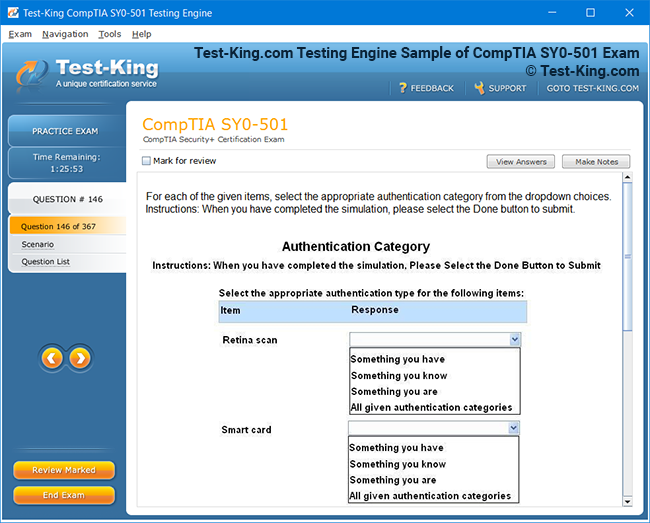
Product Screenshots
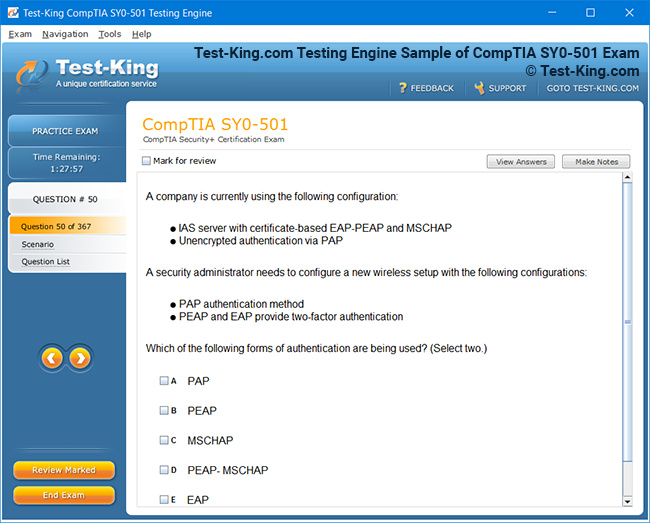
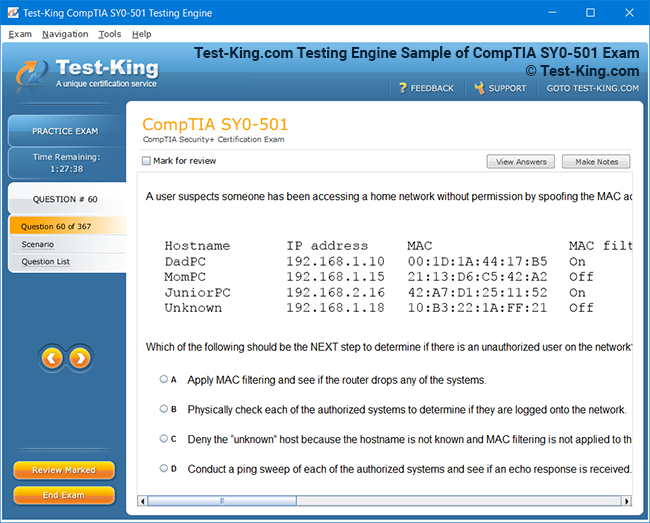
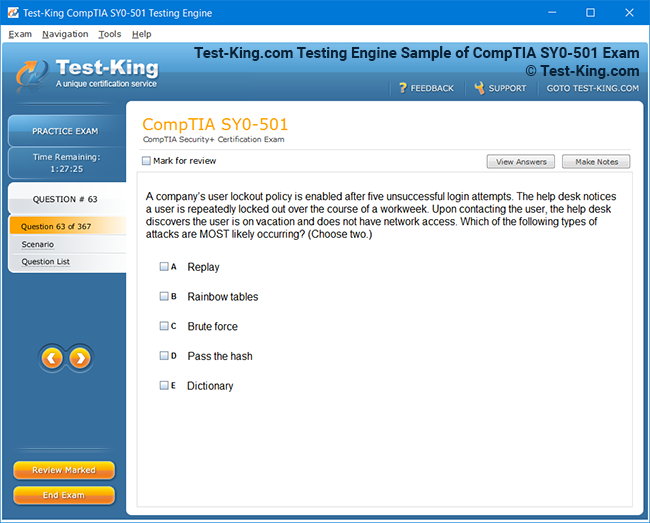
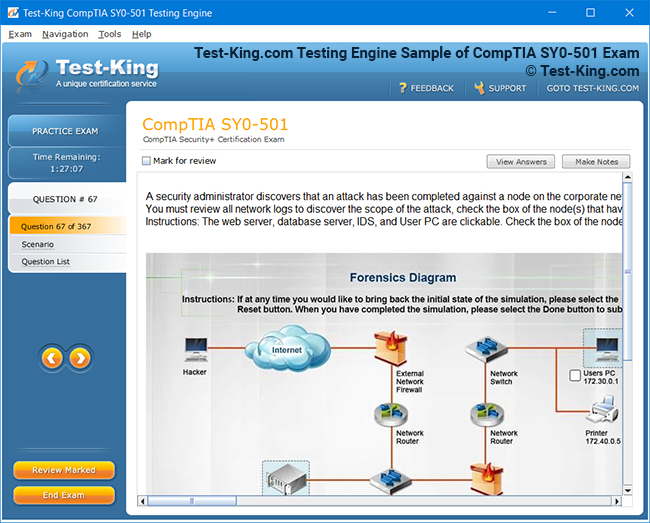
Frequently Asked Questions
How can I get the products after purchase?
All products are available for download immediately from your Member's Area. Once you have made the payment, you will be transferred to Member's Area where you can login and download the products you have purchased to your computer.
How long can I use my product? Will it be valid forever?
Test-King products have a validity of 90 days from the date of purchase. This means that any updates to the products, including but not limited to new questions, or updates and changes by our editing team, will be automatically downloaded on to computer to make sure that you get latest exam prep materials during those 90 days.
Can I renew my product if when it's expired?
Yes, when the 90 days of your product validity are over, you have the option of renewing your expired products with a 30% discount. This can be done in your Member's Area.
Please note that you will not be able to use the product after it has expired if you don't renew it.
How often are the questions updated?
We always try to provide the latest pool of questions, Updates in the questions depend on the changes in actual pool of questions by different vendors. As soon as we know about the change in the exam question pool we try our best to update the products as fast as possible.
How many computers I can download Test-King software on?
You can download the Test-King products on the maximum number of 2 (two) computers or devices. If you need to use the software on more than two machines, you can purchase this option separately. Please email support@test-king.com if you need to use more than 5 (five) computers.
What is a PDF Version?
PDF Version is a pdf document of Questions & Answers product. The document file has standart .pdf format, which can be easily read by any pdf reader application like Adobe Acrobat Reader, Foxit Reader, OpenOffice, Google Docs and many others.
Can I purchase PDF Version without the Testing Engine?
PDF Version cannot be purchased separately. It is only available as an add-on to main Question & Answer Testing Engine product.
What operating systems are supported by your Testing Engine software?
Our testing engine is supported by Windows. Andriod and IOS software is currently under development.
Top VMware Exams
- 2V0-17.25 - VMware Cloud Foundation 9.0 Administrator
- 2V0-13.25 - VMware Cloud Foundation 9.0 Architect
- 3V0-25.25 - Advanced VMware Cloud Foundation 9.0 Networking
- 2V0-16.25 - VMware vSphere Foundation 9.0 Administrator
- 3V0-21.25 - Advanced VMware Cloud Foundation 9.0 Automation
- 2V0-21.23 - VMware vSphere 8.x Professional
- 2V0-15.25 - VMware Cloud Foundation 9.0 Support
- 3V0-24.25 - VMware Certified Advanced Professional - VMware Cloud Foundation VKS
- 2V0-72.22 - Professional Develop VMware Spring
- 2V0-41.24 - VMware NSX 4.X Professional V2
- 2V0-51.23 - VMware Horizon 8.x Professional
- 2V0-11.25 - VMware Cloud Foundation 5.2 Administrator
- 3V0-32.23 - Cloud Management and Automation Advanced Design
2V0-11.24 : Step-by-Step Preparation Strategy for VMware Cloud Foundation 5.2 Administrators
The VMware Cloud Foundation 5.2 Administrator exam demands a thorough understanding of cloud infrastructure, VMware technologies, and their interrelated components. Aspirants must be familiar with the architecture, installation, configuration, and management of VMware Cloud Foundation. The exam evaluates practical knowledge of deploying software-defined data centers, managing workloads, and maintaining operational excellence. Candidates should focus on core areas including vSphere integration, vSAN configuration, NSX-T networking, and lifecycle management processes. Grasping these objectives helps create a mental framework for studying and ensures the focus remains on topics that carry substantial weight in the exam.
Planning Your Study Schedule
A meticulous study schedule is vital for success. Candidates should allocate sufficient time to cover theoretical knowledge, hands-on practice, and review sessions. Breaking down the study plan into daily and weekly targets helps maintain consistency and prevents last-minute cramming. It is advisable to begin with an overview of VMware Cloud Foundation concepts, gradually progressing to detailed topics such as network virtualization, storage management, and security protocols. Integrating periodic self-assessment exercises helps identify weak areas and reinforces learning. Utilizing weekends for extended lab practice or revisiting challenging concepts can significantly enhance preparedness.
Acquiring the Right Study Materials
Selecting authentic and comprehensive study materials is crucial. Official VMware documentation, guides, and knowledge bases provide in-depth technical explanations. Supplementing these with white papers, community forums, and expert blogs helps understand practical challenges and real-world implementations. Candidates should prioritize resources that explain deployment topologies, automated lifecycle management, and troubleshooting methodologies. Additionally, video tutorials and interactive simulations offer visual reinforcement of complex procedures, making it easier to internalize operational workflows. Reading case studies about successful VMware Cloud Foundation deployments can also provide a nuanced understanding of best practices and common pitfalls.
Hands-On Lab Practice
Practical experience is indispensable for mastering the VMware Cloud Foundation 5.2 Administrator exam. Setting up a home lab or using cloud-based lab environments enables candidates to explore installation, configuration, and management tasks in a controlled setting. Labs should cover critical operations such as deploying vSAN clusters, configuring NSX-T segments, and managing virtual machines through vCenter. Simulating failure scenarios and performing recovery operations enhances troubleshooting skills. Repetition of these exercises ensures familiarity with the interface, command sequences, and operational nuances. Hands-on labs also reinforce the conceptual knowledge acquired from documentation, bridging the gap between theory and practice.
Understanding Networking and Storage Components
Networking and storage form the backbone of VMware Cloud Foundation. A deep comprehension of virtual networking, VLAN segmentation, and NSX-T overlay configurations is essential. Candidates should also understand the principles of vSAN storage policies, datastore management, and redundancy configurations. Practical exercises should include creating distributed switches, configuring load balancing, and implementing high availability for critical workloads. Understanding how networking and storage interact with compute resources and cluster configurations is key to resolving issues during real-world administration. Familiarity with monitoring tools and diagnostic utilities helps maintain optimal performance and ensures rapid detection of potential bottlenecks or misconfigurations.
Lifecycle Management and Upgrades
VMware Cloud Foundation emphasizes automated lifecycle management. Administrators must understand patching procedures, firmware updates, and coordinated upgrades of vSphere, vSAN, and NSX-T components. Study should include orchestrating maintenance tasks without disrupting production workloads, understanding compatibility matrices, and leveraging the SDDC Manager for automation. Familiarity with rollback procedures and snapshot management provides confidence during upgrade operations. Practicing upgrade scenarios in lab environments allows candidates to anticipate issues and understand the sequencing of tasks, which is critical for minimizing downtime and maintaining system integrity. Reviewing release notes and understanding deprecation timelines also ensures that administrators are aligned with VMware best practices.
Security and Compliance Considerations
Security is a cornerstone of VMware Cloud Foundation administration. Candidates should understand authentication mechanisms, role-based access control, and certificate management. Knowledge of NSX-T security features, including micro-segmentation, firewall policies, and VPN configurations, is essential. Additionally, understanding compliance standards such as GDPR, HIPAA, and internal organizational policies helps in designing secure environments. Incorporating security checks into routine operations, monitoring audit logs, and ensuring encryption protocols are enforced enhances the overall reliability of the infrastructure. Hands-on practice with security policies and reviewing case studies of breaches can deepen the understanding of potential vulnerabilities and mitigation strategies.
Troubleshooting and Operational Best Practices
Administrators must be adept at identifying and resolving operational issues efficiently. Common challenges include VM performance degradation, network latency, and storage inconsistencies. Candidates should familiarize themselves with troubleshooting workflows, error logs, and diagnostic tools available in vCenter and SDDC Manager. Establishing systematic approaches to problem identification, prioritization, and resolution ensures smooth operations. Additionally, creating documentation for recurring issues, implementing preventive measures, and participating in VMware community discussions helps broaden the perspective on problem-solving techniques. Experience gained from troubleshooting in lab environments simulates real-world conditions, enhancing confidence during the exam.
Performance Monitoring and Optimization
Effective administration of VMware Cloud Foundation requires continuous monitoring of performance metrics. Administrators should understand CPU, memory, and storage utilization patterns, as well as network throughput analysis. Tools within vCenter and third-party monitoring solutions provide insights into bottlenecks and resource allocation inefficiencies. Candidates should practice configuring alerts, analyzing performance trends, and implementing optimization strategies such as resource pooling and dynamic allocation. Understanding how workloads interact with cluster resources aids in designing environments that are both resilient and efficient. Regular practice of performance tuning exercises in labs helps internalize the methodologies necessary to maintain optimal infrastructure health.
Integrating Automation and Scripting
Automation enhances efficiency and reduces manual errors in VMware Cloud Foundation environments. Candidates should explore vRealize Orchestrator workflows, PowerCLI scripting, and API-driven tasks. Learning to automate routine operations such as VM provisioning, network configuration, and lifecycle updates allows administrators to manage large-scale environments effectively. Understanding the principles of automation, error handling, and logging ensures that scripts operate reliably in production settings. Practicing automation scenarios in lab environments provides practical experience and builds confidence in handling complex administrative tasks with minimal intervention.
Practice Exams and Knowledge Reinforcement
Simulated exams and practice questions are invaluable for gauging readiness. They familiarize candidates with exam format, time management, and question complexity. Reviewing explanations for correct and incorrect answers reinforces conceptual understanding and highlights areas that require further study. Consistent practice over time reduces exam anxiety and improves accuracy in answering scenario-based questions. Combining practice exams with lab exercises ensures that both theoretical knowledge and practical skills are aligned, offering a comprehensive preparation strategy.
Developing a Study Mindset and Focus
Success in the VMware Cloud Foundation 5.2 Administrator exam is not solely dependent on technical knowledge; mindset and discipline play critical roles. Candidates should cultivate resilience, maintain consistent study habits, and approach learning with curiosity. Incorporating mindfulness techniques, periodic breaks, and reflective study sessions can enhance retention and reduce cognitive fatigue. Engaging in study groups or mentoring relationships provides additional perspectives, enabling discussion of complex scenarios and reinforcing understanding through explanation to peers.
Leveraging Community and Peer Support
Active participation in VMware forums, discussion boards, and user groups exposes candidates to practical challenges and solutions shared by experienced professionals. These platforms provide insights into exam trends, common pitfalls, and innovative approaches to administrative tasks. Networking with peers allows for collaborative problem-solving, exchange of study tips, and motivation to maintain consistent preparation efforts. Learning from real-world experiences shared by certified administrators bridges the gap between academic knowledge and practical expertise.
Revisiting Weak Areas and Continuous Review
A thorough preparation strategy involves regular assessment of weak areas and continuous review of critical concepts. Candidates should maintain a study log or checklist to track progress across topics such as networking, storage, lifecycle management, and security protocols. Periodically revisiting challenging areas ensures that knowledge gaps are addressed before the exam. Combining review with hands-on practice and practice questions reinforces retention and builds confidence in applying concepts under exam conditions.
Deep Dive into VMware Cloud Foundation Architecture
Understanding the architecture of VMware Cloud Foundation 5.2 is essential for any aspiring administrator. The platform integrates compute, storage, networking, and management components to provide a cohesive software-defined data center environment. vSphere serves as the core virtualization engine, providing virtual machines and resource management, while vSAN enables distributed storage across clusters. NSX-T overlays facilitate network virtualization, allowing for micro-segmentation, routing, and firewall policies. SDDC Manager orchestrates lifecycle management, automating deployment, patching, and upgrades across components. A strong grasp of how these layers interact is vital for configuring, maintaining, and troubleshooting the system efficiently.
Installation and Deployment Strategies
Installation of VMware Cloud Foundation requires careful planning and adherence to prerequisites. Candidates should familiarize themselves with hardware requirements, network topology, IP addressing schemes, and storage configurations. The deployment process involves initializing management domains, installing vCenter and SDDC Manager, and configuring vSAN clusters. NSX-T components must be deployed with attention to segment creation, transport zones, and edge services. Understanding the stepwise installation and verifying configurations through health checks ensures a stable environment. Practicing deployment in lab scenarios reinforces the theoretical knowledge and helps administrators anticipate potential issues in production environments.
Configuration of vSphere and Resource Management
vSphere is the foundation of compute resource management. Administrators must know how to configure clusters, enable DRS and HA, and manage resource pools efficiently. VM provisioning, template management, and snapshot operations are critical for maintaining operational consistency. Candidates should practice creating host profiles, managing licensing, and configuring distributed switches to ensure optimal performance and scalability. Regular monitoring of resource consumption and balancing workloads across clusters prevents bottlenecks and maintains the responsiveness of the virtualized environment. Understanding how vSphere integrates with vSAN and NSX-T enhances the administrator’s ability to maintain a harmonious ecosystem.
Mastering vSAN and Storage Operations
vSAN is central to VMware Cloud Foundation storage management, providing distributed, resilient storage across nodes. Candidates should explore storage policies, datastore creation, and redundancy configurations. Practical exercises should include adding and removing hosts from clusters, performing capacity expansion, and managing fault domains. Knowledge of deduplication, compression, and caching strategies improves storage efficiency and performance. Understanding the interplay between storage and compute workloads is essential for maintaining balanced resource utilization and preventing performance degradation. Administrators must also monitor health alerts and analyze performance metrics to identify potential issues before they impact critical workloads.
NSX-T Networking and Security
NSX-T enables network virtualization, providing flexibility and enhanced security for workloads. Candidates should understand segment creation, logical routing, and distributed firewall implementation. Hands-on practice with edge nodes, Tier-0 and Tier-1 routers, and VPN configurations helps internalize network topology concepts. Micro-segmentation strategies allow granular security policies to be applied to individual workloads, reducing attack surfaces. Monitoring network performance and understanding troubleshooting methods such as flow analysis and packet capture are essential for maintaining operational integrity. Practical experience with NSX-T ensures that administrators can confidently deploy, configure, and secure networking environments.
Lifecycle Management and Patch Operations
Automated lifecycle management is a distinguishing feature of VMware Cloud Foundation. Administrators must understand how to orchestrate patches, updates, and upgrades across vSphere, vSAN, and NSX-T. Using SDDC Manager, candidates can perform coordinated updates while minimizing downtime. Practicing upgrade sequences in lab environments helps anticipate dependencies and potential conflicts. Rollback strategies, snapshot management, and testing in isolated environments ensure that updates are executed safely. Understanding lifecycle operations reduces the risk of system instability and helps maintain compliance with VMware best practices. Familiarity with release notes and update policies ensures that administrators are prepared for evolving platform requirements.
Security Management and Compliance
Security is an ongoing responsibility for VMware Cloud Foundation administrators. Knowledge of role-based access control, certificate management, and authentication mechanisms is essential. Candidates should explore NSX-T firewall policies, micro-segmentation, and VPN implementation to enforce network security. Compliance with regulatory frameworks such as GDPR and HIPAA requires monitoring audit logs, ensuring encryption of sensitive data, and implementing governance policies. Practical exercises involving security configuration, user management, and policy enforcement reinforce theoretical knowledge and prepare candidates for scenarios in real-world environments. Proactive security management helps prevent breaches and maintains the integrity of the software-defined data center.
Monitoring and Performance Optimization
Effective administration relies on continuous monitoring of performance metrics across compute, storage, and networking resources. Administrators should analyze CPU, memory, disk, and network utilization trends, and adjust workloads to prevent resource contention. Tools within vCenter and third-party monitoring platforms provide real-time visibility into system health. Creating alerts, examining logs, and interpreting metrics allows administrators to preemptively address potential performance degradation. Performance tuning exercises, including balancing clusters and optimizing storage policies, ensure that workloads remain responsive and resources are used efficiently. Practicing these operations in lab environments builds confidence in maintaining optimal infrastructure health.
Troubleshooting Common Issues
Troubleshooting is an essential skill for VMware Cloud Foundation administrators. Common issues include VM performance inconsistencies, network latency, and storage misalignment. Candidates should follow structured workflows for identifying, diagnosing, and resolving problems. Using diagnostic tools, analyzing logs, and referencing documentation helps locate root causes quickly. Regular exposure to troubleshooting scenarios in labs prepares administrators to handle unexpected situations in production. Recording lessons learned and creating internal documentation for recurring issues contributes to knowledge retention and operational efficiency. Understanding how each component interacts within the environment aids in resolving complex issues effectively.
Automation and Workflow Orchestration
Automation reduces repetitive tasks and increases operational efficiency. Administrators should explore vRealize Orchestrator, PowerCLI scripting, and API-driven operations to automate provisioning, configuration, and updates. Learning how to implement error handling, logging, and reporting ensures that automation is reliable and auditable. Practicing workflow creation and testing in lab environments allows administrators to refine scripts and orchestration processes. Automation experience also prepares candidates for scenario-based questions in the exam, where understanding dependencies and execution order is critical for successful task completion.
Utilizing Practice Exams for Mastery
Simulated exams provide valuable insights into exam readiness. They help candidates become familiar with question formats, scenario-based challenges, and time management. Reviewing explanations for each question reinforces understanding and highlights knowledge gaps. Combining practice exams with hands-on lab exercises ensures that candidates are competent in both theoretical and practical aspects of VMware Cloud Foundation administration. Repeated exposure to exam-like scenarios improves confidence, reduces anxiety, and enhances the ability to answer questions accurately under timed conditions.
Developing Cognitive Endurance and Study Habits
Cognitive endurance and disciplined study habits significantly impact preparation success. Candidates should maintain structured daily schedules, alternating study, lab practice, and review periods. Incorporating reflective study practices, such as summarizing key concepts and teaching peers, enhances retention. Mindfulness and stress-management techniques help prevent fatigue and maintain focus during extended study sessions. Consistency and persistence in preparation cultivate a mindset that supports both learning and practical problem-solving skills, which are vital for succeeding in the exam and in professional administration roles.
Engaging with the VMware Community
Interaction with the VMware community provides exposure to practical knowledge, troubleshooting tips, and real-world deployment scenarios. Forums, webinars, and user groups offer opportunities to discuss complex topics, share experiences, and learn innovative approaches to administration. Networking with certified professionals can illuminate exam trends, common pitfalls, and best practices that are not always covered in official documentation. Leveraging these community resources supplements individual study, provides motivation, and broadens understanding of operational nuances within VMware Cloud Foundation environments.
Continuous Assessment and Knowledge Reinforcement
Continuous assessment reinforces knowledge retention and identifies areas requiring further attention. Candidates should maintain logs of topics studied, track progress, and periodically revisit challenging concepts. Combining theoretical review with lab exercises solidifies comprehension of critical operations such as lifecycle management, networking, and storage configuration. Regular assessment helps prevent the forgetting curve and ensures readiness to apply knowledge in both exam and real-world contexts. Reinforcement through repetition and practice underpins long-term retention and confidence in performing administrative tasks.
Advanced Understanding of VMware Cloud Foundation Components
Mastery of VMware Cloud Foundation 5.2 requires an in-depth understanding of its components and how they synergize. vSphere serves as the virtualization cornerstone, facilitating compute resource allocation, VM management, and workload orchestration. vSAN provides distributed storage that balances capacity and performance while ensuring resilience across nodes. NSX-T overlays manage networking and security, including routing, firewall policies, and micro-segmentation. SDDC Manager orchestrates automated deployment, patching, and updates, reducing administrative overhead. Familiarity with how these components interconnect enables administrators to manage complex environments, anticipate dependencies, and troubleshoot effectively.
Deployment Planning and Infrastructure Readiness
Successful deployment demands meticulous planning. Administrators should evaluate hardware compatibility, network design, storage capacity, and IP addressing schemes before initiating the installation. Deploying management domains involves setting up vCenter, initializing clusters, and configuring vSAN and NSX-T components. Candidates should practice verifying system health, ensuring cluster synchronization, and performing configuration audits in lab environments. Understanding deployment order and the interdependencies between compute, storage, and networking components minimizes errors and prepares administrators for operational challenges in production infrastructures.
Configuring Clusters and Resource Optimization
vSphere clusters require careful configuration to optimize resource usage and maintain high availability. Administrators must understand DRS, HA, and resource pool management to ensure workload stability. VM provisioning, template utilization, and snapshot strategies are essential for operational consistency. Managing distributed switches, host profiles, and licensing efficiently prevents bottlenecks and enhances scalability. Practicing resource balancing in lab environments allows candidates to internalize optimal allocation strategies and ensures familiarity with performance monitoring tools. Effective resource management directly impacts the stability and responsiveness of VMware Cloud Foundation workloads.
vSAN Policies and Storage Management
vSAN storage operations form a critical aspect of administration. Administrators should practice creating storage policies that define redundancy, fault tolerance, and capacity allocation. Expanding clusters, managing datastores, and configuring caching strategies enhances storage efficiency. Understanding deduplication, compression, and health monitoring ensures optimal performance. Candidates should simulate real-world scenarios, such as node failures and capacity adjustments, to gain practical insights. Monitoring storage utilization trends and interpreting alerts allows proactive management, ensuring uninterrupted operation and maintaining performance standards across the environment.
Networking Configuration and NSX-T Mastery
NSX-T networking demands attention to detail for effective virtualization and security. Administrators should create segments, configure Tier-0 and Tier-1 routers, and implement distributed firewall rules. Micro-segmentation strategies allow granular access control for individual workloads, reducing exposure to potential threats. Edge nodes and VPN configurations must be practiced to understand traffic flow and redundancy. Monitoring network performance and troubleshooting connectivity issues are vital for operational reliability. Hands-on experience with network overlays, routing configurations, and security policies reinforces understanding of how virtual networking integrates with compute and storage layers.
Lifecycle Management and System Upgrades
Automated lifecycle management is essential for maintaining VMware Cloud Foundation environments. Administrators must understand orchestrating updates across vSphere, vSAN, and NSX-T components. Using SDDC Manager, updates can be applied while minimizing operational disruption. Practicing upgrade simulations in lab environments allows administrators to anticipate interdependencies and potential conflicts. Knowledge of rollback procedures, snapshot usage, and compatibility matrices ensures that upgrades are executed safely. Continuous monitoring of component versions and adherence to release notes helps administrators align their infrastructure with evolving VMware standards.
Security Implementation and Best Practices
Security management is integral to maintaining operational integrity. Administrators should configure role-based access control, authentication mechanisms, and certificate management to protect resources. NSX-T firewall policies, micro-segmentation, and VPNs provide additional layers of protection. Compliance with regulatory requirements such as GDPR and HIPAA requires careful monitoring of logs, encryption protocols, and access policies. Practical exercises in configuring and testing security measures help internalize concepts and prepare administrators for real-world scenarios. Proactive security practices prevent vulnerabilities and strengthen overall resilience of the software-defined data center.
Performance Monitoring and Resource Analysis
Continuous performance monitoring ensures workloads operate efficiently and resources are used effectively. Administrators should analyze CPU, memory, storage, and network utilization trends to identify potential bottlenecks. Monitoring tools in vCenter and third-party solutions provide detailed metrics for proactive management. Creating alerts, examining logs, and evaluating trends helps maintain high performance levels. Resource optimization exercises, including workload balancing and storage policy adjustments, ensure infrastructure resilience and responsiveness. Laboratory practice reinforces monitoring techniques and develops confidence in maintaining a stable, high-performing environment.
Troubleshooting Techniques and Operational Readiness
Troubleshooting proficiency is essential for addressing issues promptly. Common problems include VM performance inconsistencies, network latency, and storage anomalies. Administrators should follow systematic approaches to identify, analyze, and resolve issues using diagnostic tools and log analysis. Practicing troubleshooting in lab environments simulates real-world conditions, enabling candidates to develop problem-solving strategies and operational confidence. Documenting recurring issues and solutions enhances knowledge retention and streamlines future administrative interventions. Understanding component interactions is key to effective troubleshooting and maintaining system reliability.
Automation and Efficiency Enhancement
Automation simplifies repetitive administrative tasks and ensures consistency across environments. Administrators should utilize vRealize Orchestrator, PowerCLI, and API-driven operations to automate provisioning, configuration, and updates. Workflow creation, testing, and validation in lab environments provide practical experience. Automation reduces manual errors, accelerates processes, and allows administrators to focus on strategic operations. Knowledge of error handling, logging, and reporting ensures that automated tasks are auditable and reliable. Integrating automation into routine management tasks enhances efficiency and prepares candidates to handle large-scale deployments with minimal manual intervention.
Practice Exams and Knowledge Application
Practice exams reinforce understanding and prepare candidates for the actual VMware Cloud Foundation Administrator exam. Simulated questions familiarize candidates with time management, scenario-based problem solving, and question complexity. Reviewing explanations for correct and incorrect answers solidifies conceptual understanding and highlights knowledge gaps. Coupling practice exams with hands-on lab exercises ensures mastery of both theory and practical administration skills. Regular practice builds confidence, reduces exam anxiety, and strengthens the ability to apply knowledge under exam conditions. Exposure to diverse scenarios encourages critical thinking and adaptability.
Developing Effective Study Habits
Sustained preparation relies on disciplined study habits and cognitive endurance. Candidates should establish structured schedules that include reading, lab practice, and review periods. Reflective practices such as summarizing concepts, creating study notes, and explaining topics to peers enhance retention. Mindfulness and focus techniques prevent burnout and improve comprehension during extended study sessions. Consistency, persistence, and self-assessment help maintain motivation and ensure continuous progress. Developing these habits not only prepares candidates for the exam but also builds professional resilience for managing complex VMware environments.
Leveraging Professional Networks and Community Resources
Engaging with the VMware community offers valuable insights and practical guidance. Forums, webinars, and user groups provide real-world perspectives on deployment challenges, best practices, and exam trends. Networking with certified professionals exposes candidates to advanced troubleshooting strategies and innovative approaches to administration. Active participation encourages collaborative problem-solving, motivation, and knowledge exchange. Community engagement supplements formal study materials and enhances understanding of operational nuances, providing a broader perspective on practical administration beyond theoretical knowledge.
Continuous Review and Weak Area Reinforcement
Regularly reviewing studied topics and focusing on weaker areas strengthens preparedness. Administrators should maintain study logs to track progress and revisit concepts that require further clarification. Combining review with lab exercises ensures the application of knowledge in practical scenarios. Reinforcing critical concepts such as lifecycle management, networking, storage, and security policies improves retention and confidence. Continuous assessment and targeted practice help bridge knowledge gaps and ensure readiness for both the exam and real-world administrative responsibilities. Repetition and reflection solidify understanding and reinforce operational competence.
In-Depth Exploration of VMware Cloud Foundation Components
Achieving proficiency in VMware Cloud Foundation 5.2 requires a nuanced understanding of its fundamental components. vSphere orchestrates compute resources, enabling virtual machine creation, resource allocation, and workload management. vSAN provides distributed storage that ensures high availability, performance, and fault tolerance across clusters. NSX-T overlays deliver network virtualization, facilitating logical routing, firewall configurations, and micro-segmentation for workload security. SDDC Manager automates deployment, patching, and upgrades, orchestrating lifecycle management seamlessly. Appreciating the interplay of these components allows administrators to troubleshoot complex issues, optimize resource utilization, and maintain operational stability across large-scale environments.
Deployment Strategy and Infrastructure Assessment
Deployment planning begins with assessing hardware compatibility, network design, and storage capacity. Administrators should validate IP addressing schemes, VLAN configurations, and cluster prerequisites. Setting up management domains involves initializing vCenter, configuring vSAN clusters, and deploying NSX-T components with correct transport zones, edge nodes, and routing rules. Verifying installation through system health checks ensures a stable foundation for operations. Practicing deployment in lab environments allows administrators to simulate real-world conditions, anticipate potential bottlenecks, and refine operational sequences to minimize disruptions during actual implementation.
Resource Management and vSphere Configuration
Optimizing compute resources within vSphere clusters is vital for operational efficiency. Administrators must understand cluster creation, resource pools, DRS, and HA settings to maintain workload balance and high availability. Virtual machine provisioning, template utilization, and snapshot management streamline operations and enhance consistency. Distributed switches and host profiles help maintain standardized configurations across clusters. Monitoring resource utilization and performing adjustments based on workload demands ensures stability and responsiveness. Integrating compute management with vSAN storage and NSX-T networking ensures that resource allocation supports overall infrastructure performance.
Mastering vSAN Storage Operations
vSAN is pivotal for managing storage in VMware Cloud Foundation. Administrators must configure storage policies that define redundancy levels, fault tolerance, and capacity allocations. Tasks such as expanding clusters, managing datastores, and optimizing caching strategies improve storage efficiency. Deduplication, compression, and health monitoring enhance performance and reliability. Simulating node failures, capacity expansion, and recovery operations in labs provides practical insights into maintaining resilience. Understanding storage metrics and proactively addressing alerts helps prevent operational issues, ensuring high availability and consistent performance for workloads.
Networking Mastery with NSX-T
NSX-T networking provides flexible and secure connectivity across virtual environments. Administrators should practice creating logical segments, configuring Tier-0 and Tier-1 routers, and implementing distributed firewall rules for micro-segmentation. Edge nodes and VPN configurations ensure redundancy and secure external connectivity. Monitoring network performance, analyzing flow patterns, and troubleshooting connectivity issues are crucial for maintaining operational integrity. Hands-on lab exercises reinforce concepts such as overlay networking, routing configurations, and security policy enforcement, allowing administrators to confidently manage complex network topologies and integrate networking seamlessly with compute and storage layers.
Lifecycle Management and Update Orchestration
Lifecycle management ensures VMware Cloud Foundation components remain current and stable. Administrators should understand orchestrating updates for vSphere, vSAN, and NSX-T using SDDC Manager. Practicing coordinated updates in lab environments helps anticipate dependencies and avoid conflicts. Knowledge of rollback procedures, snapshots, and compatibility matrices ensures safe and efficient updates. Reviewing release notes and maintaining awareness of supported versions aligns infrastructure with VMware best practices. Effective lifecycle management reduces operational risk, ensures system integrity, and supports a proactive approach to infrastructure maintenance.
Security Configuration and Compliance
Security is central to VMware Cloud Foundation administration. Administrators must configure role-based access control, certificate management, and authentication mechanisms. NSX-T security features, including micro-segmentation, firewall policies, and VPNs, provide robust protection for workloads. Compliance with regulatory standards such as GDPR, HIPAA, and internal organizational policies requires monitoring logs, enforcing encryption, and validating access control measures. Hands-on exercises in securing virtual networks, managing users, and applying policy enforcement help internalize security concepts and prepare administrators for operational challenges. Proactive security management safeguards data integrity and maintains system reliability.
Performance Monitoring and Optimization Techniques
Continuous monitoring of compute, storage, and network performance is essential for efficient administration. Administrators should track CPU, memory, disk, and network utilization trends to detect potential bottlenecks. Utilizing vCenter tools and third-party monitoring solutions provides actionable insights. Creating alerts, examining logs, and analyzing performance trends allow administrators to preemptively address issues. Performance tuning exercises, including cluster balancing and storage optimization, maintain workload responsiveness and infrastructure efficiency. Lab practice reinforces the application of monitoring and optimization strategies, ensuring administrators can maintain a resilient and high-performing environment.
Troubleshooting and Operational Problem-Solving
Administrators must be adept at diagnosing and resolving issues efficiently. Common problems include performance degradation, storage inconsistencies, and network latency. Following structured troubleshooting workflows, analyzing logs, and using diagnostic tools enable rapid problem resolution. Practicing troubleshooting in controlled lab environments prepares candidates for real-world operational challenges. Documenting solutions for recurring problems enhances knowledge retention and operational efficiency. Understanding the interactions among compute, storage, and network components ensures effective troubleshooting and supports proactive management of complex VMware Cloud Foundation environments.
Automation and Workflow Management
Automation enhances operational efficiency and reduces the potential for human error. Administrators should leverage vRealize Orchestrator, PowerCLI, and API-driven automation to streamline provisioning, configuration, and maintenance tasks. Developing, testing, and validating workflows in lab environments ensures reliability and reduces manual intervention. Automation enables administrators to manage large-scale environments more effectively while maintaining consistency. Knowledge of error handling, logging, and monitoring in automated processes ensures transparency and operational accountability. Mastering automation allows for strategic focus on optimization, performance, and advanced administration tasks.
Practice Exams and Scenario-Based Learning
Practice exams are critical for evaluating readiness and building confidence. They familiarize candidates with exam formats, time constraints, and scenario-based problem-solving. Reviewing explanations for both correct and incorrect answers reinforces knowledge and identifies areas for further study. Combining practice exams with lab exercises ensures a balance between theoretical understanding and practical skill development. Exposure to diverse scenarios improves critical thinking, adaptability, and application of knowledge under pressure, essential for success in the VMware Cloud Foundation Administrator exam and real-world administrative responsibilities.
Study Discipline and Cognitive Reinforcement
Effective preparation requires disciplined study habits and sustained cognitive focus. Candidates should establish structured routines that balance reading, lab practice, and review periods. Reflective practices, such as summarizing complex concepts, teaching peers, and documenting insights, enhance retention. Incorporating mindfulness and stress-management techniques prevents fatigue and maintains attention during extended study sessions. Consistency and perseverance in preparation cultivate a mindset capable of mastering intricate operational procedures. These habits not only prepare candidates for certification but also enhance professional effectiveness in managing VMware Cloud Foundation environments.
Community Engagement and Knowledge Exchange
Engaging with the VMware community provides invaluable insights and practical guidance. Forums, webinars, and user groups offer exposure to deployment experiences, troubleshooting strategies, and operational best practices. Networking with certified professionals allows discussion of exam trends, innovative approaches, and advanced management techniques. Active participation in these communities encourages knowledge sharing, collaborative problem-solving, and continuous learning. Leveraging community insights complements formal study materials, enriches understanding of practical administration, and strengthens readiness for both certification and professional responsibilities.
Reinforcing Knowledge and Reviewing Weak Areas
Continuous review and reinforcement of studied material are essential for long-term retention. Administrators should track progress, revisit challenging topics, and combine review sessions with hands-on lab exercises. Emphasizing lifecycle management, networking, storage, and security policies ensures mastery of critical concepts. Periodic self-assessment helps identify gaps and directs focused study efforts. Repetition, reflection, and practical application reinforce understanding, enabling candidates to confidently apply knowledge during the exam and in operational settings. Strengthening weak areas ensures comprehensive readiness and builds proficiency in managing complex VMware Cloud Foundation environments.
Advanced Comprehension of VMware Cloud Foundation Infrastructure
A thorough understanding of VMware Cloud Foundation 5.2 infrastructure is crucial for administrators aiming to excel in operational and certification tasks. vSphere manages compute resources, enabling efficient virtual machine allocation, resource distribution, and workload orchestration. vSAN provides robust, distributed storage with fault tolerance, capacity balancing, and high performance across clusters. NSX-T overlays offer flexible network virtualization, logical routing, and micro-segmentation to enhance security and workload isolation. SDDC Manager streamlines lifecycle management by automating deployment, upgrades, and patching, minimizing manual interventions. Appreciating the interdependence of these components allows administrators to anticipate issues, optimize resource utilization, and maintain system stability.
Deployment Planning and Preparation
Effective deployment requires meticulous planning and evaluation of hardware, network, and storage readiness. Administrators must ensure compliance with IP addressing schemes, VLAN configurations, and cluster prerequisites before initiating installation. Management domain setup involves initializing vCenter, configuring vSAN clusters, and deploying NSX-T components, including edge nodes, transport zones, and routing configurations. System health verification through checks and audits is critical to validate deployment accuracy. Practicing these steps in lab environments simulates real-world conditions, allowing administrators to refine operational sequences and identify potential bottlenecks prior to production deployment.
Cluster Configuration and Resource Optimization
Optimizing compute resources within vSphere clusters is central to maintaining operational efficiency. Administrators must configure clusters, resource pools, and DRS/HA settings to balance workloads and ensure high availability. VM provisioning, template usage, and snapshot management streamline operational consistency. Distributed switches, host profiles, and license management support standardization across clusters. Regular monitoring of resource utilization and workload adjustments prevent performance degradation. Understanding how compute integrates with vSAN storage and NSX-T networking ensures harmonious resource allocation, resulting in stable and responsive infrastructure.
vSAN Storage Configuration and Management
vSAN operations are critical for storage efficiency and resilience. Administrators should implement storage policies defining redundancy, fault tolerance, and capacity allocation. Tasks such as cluster expansion, datastore management, and cache optimization improve performance. Deduplication, compression, and health monitoring provide additional efficiency. Simulating node failures, capacity adjustments, and recovery processes in labs equips administrators with practical experience. Monitoring performance metrics and proactively addressing alerts ensures high availability and operational continuity. Comprehensive knowledge of vSAN allows administrators to maintain resilient, high-performing storage solutions.
Networking with NSX-T and Security Implementation
NSX-T provides sophisticated network virtualization and security capabilities. Administrators should practice configuring logical segments, Tier-0 and Tier-1 routers, and distributed firewall rules. Micro-segmentation enables granular workload protection, reducing exposure to threats. Edge nodes and VPN setups ensure redundancy and secure external connectivity. Monitoring traffic patterns, analyzing flows, and troubleshooting connectivity issues are vital for stable operations. Hands-on lab exercises reinforce concepts such as overlay networking, routing, and security policy enforcement. Mastery of NSX-T networking and security integration is essential for effective administration of complex cloud environments.
Lifecycle Management and Upgrade Orchestration
Lifecycle management ensures VMware Cloud Foundation components remain current and stable. Administrators should practice orchestrating updates for vSphere, vSAN, and NSX-T using SDDC Manager. Coordinated updates minimize operational disruptions, while lab simulations help anticipate dependencies and conflicts. Familiarity with rollback procedures, snapshot strategies, and compatibility matrices ensures safe upgrade execution. Regular review of release notes and supported versions aligns infrastructure with VMware best practices. Effective lifecycle management reduces risk, maintains system integrity, and supports proactive infrastructure maintenance strategies.
Security Governance and Compliance Practices
Security governance is integral to VMware Cloud Foundation administration. Administrators should configure role-based access control, authentication mechanisms, and certificate management. NSX-T features like micro-segmentation, firewall policies, and VPNs provide additional protection for workloads. Compliance with regulatory frameworks such as GDPR and HIPAA requires monitoring audit logs, enforcing encryption, and validating access control policies. Hands-on exercises involving security configuration, policy enforcement, and user management reinforce knowledge. Proactive security governance safeguards data integrity, reduces risk exposure, and strengthens operational resilience.
Performance Monitoring and Optimization
Administrators must continuously monitor compute, storage, and network performance. Tracking CPU, memory, storage, and network utilization trends helps identify potential bottlenecks. Tools within vCenter and third-party solutions provide actionable insights. Creating alerts, reviewing logs, and analyzing performance patterns allow proactive adjustments. Optimization exercises, including workload balancing, cluster tuning, and storage policy refinement, enhance efficiency and responsiveness. Lab practice in monitoring and optimization solidifies skills, enabling administrators to maintain high-performing and resilient infrastructure.
Troubleshooting Strategies and Operational Problem-Solving
Proficiency in troubleshooting ensures swift resolution of operational issues. Common challenges include VM performance inconsistencies, storage irregularities, and network latency. Administrators should follow structured workflows, analyze logs, and use diagnostic tools to identify root causes efficiently. Practicing troubleshooting in lab environments simulates real-world scenarios, fostering confidence and critical thinking. Documenting recurring issues and solutions enhances knowledge retention and operational efficiency. Understanding component interdependencies is crucial for resolving complex problems and maintaining overall system reliability.
Automation and Workflow Optimization
Automation enhances operational consistency and reduces manual workload. Administrators should leverage vRealize Orchestrator, PowerCLI scripting, and API-driven automation for tasks such as provisioning, configuration, and lifecycle management. Developing, testing, and validating workflows in lab environments ensures reliability and reduces the potential for errors. Automation enables efficient management of large-scale deployments while maintaining consistency across environments. Knowledge of error handling, logging, and monitoring in automated processes ensures transparency and operational accountability. Integrating automation into daily administrative tasks increases efficiency and strategic focus.
Practice Exams and Knowledge Application
Practice exams provide a realistic assessment of readiness and improve confidence. They expose candidates to exam formats, scenario-based challenges, and time management constraints. Reviewing explanations for both correct and incorrect answers reinforces conceptual understanding and identifies areas requiring further study. Combining practice exams with hands-on lab exercises ensures mastery of theoretical knowledge and practical administration skills. Repeated exposure to diverse scenarios enhances critical thinking, problem-solving, and adaptability, essential for success in the VMware Cloud Foundation Administrator exam and real-world operational tasks.
Developing Effective Study Habits
Sustained preparation relies on disciplined study habits and cognitive focus. Candidates should establish structured schedules that balance reading, lab practice, and review sessions. Reflective study techniques, such as summarizing concepts, teaching peers, and creating study notes, enhance comprehension and retention. Mindfulness and stress management help maintain concentration and prevent burnout during extended study periods. Consistent effort and perseverance cultivate a mindset capable of handling complex operational procedures and mastering exam content. Effective study habits support both certification success and professional competence.
Community Engagement and Knowledge Sharing
Engaging with the VMware community provides practical insights, troubleshooting tips, and exposure to real-world deployment experiences. Forums, webinars, and user groups allow discussion of operational challenges, best practices, and exam trends. Networking with certified professionals offers advanced perspectives and innovative strategies. Active participation encourages knowledge exchange, collaborative problem-solving, and continuous learning. Leveraging community resources complements formal study materials, deepens understanding of operational nuances, and strengthens readiness for both certification and professional administration.
Conclusion
Regular review and reinforcement of studied material enhance knowledge retention and readiness. Administrators should maintain logs of progress, revisit challenging concepts, and integrate review sessions with hands-on lab practice. Emphasizing critical areas such as lifecycle management, networking, storage configuration, and security policies ensures comprehensive understanding. Periodic self-assessment helps identify gaps and directs focused study. Repetition, reflection, and application of knowledge solidify understanding and prepare administrators to perform effectively under exam conditions and in operational environments.