McAfee Secure

Certification: VCP-DTM 2024

Certification Full Name: VMware Certified Professional - Desktop Management 2024

Certification Provider: VMware

Exam Code: 2V0-51.23

Exam Name: VMware Horizon 8.x Professional

Pass Your VCP-DTM 2024 Exam - 100% Money Back Guarantee!

Get Certified Fast With Latest & Updated 2V0-51.23 Preparation Materials

85 Questions and Answers with Testing Engine

"VMware Horizon 8.x Professional Exam", also known as 2V0-51.23 exam, is a VMware certification exam.

Pass your tests with the always up-to-date 2V0-51.23 Exam Engine. Your 2V0-51.23 training materials keep you at the head of the pack!

guary

Money Back Guarantee

Test-King has a remarkable VMware Candidate Success record. We're confident of our products and provide a no hassle money back guarantee. That's how confident we are!

99.6% PASS RATE
Was: $137.49
Now: $124.99

Product Screenshots

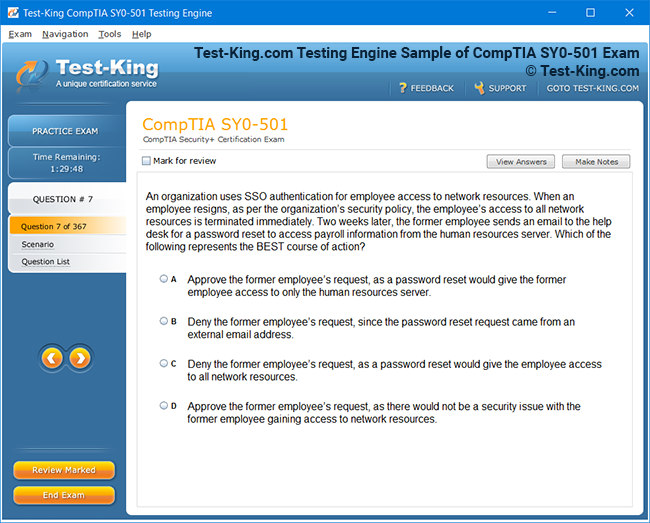
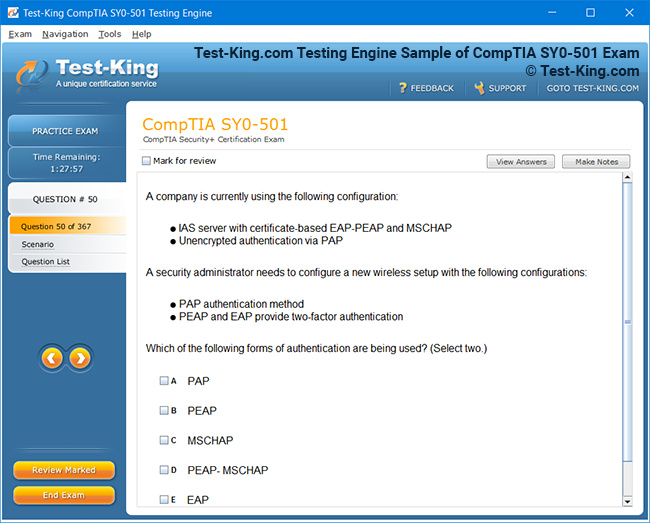
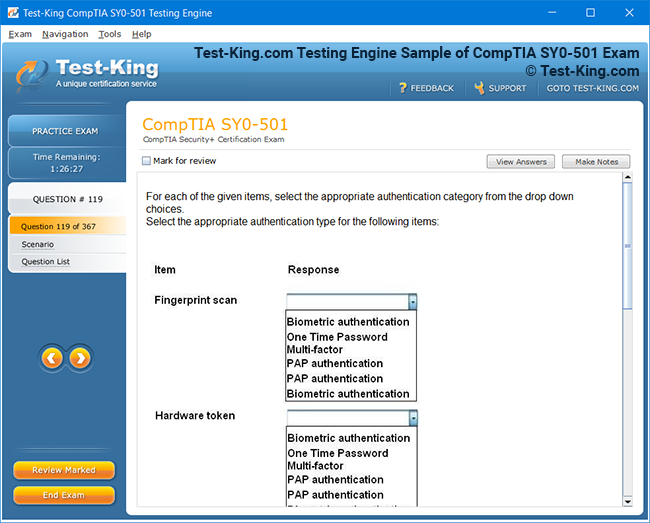
2V0-51.23 Sample 1
Test-King Testing-Engine Sample (1)
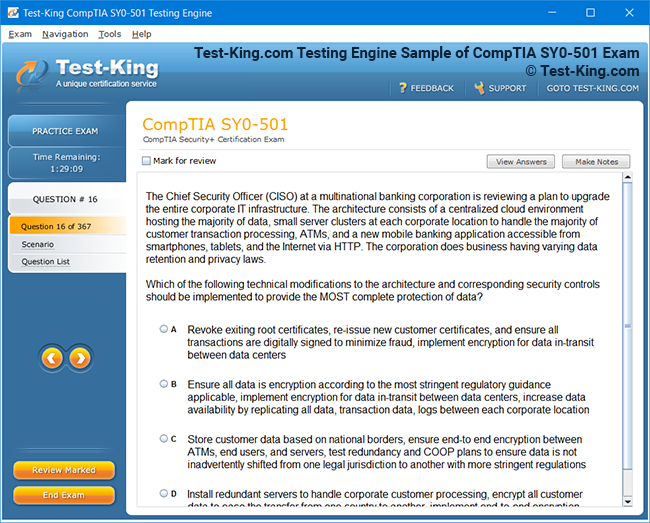
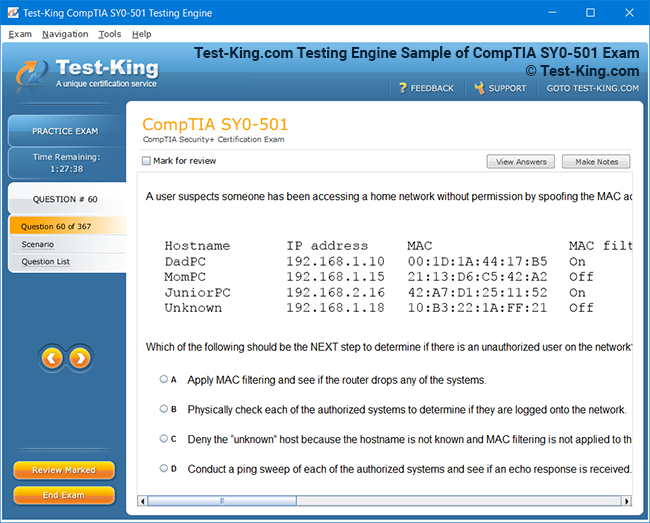
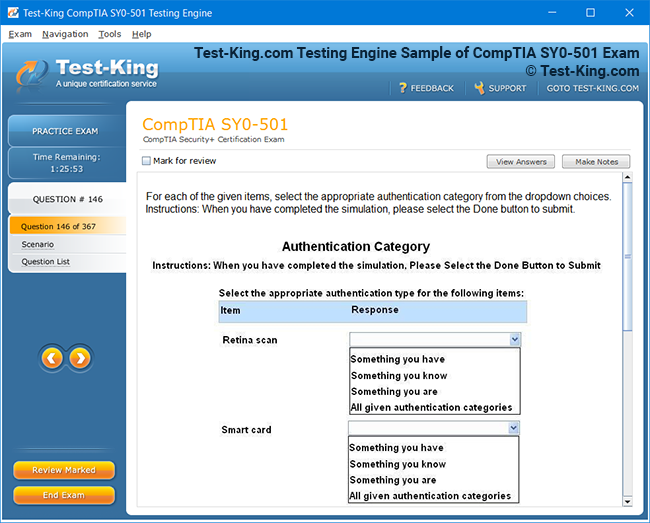
2V0-51.23 Sample 2
Test-King Testing-Engine Sample (2)
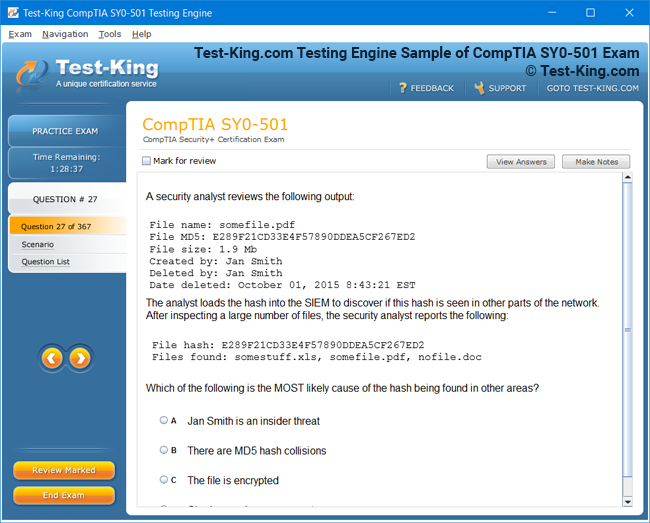
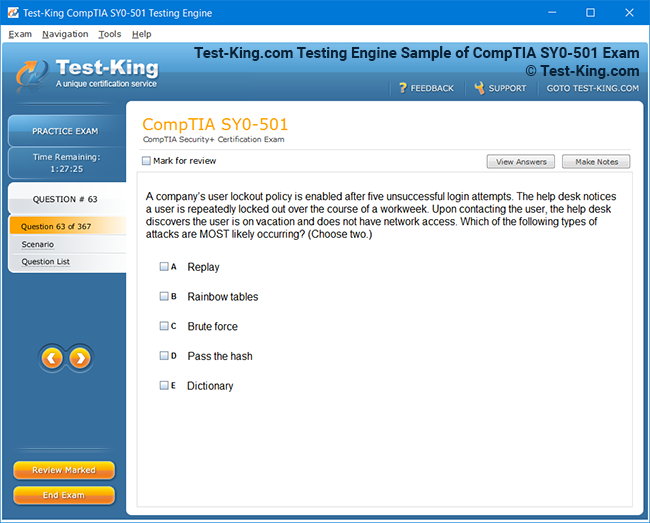
2V0-51.23 Sample 3
Test-King Testing-Engine Sample (3)
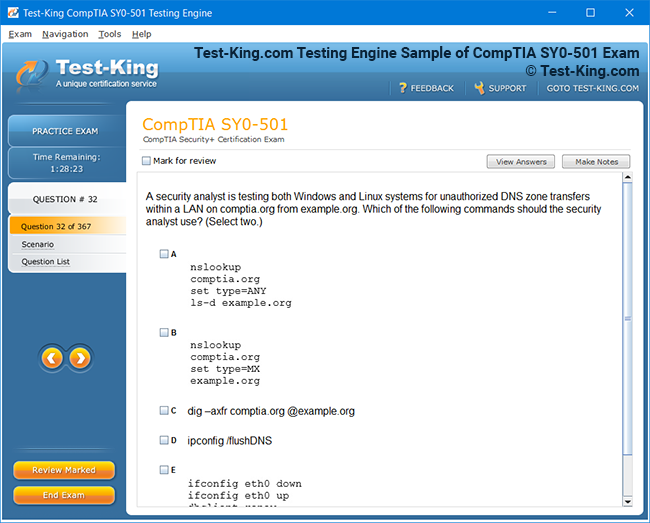
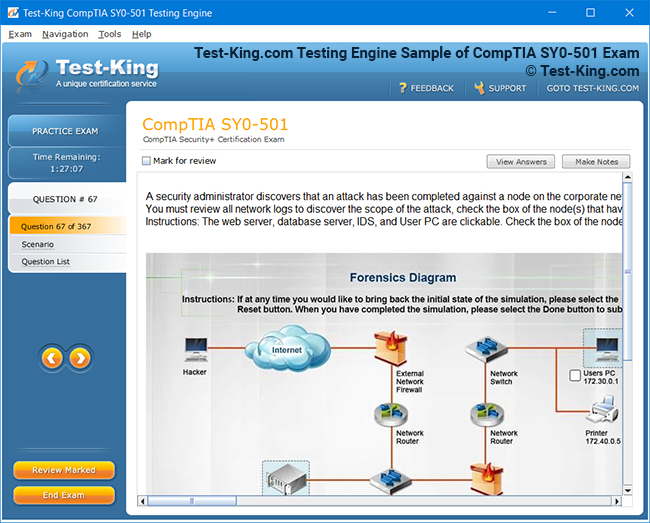
2V0-51.23 Sample 4
Test-King Testing-Engine Sample (4)
2V0-51.23 Sample 5
Test-King Testing-Engine Sample (5)
2V0-51.23 Sample 6
Test-King Testing-Engine Sample (6)
2V0-51.23 Sample 7
Test-King Testing-Engine Sample (7)
2V0-51.23 Sample 8
Test-King Testing-Engine Sample (8)
2V0-51.23 Sample 9
Test-King Testing-Engine Sample (9)
2V0-51.23 Sample 10
Test-King Testing-Engine Sample (10)
nop-1e =1

Exploring the VCP-DTM Certification and Its Significance in Modern IT

The digital workspace has become an integral part of modern enterprise IT, enabling organizations to deliver desktops, applications, and services securely to users worldwide. Virtualization technologies have allowed businesses to adopt flexible work models without compromising security or efficiency. Among the certifications validating professional expertise in these domains, the VCP-DTM certification has gained recognition as a credential that bridges technical skills with practical implementation. Understanding the significance of this certification requires exploring both its technical components and the broader IT landscape in which it operates.

This foundational understanding also allows IT teams to strategically plan future infrastructure investments, align technical skills with business goals, and enhance employee productivity. Organizations that prioritize certified professionals can expect smoother transitions to remote work models and more secure access to critical applications. Additionally, by fostering technical expertise among staff, companies can reduce operational risks and improve the overall performance of their IT services, creating an environment that supports long-term innovation and stability.

The Rise of Virtual Desktop Infrastructure

Virtual Desktop Infrastructure (VDI) enables organizations to centralize desktop management and deliver secure environments to end users. It reduces hardware dependency and facilitates easy access to applications regardless of location. IT professionals certified in VCP-DTM are skilled at implementing these environments, ensuring that desktops remain reliable and responsive. In addition to virtualization, effective management requires understanding service operations and IT strategy frameworks, such as those highlighted in the ITIL4 Managing Professional Transition certification, which supports IT professionals in aligning technical deployments with organizational objectives.

VDI adoption also drives cost efficiency by reducing hardware replacement cycles and simplifying software updates. Businesses can provide a consistent desktop experience to all employees while centralizing troubleshooting and support, which lowers downtime and improves satisfaction. For IT professionals, mastering VDI concepts ensures they can handle complex deployments, optimize resource allocation, and provide reliable solutions that align with organizational IT governance frameworks, creating long-term value for both employees and management.

Understanding VMware Horizon Components

VMware Horizon is a cornerstone platform for desktop virtualization. It enables centralized desktop provisioning, user profile management, and resource optimization. Certified VCP-DTM professionals must navigate the complexities of connection servers, desktop pools, and network configurations. This certification complements other networking qualifications, such as the Juniper JNCDS-DC exam, which ensures that candidates are proficient in advanced routing and switching concepts that are critical for virtualized network environments supporting VDI.

Understanding Horizon components also empowers IT teams to troubleshoot performance bottlenecks effectively, deploy scalable infrastructures, and implement robust backup strategies. By integrating knowledge from complementary certifications, professionals can ensure that virtual desktop solutions are secure, resilient, and highly available. Mastery of these components helps organizations achieve operational efficiency and maintain a seamless user experience, even in environments that require frequent software updates or experience variable user loads.

Securing Virtual Environments

As organizations increasingly embrace remote work, security remains a top priority. The VCP-DTM curriculum emphasizes identity management, secure access policies, and endpoint compliance. This aligns closely with security-focused certifications like Juniper JNCDS-SEC exam, which reinforce the understanding of securing network infrastructure, firewalls, and access control protocols. Professionals who integrate these practices ensure virtual desktops are resilient against unauthorized access and cyber threats.

Moreover, security expertise reduces the risk of data breaches, protects sensitive organizational information, and ensures compliance with regulatory requirements. Certified professionals can implement monitoring tools, incident response procedures, and policy enforcement strategies that strengthen overall IT governance. By combining virtualization proficiency with security knowledge, IT teams can maintain the integrity of digital workspaces while allowing users to work flexibly, thereby balancing productivity with risk management in modern enterprise environments.

Integration with Cloud Technologies

Cloud adoption has transformed the deployment of virtual desktops. Organizations often leverage hybrid solutions that combine on-premises infrastructure with cloud resources to optimize scalability and reduce operational costs. VCP-DTM certified professionals gain insight into these strategies, complementing the knowledge tested in the Juniper JNCIA-Cloud exam, which focuses on cloud architecture and connectivity essentials for modern IT systems.

Cloud integration also facilitates disaster recovery, load balancing, and simplified access for remote users. Professionals equipped with both virtualization and cloud expertise can design hybrid environments that provide high availability while controlling costs. This knowledge ensures organizations can adapt quickly to workforce changes, maintain seamless user experiences, and leverage cloud resources effectively, creating an agile IT ecosystem capable of meeting evolving business and technological demands.

Automation and DevOps Practices

Automation is central to managing large-scale VDI deployments. By leveraging scripting, orchestration, and monitoring tools, professionals can ensure consistent configurations and rapid provisioning. The certification intersects with DevOps principles, mirrored by exams such as Juniper JNCIA-DevOps, which validate skills in continuous integration, automated deployments, and efficient infrastructure management. This integration reduces downtime and increases operational efficiency across distributed environments.

In addition, automation allows IT teams to monitor performance proactively, apply security patches promptly, and scale resources dynamically. Professionals skilled in these practices can implement automated workflows that minimize human error and accelerate deployment timelines. By combining VCP-DTM knowledge with DevOps approaches, organizations gain a competitive edge through more resilient infrastructure and higher service reliability, ensuring that virtual workspaces remain responsive and secure.

Managing Network Infrastructure

Effective VDI operations require robust underlying networks. Certified VCP-DTM professionals must understand IP addressing, routing, switching, and wireless technologies. Mastery of these fundamentals is reinforced by certifications like Juniper JNCIA-Junos, which teach configuration, monitoring, and troubleshooting of enterprise-grade network devices. This ensures virtual desktop traffic flows securely and efficiently across the enterprise network.

Strong network management also enables seamless integration between virtual desktops and cloud services, enhances remote connectivity, and reduces latency. Professionals who can optimize network paths, manage bandwidth allocation, and implement redundancy measures help organizations maintain uninterrupted access to critical applications. By aligning networking skills with desktop virtualization expertise, IT teams can achieve operational consistency and provide a reliable experience to end users across multiple locations.

Leveraging AI for IT Management

Artificial intelligence has begun influencing network and workspace management. For instance, AI-driven monitoring can predict potential outages and optimize resource allocation. Professionals who pursue the VCP-DTM certification can benefit from integrating these tools into their environments. This complements expertise gained from certifications like Juniper JNCIA-MistAI, which focuses on leveraging AI for network optimization and predictive analytics, ensuring performance remains consistent even in dynamic IT environments.

The use of AI also enables proactive issue detection, automated workload balancing, and enhanced security monitoring. IT teams equipped with AI insights can make data-driven decisions that prevent downtime, reduce operational costs, and improve the overall efficiency of digital workspaces. Combining AI knowledge with VCP-DTM expertise allows organizations to create intelligent IT environments that anticipate challenges and adapt to changing demands effectively.

Exam Preparation Strategies

Preparation for the VCP-DTM certification involves understanding practical deployment scenarios, performing hands-on labs, and reviewing exam-focused materials. Practicing in simulated environments helps professionals identify gaps in knowledge and reinforces operational decision-making. Many IT aspirants enhance their preparation using testing platforms like E20-598 exam, which provides updated practice questions and exam simulations to ensure readiness for real-world scenarios.

Additionally, structured preparation helps candidates master troubleshooting techniques, optimize configurations, and understand performance metrics. By simulating realistic environments, professionals can build confidence and improve problem-solving skills. This approach not only prepares candidates for certification exams but also equips them with practical knowledge applicable to live IT operations, ensuring that skills learned are immediately transferable to professional settings.

Career Advancement Opportunities

Obtaining a VCP-DTM certification significantly enhances career prospects for IT professionals. It demonstrates expertise in deploying, securing, and managing virtualized workspaces. Employers value certified individuals for their ability to optimize IT environments, reduce support costs, and ensure user satisfaction. Professionals often complement this credential with related qualifications, such as the E22-214 exam, which expands understanding of infrastructure deployment and management strategies in enterprise IT.

Beyond career growth, this certification empowers professionals to take leadership roles in planning and implementing IT initiatives. Certified individuals often participate in strategic projects, advise on technology investments, and mentor junior team members. Their skills directly impact organizational performance, making them valuable assets in achieving operational efficiency, technological resilience, and long-term business objectives.

Preparing for Global IT Standards

Beyond immediate technical skills, the VCP-DTM certification positions professionals to align with international IT standards and workplace expectations. Certifications that improve general technical aptitude, including language proficiency for cross-border collaboration, such as Complete IELTS Guide, enhance global employability. Professionals who combine technical certifications with language and communication skills are better prepared to work in multinational enterprises, bridging cultural and technical gaps efficiently.

This international perspective ensures that professionals can adapt to diverse IT environments and comply with regulatory requirements across regions. It also fosters collaboration with global teams, improves project outcomes, and strengthens organizational capability in a competitive, interconnected business landscape. By combining technical expertise with communication skills, certified professionals become versatile contributors to multinational IT projects.

The Role of VCP-DTM in Supporting Modern Digital Workspaces

Modern workplaces are increasingly defined by flexibility and mobility, requiring IT systems that support access to applications and data from multiple devices and locations. Virtual desktops have emerged as a solution that allows organizations to maintain security while giving employees the freedom to work from home, office, or on the move. Professionals certified in VCP-DTM are uniquely equipped to design, deploy, and manage these environments effectively, ensuring a balance between user productivity and system stability.

The ability to maintain high-quality virtual desktop performance allows businesses to adopt hybrid and remote work policies seamlessly. By understanding both the technical and operational aspects of digital workspaces, certified professionals help organizations reduce downtime, improve security compliance, and enhance user satisfaction. Integrating virtual desktop expertise with communication skills, which can be developed through tools like the IELTS Audio Guide, ensures global teams can collaborate effectively while navigating technical complexities.

Combining virtualization proficiency with effective communication skills enables IT professionals to bridge the gap between technical teams and end users, ensuring smooth adoption of new technologies. Clear documentation, training sessions, and support resources enhance user confidence and minimize disruptions. Leveraging language and communication tools alongside technical expertise empowers certified individuals to lead initiatives, facilitate collaboration, and drive the successful implementation of hybrid and remote digital workspace solutions.

Ensuring Productivity Across Devices

Employees today use a wide range of devices, from laptops and desktops to tablets and smartphones. VCP-DTM professionals must ensure that applications and desktops function smoothly across all platforms, maintaining consistent user experiences. Centralized management solutions allow IT teams to configure, monitor, and troubleshoot desktops remotely, reducing delays and improving operational efficiency.

Device compatibility also reduces user frustration and increases adoption rates for digital workspace solutions. Training and proper deployment strategies ensure that all users, regardless of device type, can access the resources they need without disruption. Combining technical expertise with assessments from qualifications like the PTE Academic test enhances cross-cultural communication and training efforts, allowing IT teams to support global users with clarity and precision.

Understanding device compatibility and user requirements allows IT professionals to proactively address potential access issues and optimize system performance across diverse environments. By incorporating standardized communication assessments, teams can tailor training materials, provide clear guidance, and ensure consistent support for international users. This combination of technical knowledge and communication proficiency enhances user satisfaction, promotes efficient adoption of digital workspaces, and strengthens the overall effectiveness of IT deployment strategies.

Optimizing Application Delivery

A key responsibility for VCP-DTM certified professionals is optimizing the delivery of applications in virtualized environments. Slow performance or application conflicts can impact productivity and create user dissatisfaction. Understanding resource allocation, session management, and load balancing ensures that applications are delivered efficiently to every user session.

Optimized application delivery also reduces the risk of system crashes and allows IT teams to prioritize resources for critical business functions. Professionals who integrate these practices help maintain a reliable digital workspace that adapts to changing workloads. Supplementing these technical skills with knowledge from TOEFL Reading Comprehension strategies can improve documentation interpretation, supporting effective deployment and troubleshooting in diverse enterprise environments.

Maintaining Security and Compliance

Security and regulatory compliance are central concerns in virtualized environments. Certified professionals must implement access controls, monitor endpoints, and apply identity management policies to ensure sensitive information remains protected. VDI solutions also allow organizations to centralize auditing and enforce compliance consistently. Certifications like TOEFL Sentence Completion indirectly support the development of attention to detail and logical reasoning, which are critical when designing secure and compliant IT systems.

Strong security measures prevent breaches, protect intellectual property, and maintain customer trust. Professionals who combine technical expertise with analytical reasoning can anticipate potential vulnerabilities and implement proactive solutions. By aligning IT security practices with broader organizational compliance standards, certified individuals play a pivotal role in safeguarding enterprise resources while ensuring users can access systems without friction.

Supporting Remote Workforce Management

The rise of remote and hybrid work models has created new challenges for IT teams. VCP-DTM professionals must ensure that virtual desktops are accessible, responsive, and secure, even when users are offsite. Monitoring tools, VPN configurations, and cloud integrations are essential components of managing a distributed workforce effectively.

Supporting remote users requires not only technical skill but also clear communication and documentation. Understanding workforce behavior and patterns can help IT teams anticipate network and performance issues. Professionals can also leverage tools for assessing comprehension and instruction quality, including TOEFL Sentence Correction, which enhances written communication when preparing guides, SOPs, or remote training materials.

Integrating Hybrid Cloud Solutions

Hybrid cloud strategies allow organizations to scale resources dynamically while maintaining control over sensitive data. VCP-DTM certified professionals are capable of deploying virtual desktops across both on-premises and cloud environments, ensuring that users have consistent access without compromising performance or security. Exams like ECP-206 can provide complementary insights into infrastructure deployment and planning, enabling IT teams to design robust hybrid systems.

By leveraging hybrid cloud solutions, organizations can manage workloads more efficiently, reduce operational costs, and quickly adapt to changes in user demand. Professionals skilled in hybrid cloud integration ensure that IT systems are flexible, resilient, and ready to meet future business needs, creating environments that support rapid innovation while protecting sensitive data.

Automating Virtual Workspace Management

Automation is essential for scaling IT operations while maintaining high performance. VCP-DTM certified professionals can implement scripts, orchestration tools, and monitoring systems that reduce manual configuration errors, enhance consistency, and speed up provisioning. This approach allows IT teams to focus on strategic initiatives rather than repetitive tasks.

Automation also enables predictive maintenance, resource optimization, and faster incident resolution. By adopting a proactive approach, certified professionals improve system reliability and user satisfaction. Combining technical automation skills with analytical techniques learned from exams like EADA105 supports structured problem-solving and ensures that workflow optimization is efficient and sustainable across enterprise environments.

Enhancing User Experience

User experience remains a key metric for digital workspace success. VCP-DTM professionals must monitor performance, address latency issues, and provide consistent application responsiveness. Training and support mechanisms also play a role in ensuring that employees can work efficiently without disruption. The integration of tools like EADE105 helps IT teams analyze and optimize end-user interactions, improving usability and adoption rates for virtual desktops and applications.

Focusing on user experience minimizes downtime, increases productivity, and encourages technology adoption across departments. Certified professionals who pay attention to feedback and proactively optimize systems can help organizations maintain a high level of operational performance while supporting workforce satisfaction and engagement.

Disaster Recovery and Business Continuity

Ensuring business continuity is critical for organizations dependent on virtual desktops. Certified professionals design recovery plans, implement backup strategies, and test failover procedures to minimize disruptions during outages. Understanding potential points of failure allows IT teams to mitigate risks and maintain consistent operations. Integration with exams like EAEP2201 reinforces analytical and planning skills necessary for managing large-scale IT contingencies.

Effective disaster recovery not only protects data but also ensures that employees can continue working during emergencies. Professionals skilled in continuity planning enhance organizational resilience, providing reliable access to applications and data while reducing the financial and operational impact of unexpected downtime.

Tracking Performance Metrics

Monitoring and reporting are essential for maintaining high-performing digital workspaces. VCP-DTM certified professionals track CPU, memory, network utilization, and session performance to identify bottlenecks and optimize resource allocation. Metrics-driven insights guide proactive maintenance, capacity planning, and troubleshooting efforts. Tools and methodologies from programs like ASF can be applied to enhance analytical skills and reporting accuracy, supporting evidence-based IT management.

By continuously tracking and analyzing performance, organizations can ensure that virtual desktops meet user expectations and maintain reliability over time. Certified professionals who incorporate systematic monitoring approaches improve overall IT governance, reduce operational risks, and enable informed decision-making across infrastructure planning and optimization initiatives.

Technical Competencies Validated by VCP-DTM Certification

The VCP-DTM certification is designed to validate a wide range of technical skills essential for managing modern digital workspaces. Professionals holding this credential demonstrate proficiency in deploying virtual desktops, configuring applications, managing user environments, and ensuring security and compliance. Mastery of these competencies allows organizations to maintain efficient IT operations while meeting evolving user demands and regulatory requirements.

These skills extend beyond simple technical knowledge, requiring strategic planning, problem-solving, and practical experience. IT professionals who combine VCP-DTM certification with additional cloud or infrastructure exams can enhance their capability to design scalable and secure systems. Many candidates improve their knowledge by studying the CDCS exam, which reinforces data center and infrastructure concepts relevant to virtualized desktop environments.

Integrating these advanced skills allows professionals to anticipate challenges, optimize resource allocation, and implement solutions that align with business objectives. Hands-on experience, coupled with complementary certifications, empowers IT specialists to manage complex environments effectively, reduce operational risks, and ensure consistent system performance. This combination of theoretical knowledge and practical application positions certified individuals as valuable assets in driving innovation and maintaining resilient, high-performing digital workspace infrastructures.

Designing Scalable Virtual Environments

One of the primary technical competencies validated by the VCP-DTM certification is the ability to design scalable virtual environments. Professionals must account for user density, application requirements, network bandwidth, and storage performance to ensure a smooth experience across all virtual desktops. This design capability reduces performance bottlenecks and ensures the infrastructure can adapt to future demands.

To implement scalable solutions effectively, IT teams often integrate knowledge from cloud-focused certifications like the CLOUDF exam, which emphasizes cloud deployment strategies and resource management. By leveraging these skills, professionals ensure that virtual desktops remain responsive during peak usage periods and can grow seamlessly as organizational needs evolve, supporting long-term operational efficiency.

Implementing Automated Deployments

Automation is critical for deploying and managing virtual desktops at scale. Certified VCP-DTM professionals implement automated scripts, orchestration tools, and configuration templates to reduce manual errors and improve consistency. Efficient automation ensures that desktops and applications are deployed quickly and reliably, minimizing downtime for end users.

Automation skills are further strengthened by knowledge gained from exams like DEVOPSF, which emphasize continuous integration, deployment pipelines, and monitoring. Professionals who combine VCP-DTM expertise with DevOps practices can maintain large virtual environments with minimal manual intervention, freeing IT resources to focus on strategic initiatives and innovation.

Managing Security and Compliance Policies

Security remains a core aspect of managing virtual desktops. VCP-DTM certified professionals must implement user authentication, encryption, access controls, and compliance monitoring to protect sensitive enterprise data. Understanding best practices for security ensures that virtual workspaces remain safe without hindering user productivity.

Professionals often enhance their security knowledge by referencing certifications like EX0-001, which focuses on cybersecurity fundamentals. By integrating these practices, IT teams can anticipate vulnerabilities, enforce policies consistently, and maintain compliance with regulatory standards, strengthening the organization’s overall security posture while supporting uninterrupted digital operations.

Troubleshooting Complex Environments

Virtual desktop environments can encounter complex issues ranging from network latency and resource contention to application errors. VCP-DTM certified professionals are trained to diagnose problems systematically and implement corrective measures efficiently. This competency reduces downtime and improves user satisfaction.

Troubleshooting effectiveness is enhanced when professionals complement their skills with exams like EX0-002, which focus on practical problem-solving and performance optimization strategies. Combining these approaches ensures that IT teams can quickly identify the root cause of issues, implement solutions, and maintain a stable and productive digital workspace for all users.

Optimizing Resource Allocation

Efficient resource allocation is essential for maintaining responsive virtual desktops. VCP-DTM professionals analyze CPU, memory, storage, and network usage to balance workloads across infrastructure components. Optimized resource management prevents system slowdowns and allows for smooth performance even during peak usage times.

Resource optimization can be further supported through knowledge gained from EX0-008, which highlights techniques for load balancing, capacity planning, and monitoring. Professionals who apply these principles ensure that resources are allocated effectively, reducing waste, improving system efficiency, and maintaining high user satisfaction across virtual desktop deployments.

Integrating Cloud-Based Virtualization

Many organizations leverage hybrid or cloud-based virtual desktop deployments to increase flexibility and reduce on-premises costs. VCP-DTM professionals must be proficient in integrating virtual desktops with cloud infrastructure, ensuring seamless access and reliable performance for remote users.

Certifications like EX0-105 provide additional insight into cloud architecture and management, supporting professionals in designing secure and scalable solutions. By combining virtualization expertise with cloud integration skills, IT teams can deliver reliable digital workspaces that adapt to organizational needs while maintaining operational efficiency and security.

Maintaining System Updates and Patching

Regular updates and patch management are critical to the stability and security of virtual desktop environments. VCP-DTM professionals implement strategies to keep systems up to date without disrupting user operations, balancing security needs with usability.

Knowledge from exams such as 5V0-32-19 reinforces patch management, configuration control, and system monitoring practices. Certified professionals who integrate these strategies maintain consistent performance, reduce vulnerability exposure, and ensure that virtual desktops operate efficiently while meeting organizational compliance requirements.

Leveraging Enterprise Application Integration

Virtual desktops often require integration with enterprise applications, including productivity suites, collaboration tools, and business systems. VCP-DTM certified professionals must understand how to configure and optimize application delivery to ensure consistent user experiences.

Complementary vendor-specific knowledge, such as from SpringSource, allows IT teams to manage middleware, application servers, and related frameworks effectively. This integration ensures that virtual desktops support organizational workflows seamlessly, enabling productivity and reducing application-related performance issues for end users.

Supporting Mobile and Cross-Platform Users

Many organizations allow access to virtual desktops across mobile devices and non-standard operating systems. VCP-DTM professionals ensure compatibility and performance for users on various devices, maintaining consistency in user experience and security policies.

Vendor-focused expertise, like the skills taught in Swift, complements virtualization knowledge by supporting application development and mobile compatibility strategies. Certified professionals who apply these practices enable users to access their virtual desktops efficiently from a range of devices, enhancing flexibility and productivity while preserving security and compliance standards.

Understanding the VCP-DTM Career Impact

The VCP-DTM certification has a notable impact on IT careers, enabling professionals to validate their skills in managing virtual desktop infrastructure and digital workspaces. Employers increasingly prioritize certifications that demonstrate hands-on proficiency alongside theoretical knowledge, allowing certified individuals to stand out in a competitive job market. Holding the VCP-DTM credential signals reliability, technical competence, and the ability to implement effective virtualization strategies.

Professionals who hold this certification can strategically plan career growth, aligning their skills with evolving industry demands. They are often better positioned for promotions, leadership roles, and high-value projects. Understanding career pathways is enhanced through navigating the technology job market with clarity, strategy and impact, which emphasizes aligning technical competencies with career objectives to achieve measurable professional success.

Certified professionals gain the ability to identify emerging trends, anticipate organizational needs, and position themselves as key contributors to strategic initiatives. By continuously updating their skills and leveraging industry insights, they can adapt to shifting technologies and market demands. This proactive approach not only strengthens individual career prospects but also enables professionals to provide greater value to their organizations, driving innovation, efficiency, and long-term business growth.

Exploring High-Demand IT Roles

VCP-DTM certification holders often qualify for a variety of high-demand IT positions, including virtualization engineers, desktop administrators, and digital workspace specialists. These roles require both technical expertise and problem-solving skills to ensure that virtual environments run efficiently, securely, and reliably.

Knowing which roles are most lucrative and in demand can guide professionals in choosing the right career path. Insights from guides like exploring the most lucrative careers in technology help candidates identify opportunities that maximize their certifications’ value, ensuring that their skillsets are applied to positions with growth potential and financial reward.

Assessing IT Salaries and Workforce Trends

Understanding salary trends and workforce dynamics is essential for professionals planning their career trajectory after achieving certifications like VCP-DTM. Compensation varies widely depending on experience, geography, and industry, making market awareness critical for negotiating positions and planning career growth.

The evolving landscape of IT salaries and workforce management provide insights into salary ranges, emerging trends, and skillsets in demand. Certified professionals can use this knowledge to make informed career decisions, ensuring their expertise is recognized financially while contributing strategically to organizational goals.

Roles and Responsibilities of Cloud Engineers

VCP-DTM certified professionals often work closely with cloud engineers, whose responsibilities include managing infrastructure, deploying scalable environments, and maintaining high availability. Understanding the duties of cloud engineers helps virtualization specialists collaborate effectively, ensuring seamless integration between virtual desktops and cloud platforms.

Knowledge of cloud roles can be supplemented by resources like what a cloud engineer does, roles skills and tools explained, which detail responsibilities, required skills, and tools. This understanding enables professionals to design systems that leverage cloud capabilities effectively while maintaining secure, high-performance digital workspace environments.

Cloud Certifications for Career Growth

Professional growth often involves pursuing complementary certifications alongside VCP-DTM. Cloud certifications validate knowledge of cloud platforms, security protocols, and architecture principles, allowing IT professionals to enhance career opportunities and operational effectiveness.

Top cloud computing certifications for career growth in 2021 can help candidates identify relevant credentials. Combining virtualization expertise with cloud certifications ensures IT professionals can deliver scalable, secure, and efficient digital workspaces, meeting organizational needs and positioning themselves for advancement.

Utilizing Cloud Sandboxes

Cloud sandboxes are isolated environments where IT teams can test applications, configurations, and deployments without affecting production systems. VCP-DTM certified professionals can leverage these environments to experiment safely, validate new features, and troubleshoot potential issues.

A clear understanding of sandbox environments is enhanced through guides like cloud sandboxes what they are and how they function. By practicing within sandbox systems, professionals gain hands-on experience, build confidence in deployments, and ensure real-world virtual desktop solutions are robust, secure, and optimized for performance.

Advancing with Cloud Security Certifications

As digital workspaces increasingly integrate cloud infrastructure, understanding cloud security becomes essential. VCP-DTM professionals can benefit from pursuing cloud security certifications to strengthen their ability to protect sensitive data, implement access controls, and mitigate threats.

Embarking on the journey to professional cloud security certification outline pathways to achieving advanced security credentials. Professionals who combine virtualization and cloud security knowledge enhance organizational resilience, ensuring that virtual desktops and applications are protected against evolving cyber threats.

Cloud Network Engineer Responsibilities

Collaboration between VCP-DTM certified professionals and cloud network engineers ensures that virtual desktops remain responsive and available. Cloud network engineers manage network configurations, connectivity, and routing policies that impact desktop performance and user access.

Understanding the role and core responsibilities of a cloud network engineer. Awareness of network engineer responsibilities allows virtualization specialists to design environments that optimize traffic, reduce latency, and maintain secure and efficient connections across digital workspaces.

Cloud Transformation and Digital Leadership

The shift toward cloud computing is not only technical but also strategic, requiring organizations to adopt cloud transformation initiatives to stay competitive. VCP-DTM professionals contribute to these transformations by ensuring that virtual desktops and applications integrate seamlessly with cloud systems.

The cloud imperative why digital leadership begins with cloud transformation emphasize the leadership and strategy aspects of cloud adoption. Professionals who understand the business implications of cloud transformations can align IT initiatives with organizational objectives, enabling both operational efficiency and long-term digital competitiveness.

Opportunities in Cloud Roles Without Coding

Not all cloud computing roles require programming skills. VCP-DTM certified professionals can participate in cloud management, deployment, and operational tasks without deep coding knowledge, focusing on configuration, monitoring, and support.

Think you cant work in cloud computing without coding think again highlight opportunities for IT professionals to leverage certifications for impactful roles. This perspective reassures non-developer specialists that their expertise in virtualization, cloud management, and digital workspace optimization remains valuable and in demand.

The integration of virtualization, cloud knowledge, and strategic career planning ensures that professionals remain adaptable, resilient, and prepared for emerging technologies. By leveraging certifications, industry insights, and practical experience, VCP-DTM holders strengthen their professional portfolio, secure higher-value roles, and influence digital transformation initiatives, positioning themselves as essential contributors to modern IT environments.

Preparing for Microsoft Certification Exams

VCP-DTM certified professionals often seek to broaden their credentials by pursuing additional certifications, such as Microsoft’s 70-768 exam. This exam validates skills in developing SQL data solutions and managing databases, complementing virtual desktop and cloud expertise. Preparing thoroughly ensures candidates can apply these skills effectively in real-world IT scenarios, enhancing both technical competency and employability.

A detailed approach to exam preparation includes practice tests, structured study plans, and understanding exam objectives. Professionals can gain further insights by consulting ultimate guide to preparing for the Microsoft 70-768 exam, which outline strategies for mastering content, identifying weak areas, and increasing exam readiness, ultimately supporting broader career growth in the IT domain.

Optimizing Cloud Performance

Efficiency in cloud deployments is critical for ensuring reliable performance of virtual desktops and applications. VCP-DTM professionals must understand caching mechanisms, load balancing, and resource optimization to maintain seamless user experiences in hybrid or cloud environments. Performance tuning skills enhance scalability, reduce latency, and improve operational efficiency.

Professionals preparing for performance optimization can study specialized topics like Azure Cache for Redis performance tuning for developer certification, which cover caching strategies, resource management, and advanced configuration. Mastery of these techniques ensures that IT environments deliver high-speed responses, supporting both end-user productivity and organizational objectives in digital workspace implementations.

Becoming a Functional Azure Consultant

Expanding into Azure-focused roles allows VCP-DTM professionals to participate in broader cloud projects. Azure functional consultants design, implement, and maintain enterprise-level cloud solutions, requiring a combination of technical knowledge, workflow understanding, and problem-solving skills.

A structured pathway to becoming a Microsoft Azure functional consultant, a step-by-step guide, which detail required competencies, project management skills, and certification pathways. Gaining expertise in Azure enhances professional versatility, enabling individuals to support end-to-end cloud deployments and integrate virtualization strategies with enterprise IT systems.

Developing Solutions for Azure

VCP-DTM professionals who develop applications or scripts for Azure environments ensure that digital workspace solutions are automated, scalable, and maintainable. This includes using APIs, configuring services, and optimizing infrastructure for performance and reliability.

AZ-204 certification study guide developing solutions for Microsoft Azure provide detailed preparation techniques, covering coding, service integration, and deployment best practices. By combining virtualization expertise with Azure development skills, professionals create solutions that enhance automation, improve system reliability, and support organizational digital transformation initiatives.

Power Platform App Maker Skills

The Microsoft Power Platform allows IT professionals to create custom business applications and workflows with minimal coding. VCP-DTM certified individuals can leverage these tools to automate repetitive tasks, enhance productivity, and improve digital workspace usability.

Step-by-step preparation for the Microsoft Power Platform App Maker PL-100 exam helps professionals master application creation, process automation, and workflow management. Integrating these skills allows virtualization specialists to contribute to business process optimization, streamline operations, and enable efficient collaboration across enterprise environments.

Engaging in Data Competitions

Practical experience is critical for developing advanced IT and data skills. Participating in data competitions challenges professionals to apply analytical, problem-solving, and coding expertise in real-world scenarios, strengthening technical and strategic capabilities.

Guidance on these activities can be found in Datacamps new competitions platform, which details how competitions operate, tips for participation, and learning benefits. For VCP-DTM professionals, applying data skills in competition settings reinforces decision-making, analytical thinking, and practical problem-solving, enhancing overall proficiency in technology management.

The Role of Data Champions

Data champions within organizations drive innovation by enabling teams to use data effectively in decision-making. VCP-DTM certified professionals who acquire complementary data expertise can act as internal champions, supporting analytics initiatives, operational insights, and strategic IT planning.

The hidden leaders of data mastery inside the role of data champions highlight responsibilities, required competencies, and organizational impact. By understanding this role, professionals can bridge the gap between virtualization, cloud infrastructure, and data analytics, ensuring IT solutions are data-informed and aligned with business goals.

Skills for Data Journalism

The ability to interpret, visualize, and communicate data is increasingly important for IT professionals who support enterprise reporting and analytics. VCP-DTM holders can leverage data journalism skills to present system metrics, performance reports, and operational insights to stakeholders clearly and effectively.

The path to data journalism skills tools and tips offer guidance on analytical techniques, visualization strategies, and communication methods. Professionals who apply these approaches enhance reporting accuracy, provide actionable insights, and contribute to informed decision-making within digital workspace management and broader IT operations.

Workspace Publications for Skill Development

Continuous learning is essential for IT professionals managing virtual desktops and cloud solutions. Reviewing workspace publications, research articles, and case studies helps individuals stay current with emerging technologies, best practices, and operational strategies.

Top workspace publications on Datacamp, a guide for all skill levels, which outlines recommended resources for professional growth. Incorporating insights from these publications ensures that VCP-DTM certified professionals remain informed, capable of implementing cutting-edge practices, and positioned to enhance enterprise digital workspace performance.

Preparing for Data Science Interviews

For IT professionals transitioning into roles that involve analytics or cloud management, interview preparation is critical. Understanding company operations, technology stacks, and data strategies ensures that candidates present relevant skills effectively during interviews.

Step-by-step guidance from researching companies before your data science interviewhelps candidates gather critical insights and tailor their preparation. Applying this knowledge enables professionals to articulate virtualization and cloud experience clearly, demonstrating value to prospective employers and aligning technical competencies with organizational needs.

Conclusion

The VCP-DTM certification represents a significant milestone for IT professionals seeking to excel in managing modern digital workspaces. As organizations continue to adopt virtual desktop infrastructure and cloud-based solutions, the demand for skilled professionals capable of designing, deploying, and maintaining these environments has increased dramatically. Certification validates both theoretical knowledge and practical expertise, signaling a professional’s ability to handle complex IT challenges while ensuring reliability, security, and operational efficiency. This credential equips individuals with the confidence and competence to manage diverse virtual environments, optimize resources, and support seamless user experiences across devices and locations.

Achieving proficiency in virtual desktop technologies requires a deep understanding of infrastructure management, system performance, and application delivery. Certified professionals gain the skills necessary to monitor workloads, implement automation, and maintain compliance with security policies, ensuring that organizations can operate efficiently in hybrid and remote work scenarios. Beyond technical expertise, effective management of virtual desktops also demands strong problem-solving abilities and strategic foresight, enabling IT teams to anticipate potential challenges and implement proactive solutions that minimize downtime and enhance productivity.

In addition to core virtualization skills, the modern IT landscape requires familiarity with cloud platforms, automation tools, and enterprise application integration. Professionals who combine VCP-DTM certification with knowledge of cloud computing, security practices, and workflow optimization are better positioned to design scalable and resilient digital environments. This combination of skills allows organizations to take full advantage of cloud resources, implement disaster recovery strategies, and maintain high performance, all while meeting the evolving needs of users and the business. Such capabilities not only improve operational outcomes but also create opportunities for innovation and process improvement across IT departments.

Another critical dimension of professional growth in this field is the ability to interpret data and communicate insights effectively. Virtual desktop environments generate significant operational metrics, which can guide optimization efforts, capacity planning, and performance management. Professionals who develop analytical skills alongside technical proficiency are able to make informed decisions, drive improvements, and support strategic initiatives that align IT operations with organizational goals. Combining technical expertise, data-driven decision-making, and effective communication ensures that digital workspaces remain both functional and user-centric.

Ultimately, the VCP-DTM certification empowers IT professionals to meet the challenges of modern enterprise IT environments while advancing their careers. It fosters a holistic understanding of virtualization, cloud integration, security, automation, and performance management, allowing individuals to provide tangible value to organizations. By maintaining adaptability, continuously learning new technologies, and applying best practices, certified professionals can enhance user experiences, optimize IT resources, and contribute to long-term operational success. The knowledge, skills, and strategic perspective gained through this certification create a foundation for sustained growth, positioning individuals as essential contributors in a rapidly evolving technological landscape.

Frequently Asked Questions

How can I get the products after purchase?

All products are available for download immediately from your Member's Area. Once you have made the payment, you will be transferred to Member's Area where you can login and download the products you have purchased to your computer.

How long can I use my product? Will it be valid forever?

Test-King products have a validity of 90 days from the date of purchase. This means that any updates to the products, including but not limited to new questions, or updates and changes by our editing team, will be automatically downloaded on to computer to make sure that you get latest exam prep materials during those 90 days.

Can I renew my product if when it's expired?

Yes, when the 90 days of your product validity are over, you have the option of renewing your expired products with a 30% discount. This can be done in your Member's Area.

Please note that you will not be able to use the product after it has expired if you don't renew it.

How often are the questions updated?

We always try to provide the latest pool of questions, Updates in the questions depend on the changes in actual pool of questions by different vendors. As soon as we know about the change in the exam question pool we try our best to update the products as fast as possible.

How many computers I can download Test-King software on?

You can download the Test-King products on the maximum number of 2 (two) computers or devices. If you need to use the software on more than two machines, you can purchase this option separately. Please email support@test-king.com if you need to use more than 5 (five) computers.

What is a PDF Version?

PDF Version is a pdf document of Questions & Answers product. The document file has standart .pdf format, which can be easily read by any pdf reader application like Adobe Acrobat Reader, Foxit Reader, OpenOffice, Google Docs and many others.

Can I purchase PDF Version without the Testing Engine?

PDF Version cannot be purchased separately. It is only available as an add-on to main Question & Answer Testing Engine product.

What operating systems are supported by your Testing Engine software?

Our testing engine is supported by Windows. Andriod and IOS software is currently under development.

VMware Certifications